




If you want your website to look visually stunning when someone visits it, you need to use Cascading Style Sheets (CSS) on the backend of your website. When you create a website with Hypertext Markup Language (HTML), it appears in browsers as a barebones, black-and-white document. Adding CSS is what gives your website color and brings it to life.
From shapes and sizes to position and layout, the best CSS editors will help you enhance your website’s presentation and create a unique look.
That’s why we’ve created this list of the top CSS editors, so you can find the one that’s right for you. Keep reading to learn more about these CSS editing tools and learn about the best features to look for in an editor!
Want to get helpful marketing information sent straight to your inbox? Subscribe to our email newsletter to have the latest marketing insights sent straight to you!
Don’t miss our Marketing Manager Insider emails!
Join 200,000 smart marketers and get the month’s hottest marketing news and insights delivered straight to your inbox!
Enter your email below:
Inline Subscription Form – CTA 72
“*” indicates required fields
(Don’t worry, we’ll never share your information!)

5 best features you want to see in your CSS editing software
When looking at CSS editing software, you’ll see there are a lot of options and a lot of features. You’ll want to see at least one or more of these features in your editor:
- Autocompletion: With this feature, the software automatically suggests how to complete a line of code. The suggestions are based on your existing code and semantics, making it easier for you to code faster.
- Error detection: The best CSS editors offer error detection. With this feature, your editor will automatically scan for problems, identify them, and highlight them for your review.
- Search and replace: Manually combing through each line of code to find the one piece of code you need to change is a drag. The top CSS editors offer search and replace tools so you can find the code you need and make quick updates.
- Syntax highlighting: This feature presents your coding elements in different colors to help them stand out and make them easier to read.
- Customizable interface: If you have a specific workflow, you’ll want to find CSS editing software that offer a customizable interface. Having a customizable interface enables you to set up your workflow to fit your needs.
[Summary] Best CSS editors to try in 2024
| Name | Operating system | Price | Top features |
| Notepad++ | Windows | Free | Syntax highlighting, autocorrection |
| Sublime Text | Windows, Mac, Linux | $99 for license (Available to try for free) | Context-aware auto complete, syntax highlighting |
| Brackets | Windows, Mac, Linux | Free | Live preview, inline editors |
| UltraEdit | Windows, Mac, Linux | Starting at $79.95 per year | Syntax highlighting, block-mode editing |
| Visual Studio Code | Windows, Mac, Linux | Free | Smart completions of coding, Debugging |
| NoteTab | Windows | $39.95 for a license (Free lite version available) | Syntax highlighting, drag-and-drop code insertion |
| TextPad | Windows | Starting at $16.50 for a single-user license | Simultaneous file editing, customizable toolbar |
| Espresso | Mac | $99 for a license (Free trial available) | Design preview, real-time changes |
| Bluefish | Window, Mac, Linux | Free | Search and replace, snippets sidebar |
The 9 best CSS editors that help you make a beautiful website
Finding the best CSS editor for your business is crucial for the successful development of your website. Here’s our list of the top CSS editors:
Let’s dive in to learn more about these coding editors:
1. Notepad++
Cost: Free
To kick off this list of the best CSS editors, let’s look at Notepad++. This free, open-source software is a great option for beginner coders that want to get their feet wet in the CSS coding world.
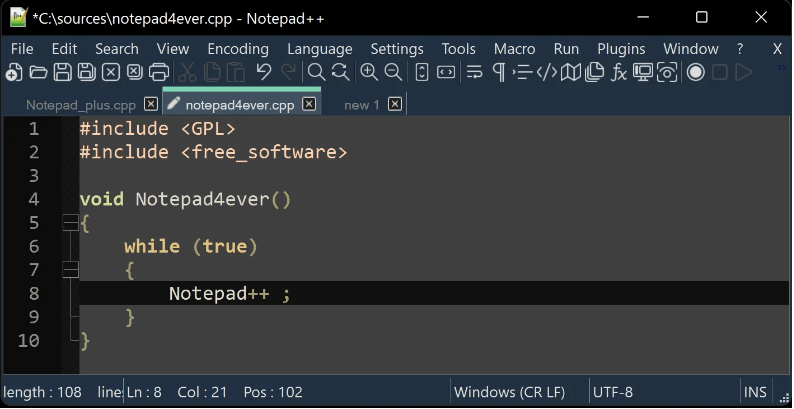
Notepad++ offers numerous great features, including:
- Over 75 supported programming languages
- Autocorrection of coding
- Syntax highlighting
- Lightweight functionality that doesn’t slow down your computer
2. Sublime Text
Cost: $99 for a license
One of the top CSS editors you can use is Sublime Text. Sublime Text works on all operating systems and makes it easy for you to code the style of your website.
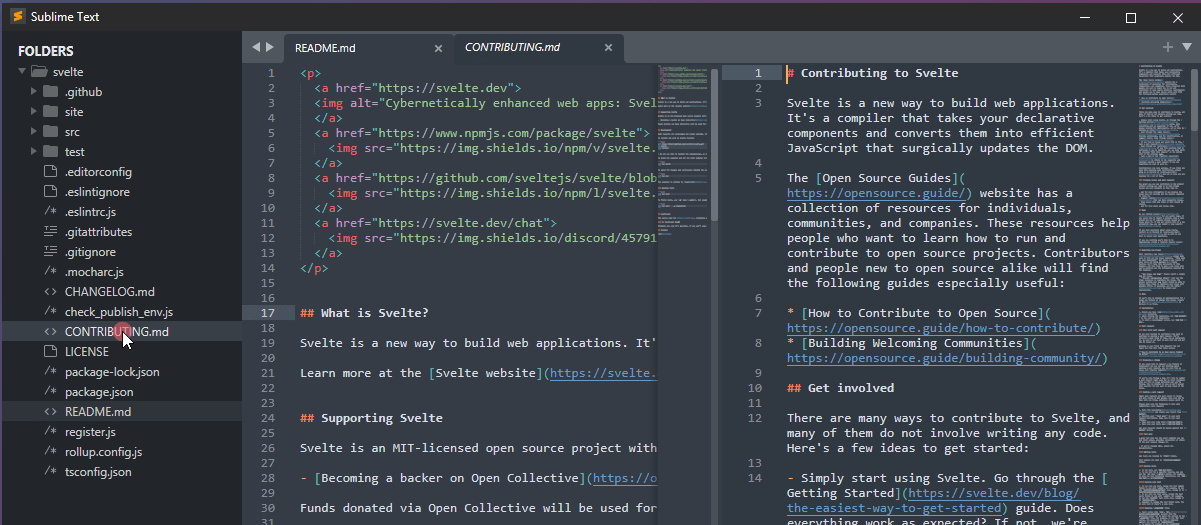
Here are some of the top features you get with Sublime Text:
- Context-aware autocomplete
- Split-view for seeing multiple tabs of coding at once
- Syntax highlighting
- Adaptive themes for ease of use
3. Brackets
Price: Free
Another one of the best CSS editors to try in 2024 is Brackets. This modern text editor uses visual tools to help you create the look and feel you want for your website. It’s the perfect tool for front-end developers that want to create a beautiful website.
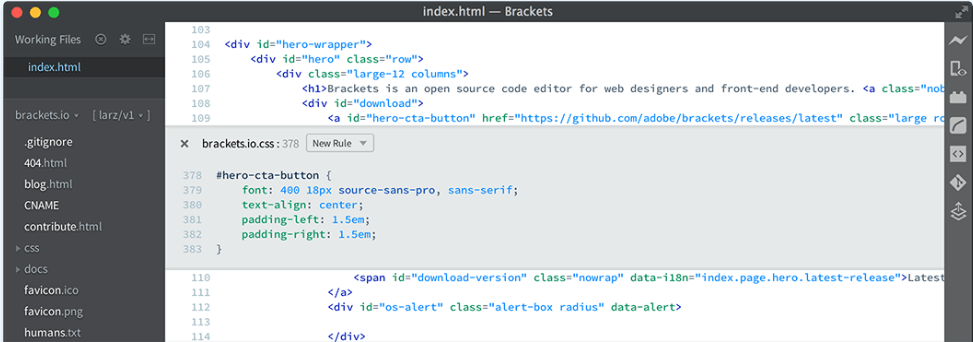
Here are some of the great features Brackets offers:
- Inline text editing
- Live preview of CSS to make quick changes
- Web version to use on any operating system
- Extensions for customization
4. UltraEdit
Cost: Starting at $79.95 per year
Another one of the top CSS editors is UltraEdit. UltraEdit is a great CSS editor for building a stylish website with ease. This CSS editing software works on all platforms, making it a great option regardless of your operating system.
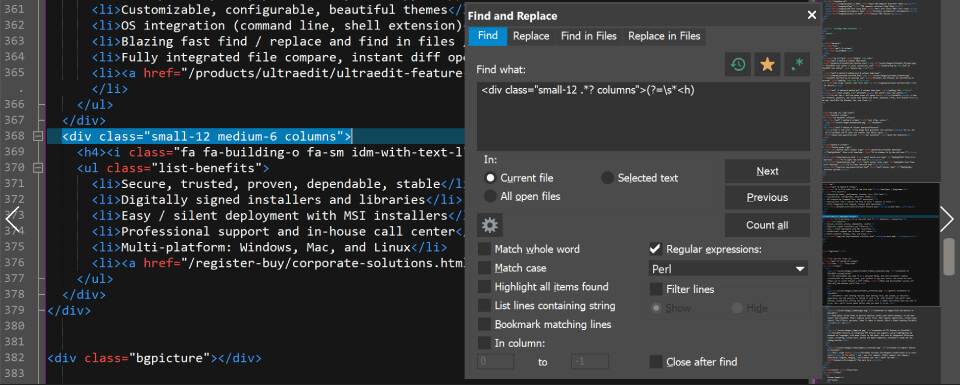
With UltraEdit, you get great features like:
- Syntax highlighting
- Block mode editing
- Find and replace features
- Color picker
5. Visual Studio Code
Visual Studio Code (VS Code) is one of the most trusted code editors. This is a lightweight, user-friendly CSS editor that offers an extensive variety of tools and features, including support for CSS, HTML and many other programming languages.
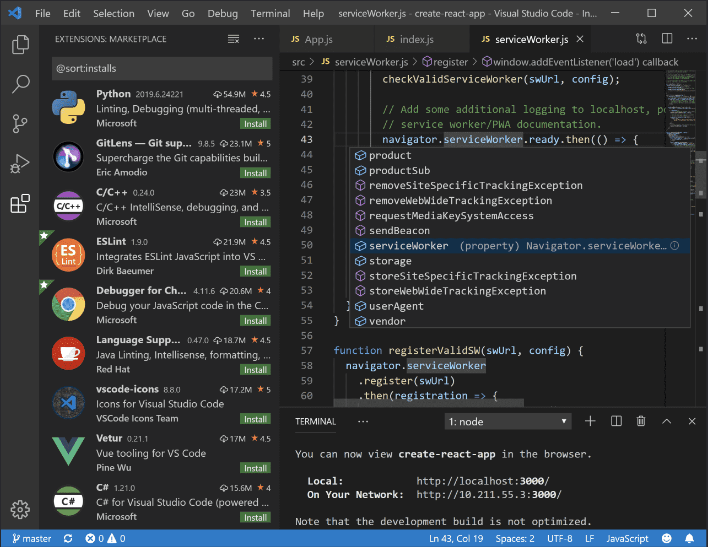
Visual Studio Code offers numerous great features, including:
- IntelliSense, their autocomplete coding feature
- Code debugging
- Extension integrations
- Multiple language coding
6. NoteTab
Price: $39.95 for a license
To continue on this list of top CSS editors, let’s talk about NoteTab. NoteTab is a fast editor that provides time-saving productivity tools to help you style your website with ease.
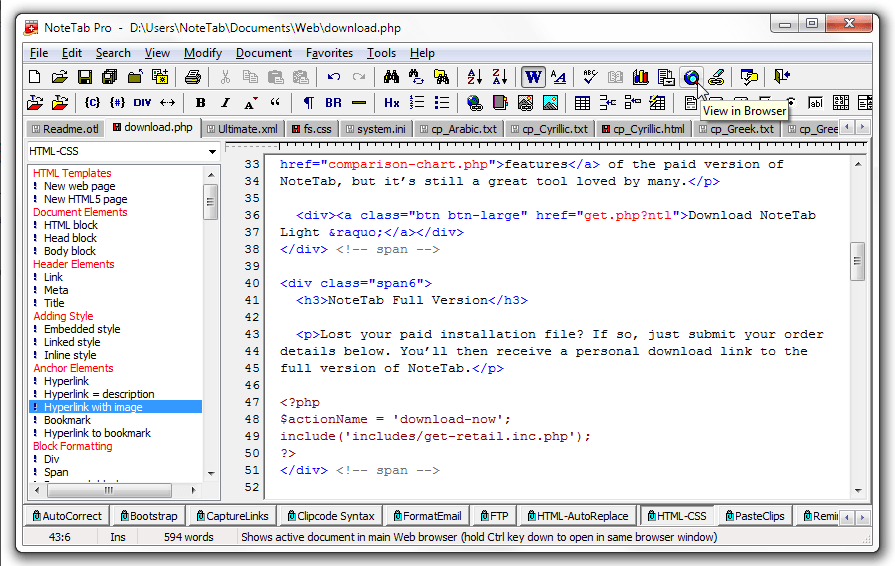
This CSS editor provides numerous great features, including:
- Syntax highlighting
- Drag-and-drop code insertion
- Code autocompletion
- Web templates
7. TextPad
Cost: Starting at $16.50 for a single user license
TextPad is another one of the best CSS editors for people who want a simple solution for Windows. This tool is a great option for basic coding projects you need for designing your website.
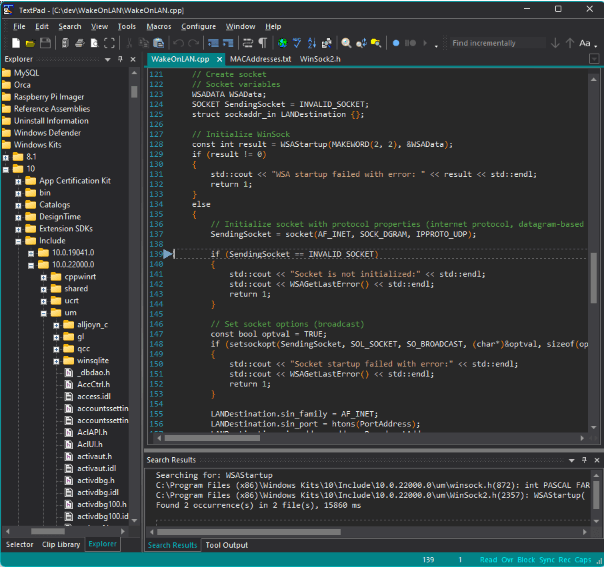
This basic CSS editor comes with great features like:
- Simultaneous file editing
- Customizable toolbar
- Drag and drop coding options
- Syntax highlighting
8. Espresso
Cost: $99 for a license
Next up on this list of the top CSS editors, let’s look at a Mac-exclusive editor — Espresso. This CSS editor is a great solution for flawless code editing on Mac computers.
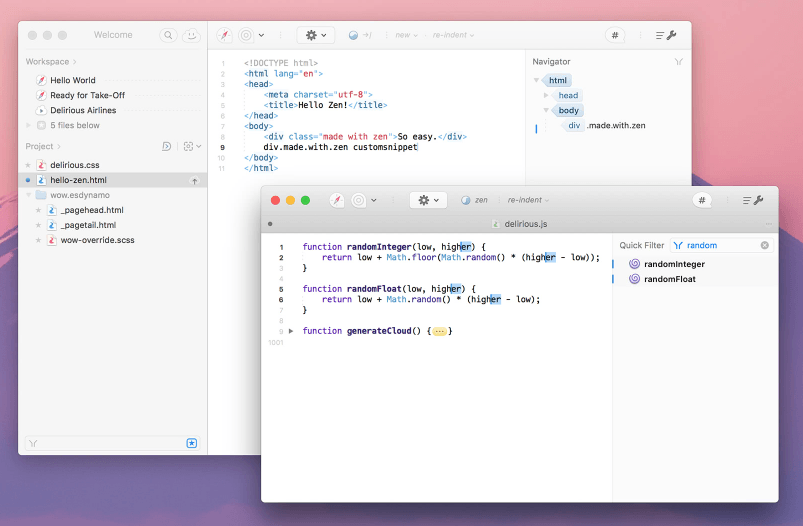
Here are some of the great features you’ll get with these tools:
- Design preview
- Real-time code editing
- Multi-editing options
- Find and replace
9. Bluefish
To wrap up this list of the best CSS editors, let’s look at Bluefish. This simple CSS editor makes it easy for anyone to create a beautiful web page.
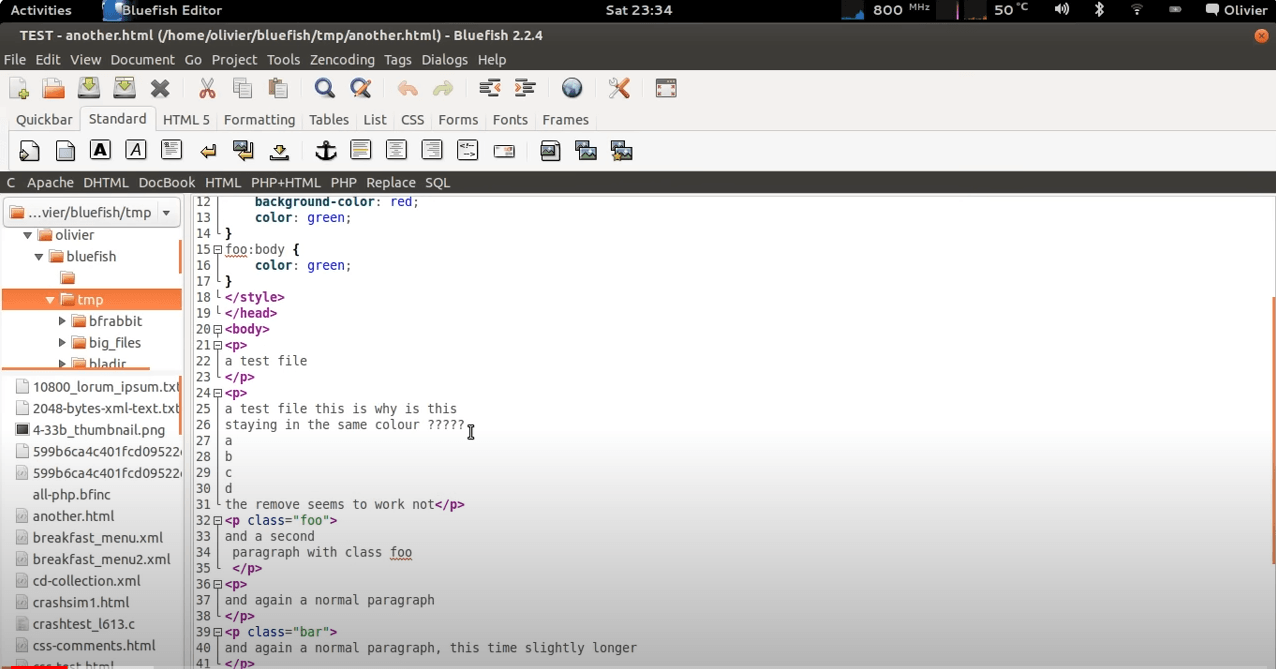
Bluefish offers tons of great features like other CSS editing tools, like:
- Search and replace
- Snippets bar
- Multiple document interface
- Syntax highlighting
FAQ on CSS and CSS editors
Have some lingering questions after looking at the list of top CSS editors? We’ve got answers for you!
What is CSS?
As mentioned before, CSS stands for Cascading Style Sheets and is a coding language that enables you to stylize your HTML coding. CSS is responsible for the aesthetics of your website, including colors, fonts, formatting, and more.
What are HTML code editors?
When talking about CSS editing software, you often see HTML code editors intertwined in the conversation. These editors are what enable you to create the foundation of your website — it’s the markup of your web pages.
What’s the difference between a CSS editor and HTML editor?
HTML and CSS editors are used in conjunction to create the beautiful websites you see online. HTML editors handle the structure of a website and all the technical elements needed to make the website functional. CSS editors handle the aesthetics of the website and all the elements that make it visually appealing.
Why do designers use CSS editing software?
Designers use CSS editing software for it’s ease of use. CSS tools enable you to make global changes to your website without having to edit each page individually. You can edit your CSS stylesheet and all the changes will apply to the pages under that sheet.
CSS also requires less coding, which allows for a faster-loading website. Having too much code can bog down your website’s load time, but CSS editors use minimal code, which allows for a fast website.
Additionally, with features like autocompletion, the top CSS editors make it easy for web designers to develop the stylistic elements of their websites fast.
WebFX is an expert in CSS and website development
WebFX can help you with any of your website development needs. We can help you launch a website that captures your business’s unique style, grabs the attention of your users, and gives you a website that looks amazing and runs smoothly.
Don’t believe us? Check out our design portfolio to see the work we’ve already done for clients!
If you’re ready to start developing a website that functions smoothly on the backend and looks beautiful on the front end, we’re ready to build it for you. Contact us online or call us today at 888-601-5359 to speak with a strategist about our web development services!
-
 President of WebFX. Bill has over 25 years of experience in the Internet marketing industry specializing in SEO, UX, information architecture, marketing automation and more. William’s background in scientific computing and education from Shippensburg and MIT provided the foundation for MarketingCloudFX and other key research and development projects at WebFX.
 -

WebFX is a full-service marketing agency with 1,100+ client reviews and a 4.9-star rating on Clutch! Find out how our expert team and revenue-accelerating tech can drive results for you! Learn more
Make estimating web design costs easy
Website design costs can be tricky to nail down. Get an instant estimate for a custom web design with our free website design cost calculator!
Try Our Free Web Design Cost Calculator
Share this article




Web Design Calculator
Use our free tool to get a free, instant quote in under 60 seconds.
View Web Design CalculatorMake estimating web design costs easy
Website design costs can be tricky to nail down. Get an instant estimate for a custom web design with our free website design cost calculator!
Try Our Free Web Design Cost Calculator



