


Seeing CSS3 on actual functioning websites is a lot like spotting a Himalayan Snow Leopard or a Giant Panda.
Because roughly 53 percent of browsers in use don’t support CSS3 (ahem, IE, ahem), most web designers just don’t use it on a regular basis. At least they don’t use it on sites they design for work. As such, most people don’t see it regularly, and if they do, it’s just a fleeting glimpse.
That’s not to say it’s not out there – again, like with snow leopards and pandas, to see CSS3 in the wild, you need to be stealthy, smart, and patient.
So, without further ado, here are some examples of CSS3 in the wild. But please – make sure to avoid big, sudden movements. You don’t want to scare it off.
To learn more about CSS3, you should also check out these articles and tutorials:
- CSS3 Techniques You Should Know
- Basic CSS3 Techniques That You Should Know
- How to Create Inset Typography with CSS3
- 20 Useful Resources for Learning about CSS3
Rounded Corners
How We Did Rounded Corners Before
By creating separate images for the corners of a box, or by using JavaScript to mask sharp edges.
How We Do Rounded Corners with CSS3
border-radius: 5px; -moz-border-radius: 5px; -webkit-border-radius: 5px;
Examples of CSS3 Rounded Corners
The rounded corners on these following sites are pretty obvious and fairly simple looking, but as any web designer knows, they weren’t so simple to create without CSS3. Twitter



Text Shadow
How We Did Text Shadow Before
By creating two elements with the same text, giving one of them the shadow color, offsetting it one or two pixels, and placing it behind the main text using the z-index CSS property.
How We Do Text Shadow with CSS3
text-shadow: 2px 2px 4px #000;
Examples of CSS3 Text Shadow
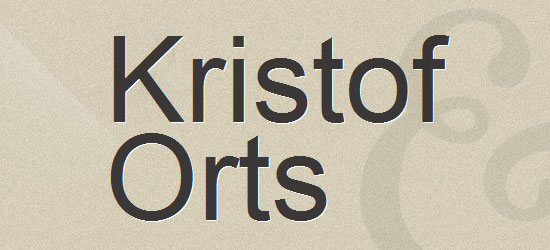
The sites below each use text shadow in a different way. Jolicloud Jolicloud uses CSS3 Text Shadow throughout the site.  A Different Design A Different Design uses a white text shadow in the site’s name to give the text that cool “embossed” look.
 Time2Project Over at Time2Project, the “who,” “what,” and “where” menu links use text shadow to highlight themselves when you hover over them – very cool.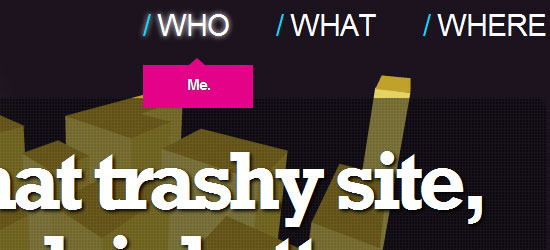
Box Shadow
How We Did Box Shadow Before
By creating an image of the box with a shadow or by using a JavaScript plugin.
How We Do Box Shadow with CSS3
box-shadow: 2px 2px 4px black; -moz-box-shadow: 2px 2px 4px black; -webkit-box-shadow: 2px 2px 4px black;
Examples of CSS3 Box Shadow
Again, with the two sites below, we can see two very different ways of using the same CSS3 technique. camen design At camen design, the footer stays in the same place, and box shadow is used to give the illusion of the main content area sliding underneath the footer.
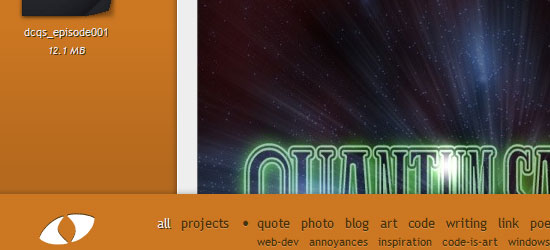 CSS-Tricks Over at CSS-Tricks, the box shadow effect is used on pretty much every box on the site, highlighting whichever box you hover your mouse on.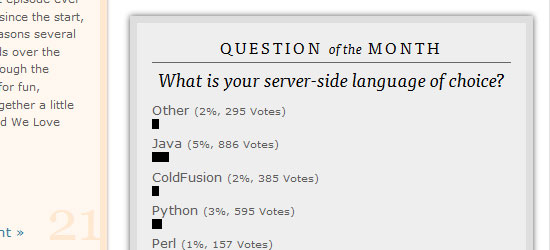
RGBA Colors
How We Did RGBA Colors Before
By calling a PHP script within CSS, thereby tricking the browser into overlaying colors in RGBA format. In no way could this be thought of as a good way of doing things, as it leads to lots of extra code in the PHP file that you’ll never use again.
How We Do RGBA Colors with CSS3
background: rgba(150, 25, 150, 0.5);
Examples of CSS3 RGBA Colors
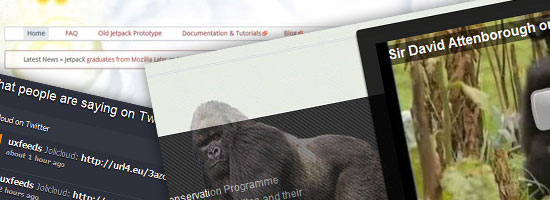
International Gorilla Conservation Programme (IGCP) Check out the awesome translucent gorilla on the IGCP site.
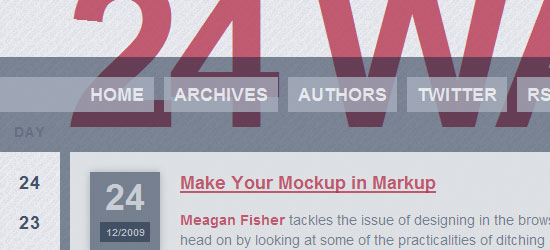
Now look slightly to the right. That box around the video player uses RGBA as a way to layer a semi-transparent container on top of the banner behind it. 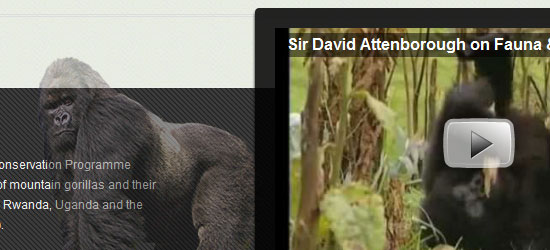 24 ways 24Ways uses the effect throughout the site, but it’s most noticeable on the top, where hovering over the headline banner uses RGBA to increase the opacity.
Opacity Level
How We Did Opacity Levels Before
By creating PNGs with transparency, or by using CSS filters for IE.
How We Do Opacity Levels with CSS3
opacity: 0.5;
Examples of CSS3 Opacity Levels
Changing the opacity level with CSS3 is one of the coolest ways to add to the user’s interface experience and also one of the simplest, as it takes very little code. Bunton At Bunton, each individual box uses opacity to show the designer’s comments about his portfolio – all that info is there all the time, it’s just got an opacity of 0 before you hover over it.  Peaxl Peaxl uses it even more subtly in the “subscribe” box, making the existing text fade away slowly when you click it.
 31Three 31Three uses it on its portfolio examples as well, making each circle light up ever so slightly with your hovering mouse. Nice.
Gradients
How We Did Gradients Before
Image slice of gradient repeated as a background image.
How We Do Gradients with CSS3
background: -moz-linear-gradient(100% 100% 90deg, #1a1a1a, #808080) background: -webkit-gradient(linear, 0 0, 0 100%, from(#1a1a1a), to(#808080));
Example of CSS3 Gradients
Philadelphia FIRST While this example isn’t the most beautiful or breathtaking example of CSS3, it might be the most practical.
By making the blue banner on top fade into a lighter blue by using CSS3 instead of an image, the site isn’t required to serve that image every time. Little things like that make a difference for a heavily-traffic site, and it shows what can be accomplished with CSS3 once it becomes the standard. 
@Font-face, Text Shadow, RGBA, Rounded Corner
(aka The Holy Grail of websites that currently use CSS3*)
How We Made Sites Like This Before
We didn’t.
How We Make Them Now
With CSS3. Lots of CSS3.
Examples of CSS3 Sites
The following sites are examples of what one can do with CSS3. Of course, because CSS3 isn’t implemented in all browsers yet, and implementation of browsers that do use CSS3 can vary, not all of these will render correctly on every browser. However, it’s an interesting look on what’s soon going to be possible in the world of web design. TheFella 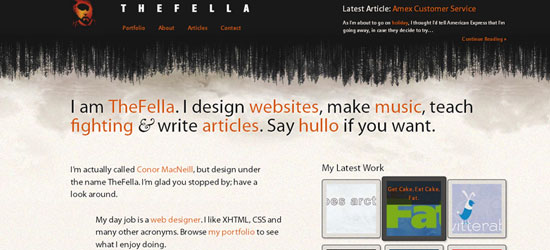 Mozilla Labs Jetpack
Footnote
*@font-face was implemented in IE5 and is part of CSS2, so it was actually modern browsers like Firefox that lagged behind in implementation.
Related Content
-
 President of WebFX. Bill has over 25 years of experience in the Internet marketing industry specializing in SEO, UX, information architecture, marketing automation and more. William’s background in scientific computing and education from Shippensburg and MIT provided the foundation for MarketingCloudFX and other key research and development projects at WebFX.
 -

WebFX is a full-service marketing agency with 1,100+ client reviews and a 4.9-star rating on Clutch! Find out how our expert team and revenue-accelerating tech can drive results for you! Learn more
Make estimating web design costs easy
Website design costs can be tricky to nail down. Get an instant estimate for a custom web design with our free website design cost calculator!
Try Our Free Web Design Cost Calculator
Share this article




Web Design Calculator
Use our free tool to get a free, instant quote in under 60 seconds.
View Web Design CalculatorMake estimating web design costs easy
Website design costs can be tricky to nail down. Get an instant estimate for a custom web design with our free website design cost calculator!
Try Our Free Web Design Cost Calculator



