10 Excellent Open Source and Free Alternatives to Photoshop
Become a Facebook Fan of Six Revisions.
Adobe Photoshop is a given in any designer’s wish list, and it comes with a host of features that allow for excellent and professional photo editing. The biggest obstacle to any designer who wants Photoshop is the price, which can be prohibitive. Fortunately there are a number of open source (and completely free) programs out there that do much of what Photoshop can, and sometimes more.
In this collection, you will find 10 excellent examples of open source and free alternatives to Adobe Photoshop.
This guest post for Six Revisions was written by Daniel Shain from LaptopLogic.com. At LaptopLogic you can have a look at the best gaming laptops and go through the latest laptop reviews.
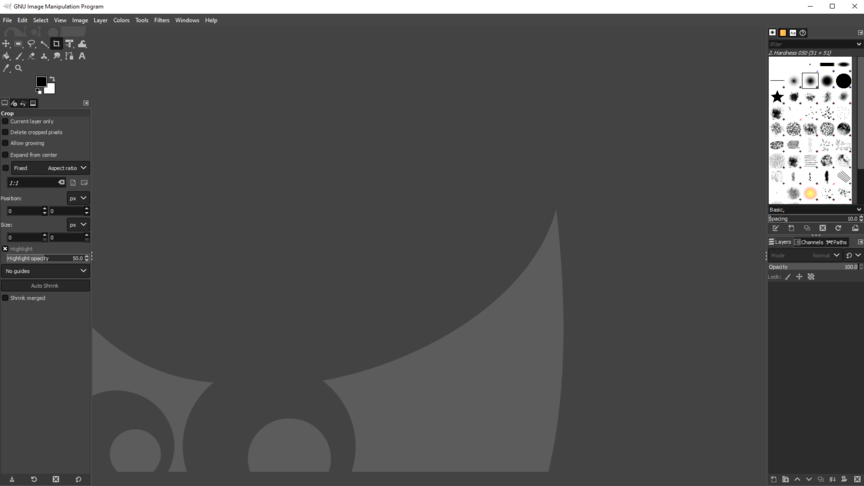
1. GIMP
GIMP stands for “GNU image manipulation program”, and it is one of the oldest and most well known alternatives to Photoshop in existence. Although it doesn’t quite have all of them, you’ll find most of the features included in Photoshop somewhere in GIMP. GIMP is cross platform and supported by a large community.
If just having the feature set isn’t enough for you, there is an alternative based on GIMP known as GIMPShop. It’s the same as GIMP, except the layout has been structured as close to Photoshop as possible, so anyone making the transition should still feel right at home.
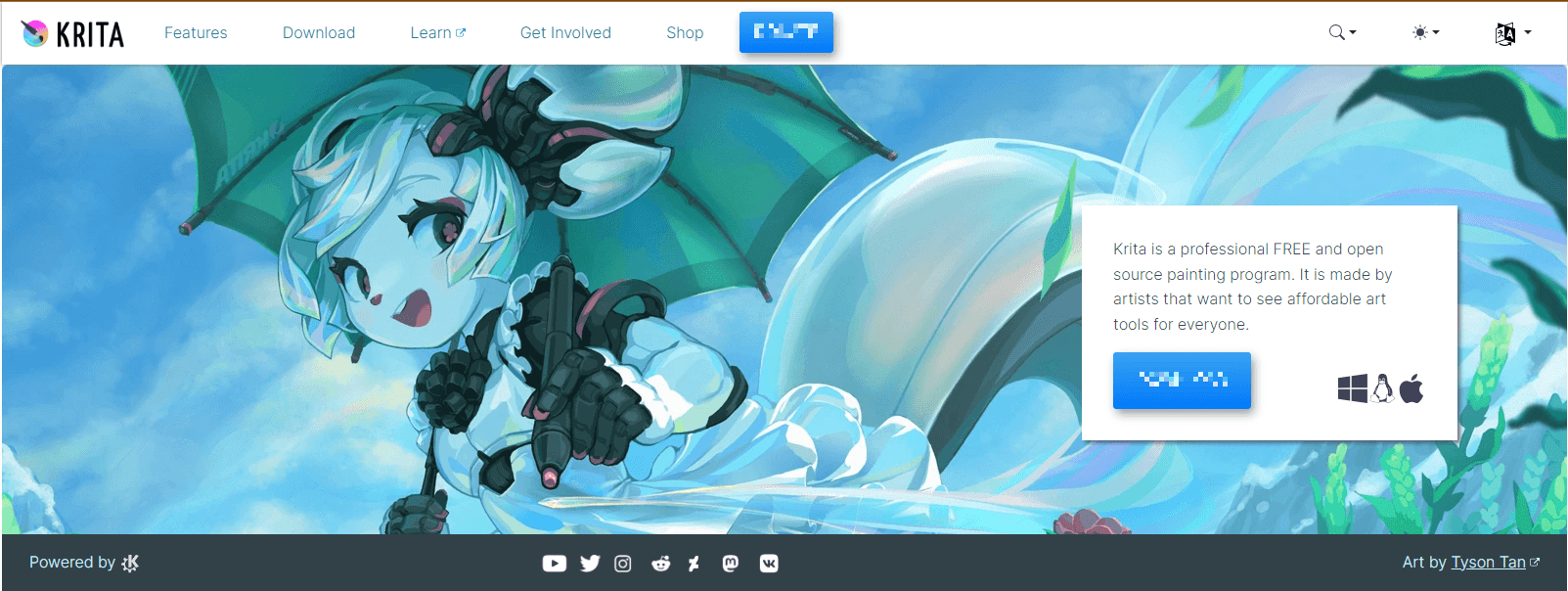
2. Krita
Krita has been lauded for ease of use and won the Akademy Award for Best Application in 2006. Part of the Koffice suite for Linux, Krita is slightly less powerful than both Photoshop and GIMP, but does contain some unique features.
3. Paint.NET
Paint.NET has grown out of a simple replacement for the well known MSPaint into a fully featured open source image editor with a wide support base. You’ll need Windows to run Paint.NET.
4. ChocoFlop
ChocoFlop is a design application designed exclusively for Mac, optimized for Mac architecture. It’s quick and fairly well featured. This program won’t always be free, but until a stable version is released (it’s currently in beta) they are allowing free use. The program works pretty well as is, and if you’re the type who doesn’t mind an occasional bug it’s certainly worth a look.
5. Cinepaint
Cinepaint is designed primarily for video often used to make animated feature films by major studios, but it is also a great image editor capable of high fidelity 32 bit color. Currently there is no stable version for Windows.
6. Pixia
Pixia was originally designed in Japanese but English versions now exist for this rich editor. Although the original focus was on anime/manga, it is a very capable editor in general. Some of the features are a little counter intuitive, but there are plenty of English tutorials available now if you want to give it a shot. The website seems to have changed recently, so be sure to use our link if you don’t want a Japanese error message. Pixia works for Windows.
7. Pixen
Pixen is designed as a pixel artist’s dream, but has expanded into a smooth and well featured overall editor. It’s definitely best at animation though, if that’s your style. Pixen is Mac (10.4x or later) only.
8. Picnik
Picnik is a web based photo editor that has recently taken off due to a partnership with Flickr. It has all the basic features plus a few advanced ones like layers and special effects. It is cross platform since you only need a browser.
9. Splashup
Another web based application, Splashup has a strong set of features (including those layers) and will remind you somewhat of Photoshop. It integrates easily with photo sharing websites and just like the above, is cross platform.
10. Adobe Photoshop Express
Adobe actually has a free web based photo editor of their own. It has all the basic functionality you’d expect as well as a few advanced features (sadly though, no layers), and interfaces well with a number of photo sharing websites. Again, completely cross platform.
Your favorite open source/free image editor?
There are many excellent open source and free alternative photo editors out there, and if your favorite isn’t on the list – why don’t you tell us about it in the comments?


132 Comments
V1
February 27th, 2009
Shouldn’t it be ..
10 Excellent Open Source OR Free Alternatives to Photoshop.
As far i know the web based services are not all open source ;)
Daniel
February 27th, 2009
Great post, but I am really not convinced that you could use a web based editor as a replacement for Photoshop.
Elliot
February 27th, 2009
I can’t believe you’re missing Artweaver
http://artweaver.de/
It’s much better than any of these products. The paint engine it has is superb.
gstratt
February 27th, 2009
Do any of the alternative in the list above supports PS brushes?
JMarin
February 27th, 2009
Great post! Thanks… SUMO PAINT (http://sumopaint.com/web/) is another web based image editor that works on both Mac and PC.
Anthony
February 27th, 2009
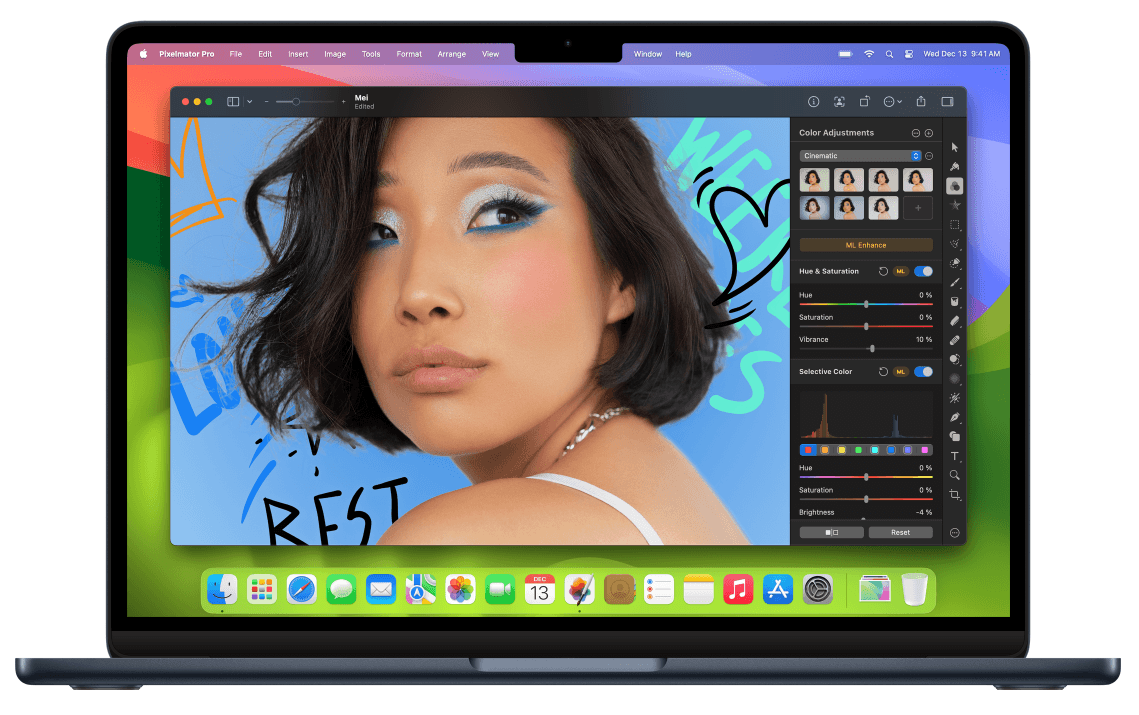
Pixelmator. http://www.pixelmator.com
Mark
February 27th, 2009
Aviary (http://aviary.com/) has a growing suite of web-based image manipulation tools including a vector editor as well as a standard Photoshop-type app called Phoenix. It has some really cool collaborative features and the ability to import and open an image from a URL, which is a pretty cool feature It also supports many keyboard commands such as Command+D to deselect, etc. so it’s pretty easy to get used to. It’s by no means a replacement, but a good little tool to do some quick and dirty work if you can’t access Photoshop or don’t feel like waiting for it to load.
Wez
February 27th, 2009
Aviary’s Phoenix is also a great free alternative to Photoshop – http://www.makeuseof.com/tag/edit-images-online-with-the-aviary-web-suite/
Anton
February 27th, 2009
You forgot to mention Pixelmator.
Top Ten Blogging
February 27th, 2009
I’ve used both Photoshop and GIMP and firmly believe that GIMP can satisfy the needs for most people. The heavy graphic designers may need all that Photoshop offers, but most people, myself included, will find that GIMP still does more than what they’ll ever need.
iGadget
February 27th, 2009
what about pixelmator? http://pixelmator.com
ahh, it ain’t free… Okay-okay..
lashtal
February 27th, 2009
The apps mentioned are alternatives to msPaint at best.
Tyler
February 27th, 2009
I’ve enjoyed chocoflop, and haven’t had too many issues.
Claudus
February 27th, 2009
@gstratt
Gimp supports PS brushes
Metapocolypse
February 27th, 2009
I swear by Paint and Gimp
neysan
February 27th, 2009
Don’t call the post “Excellent” if they are not excellent alternatives. There is simply no alternative for Photoshop.
!
February 27th, 2009
LONG LIVE PHOTOSHOP
ridlydidly
February 27th, 2009
How about Picasa
http://picasa.google.com/
I have used it for many years and it sure does the job 4 me and is easy to use
Lonny Eachus
February 27th, 2009
Another glaring omission is Xara Xtreme. Xara has been working on going open-source since 2006. While the project has been taking a long time, version 0.7 is available for download for Linux, and they say a version for OS X will be out “soon”.
This is more an illustration package (vector graphics) than Photoshop, but it does allow bitmap editing, and what it does, it does very well and very fast. It can also use Photoshop plugins.
Flimm
February 27th, 2009
The following are not open source:
- Paint .NET (not anymore)
- Chocoflop
- Pixia
- Pixen
- Adobe Photoshop Express
as well as the web based ones, probably.
I’m tired of people using the “open source” headlines to get more clicks, even if the article has nothing to do with open source. Please stop. The term “open source” has a very strict definition and should not be used lightly. Thank you.
Flimm
February 27th, 2009
Correction to my last comment: Pixen actually is open source, it’s released under the MIT license.
Cowicide
February 27th, 2009
If it doesn’t have an equivalent to Photoshop’s ‘Smart Objects’, it’s pretty much useless to most professionals (who know what they are doing).
krisu
February 27th, 2009
@gstratt: The GIMP supports Photoshop’s brushes nowadays.
Not bad list, but I have already using GIMP and I don’t need others :)
tyroelite
February 27th, 2009
Phoenix from Aviary is an excellent web based tool. Aviary also offers several other image tools.
http://www.aviary.com
TheOldGit
February 27th, 2009
@ gstratt
not sure about the others but the latest version of Gimp does
chad
February 27th, 2009
on OS X you also have Pixelmator… it’s f’in great.
http://www.pixelmator.com/
John Thomas
February 27th, 2009
Cool tools for sure but nothing compares to Photoshop.
http://www.be-anonymous.us.tc
ken
February 27th, 2009
Take a look here for 10 online photos tools
http://kennygunie.online.fr/index.php/2009/01/25/10-editeurs-dimage-en-ligne/
English by Google :
http://translate.google.com/translate?hl=en&langpair=auto|en&u=http://kennygunie.online.fr/index.php/2009/01/25/10-editeurs-dimage-en-ligne/&tbb=1
graphicartist2k5
February 27th, 2009
here we go AGAIN with the “top 10 list of alternative/open source/free/lame ass programs that can be used instead of photoshop! WHAT THE HELL IS THE POINT IN THESE LISTS? i’ve tried the gimp, and i wasn’t the least bit impressed, and i’ve tried paint.net as well, with the same results. WHY? because i know that photoshop stomps them ALL into the ground. it’s that simple.
kwer
February 27th, 2009
Pixel Image Editor is also an interesting option, available for Linux, Mac and Windows:
http://www.kanzelsberger.com/pixel/?page_id=12
(not open source though, but still economic)
Ranjeet Walunj
February 27th, 2009
If you’ve GIMP do you need to look for others ?
It pretty much does everything which a designer needs.
I’m not a designer, but it works for me :-)
Daniel
February 27th, 2009
As far as I know, Gimpshop hasn’t been updated since 2006. So it’s fairly outdated.
b
February 27th, 2009
MIA:
Inkscape: http://www.inkscape.org/
Xara: http://www.xara.com/
Janko
February 27th, 2009
Great to see Paint.NET on the list. I am actually preparing a small tutorial on how to do simple manipulations in this editor.
Neil Gilbert
February 27th, 2009
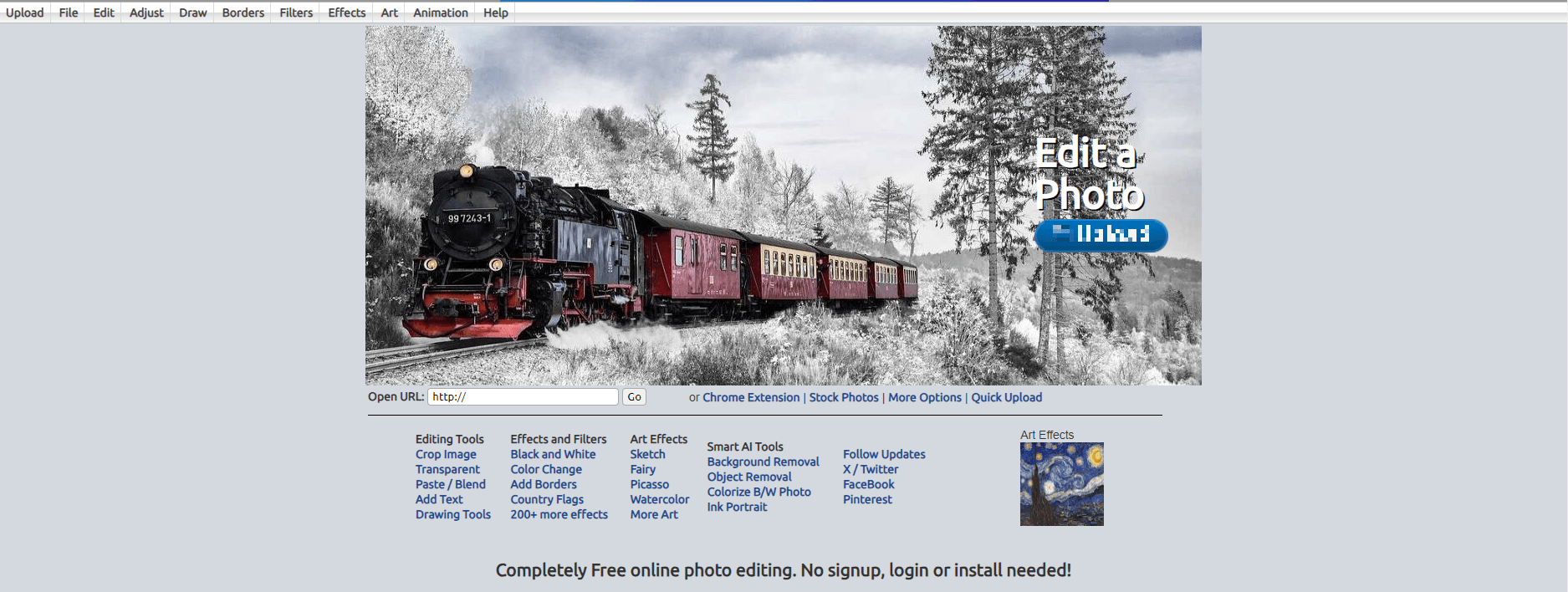
You can add pixlr.com to the list. It’s a completely web based editor.
Birth Announcements
February 27th, 2009
How about Aviary http://aviary.com/
Marcelo Minholi
February 27th, 2009
@gstratt GIMP supports PS brushes and there is a lot of plugins out there too.
Sudoeste
February 27th, 2009
Pixel image editor.
Cheap, lightweight, powerful and multiplatform
http://www.kanzelsberger.com/pixel/?page_id=12
Dabbler
February 27th, 2009
How about Aviary.com?
Honour Chick
February 27th, 2009
very good alternatives…. makes you wonder why people still buy photoshop :(
Dylan
February 27th, 2009
Thank God you didn’t use the word ‘replacements’ in the title. I might have had to kill you.
SteveM
February 27th, 2009
To go along with the other web-based ones, you really should include http://aviary.com/tools/phoenix. On top of the image editor there is an ever expanding set of tools to go with it (vector editor, font editor, etc.)
Andrew
February 27th, 2009
The problem with all of these is:
1) None are nearly as good as photoshop
2) Most people who buy photoshop need the entire creative suite. Of which, there aren’t really any good alternatives, especially in the design industry.
Until companies are willing to compete against the entire suite, there will be a problem
Doug
February 27th, 2009
I LOVED GIMP also until I had to actually really truly use it. At which point, I realized it was perhaps the worst, most unintuitive Pieces of Software I’d ever used. If you love Photoshop, GIMP will make you want to tear your hair out.
JAC
February 28th, 2009
@Elliot: Artweaver is awesome, but it’s more akin to Painter. It, in fact, will flatten PSDs when you open them. (I found that out the hard way… T_T…)
@gstratt: Making brushes in GIMP is pretty easy, once you get the hang of it. I used it to turn my logo into a sort-of stamp. :D —> http://www.gimp.org/tutorials/Custom_Brushes/
… also, Dan, I second that thought. Just how much ram would the safety saves take? And what makes Sumo, Picnik, and Splashup any different from… Tegaki or RateMyDrawings? Madness, I say… -_-;
joe
February 28th, 2009
Don’t forget Pixelmator for Mac.
http://www.pixelmator.com/
Ricardo
February 28th, 2009
Gimpshop is now too old, hasn’t anybody came with a newer version than 2.2? Gimp 2.6 has really good stuff. The only thing missing from Photoshop are layer styles. Other than that you get almost every key feature.
Online, Aviary Phoenix ROCKS!
SadistiX
February 28th, 2009
Adobe Photoshop Express is hardly an alternative to Photoshop cos it’s so limited in features.
Phil Davies
February 28th, 2009
I use gimp as my main tool for all of
my web designs,It works just find for
me.Thanks for the great list.
Cindy Sue Causey
February 28th, 2009
Am seeing GIMP getting some LONG overdue airtime lately.. As an outspoken disability self-advocate, its name, um, [bytes] terribly..
The program itself has worked wonderfully for these Fingertips.. Found it after a computer crash when I couldn’t remember the name of another I had been using.. GIMP turned out to possibly be what the other “free software” one I was using may have come from, *only better*.. :grin:
Thanks for the list.. Opening a couple in other tabs this second to give them a shot, too.. Good to have *CHOICE*.. :wink:
ink
February 28th, 2009
a great web based alternative to photoshop is
pixlr
http://www.pixlr.com/
direct link for the editor:
http://www.pixlr.com/editor/
also has tranlation capabilities
Elliot
February 28th, 2009
Of course it will flatten them JAC, however, it has the most used features implemented in a proper way. It also supports natively PS brushes.
Online Hry
February 28th, 2009
I use GIMP and i think that is best free alternative to Photoshop. If you want use same skin as Photoshop, use GIMPShop.
alfred devanesan sam
February 28th, 2009
great work …carry on your good work… excellent post
Make Stable Money Online
February 28th, 2009
Great post, Photoshop still rules though =)
Moucon
March 1st, 2009
Your list is old news. Sumo is by far the best web-based image editor to date.
Ayub
March 1st, 2009
There is one more software; fast, simple and very light. Known as Photofiltre. Check it out here… http://photofiltre.free.fr/frames_en.htm
Wesley
March 1st, 2009
Although there are some highly capable alternatives, as we can see by some of these posts, nothing will ever have the snob appeal of Photoshop. For many, that alone is worth the price of admission. Even if you don’t use but 15% of its features, nothing says “I know what I’m doing” like CS4.
macobex
March 1st, 2009
Nice List mate.
The most famous among the alternatives is definitely GIMP. But i really don’t like it, because of it’s not so organized workplace. For web-based alternative, I prefer Splashup.. because of it’s simplicity. Thanks for the post..
Rick
March 1st, 2009
The pros are already using PS, and aren’t in the market for an alternative. The rest of us can’t or won’t shell out that kind of dough for image editing software, so this list is a great place to start. For me, it’s GIMP, because it’s so powerful and I’ve taken the time to get familiar with it. I’ve also used Picasa for quick basic editing. I’m going to take a look at Paint.net to see what it can do.
Jamie
March 2nd, 2009
Photoshop has got a large financial backing from Adobe and has had many years of many people working on its development, hence why it is probably the best known image manipulation software out there. The alternatives that do not cost the user to obtain are probably developed by small teams who will probably receive little or no income for creating these tools.
GIMP and the likes do not require the user to part with any cash to obtain them, hence why they are popular photo manipulation programs. CS4 can cost hundreds of pounds and myself like lots of other people do not want to part with such money for computer software nor get involved with illegal copies.
People who want a free equivalent (copy or clone) of Photoshop will probably be disappointed. Photoshop is Photoshop and GIMP is GIMP. They are different programs that have different features and different workflows. Okay so some of the programs will do similar tasks to Photoshop and maybe do them in different ways, but like I said, they are not Photoshop. That is not to say one is “better” than the other, people have a choice of available image editing software and this list shows ones that do not cost to obtain. If you want Adobe Photoshop and can afford it, then by all means buy it. If you want a program to edit images that does not cost you anything, then try something from this list but it will not be Photoshop :-)
Oh and lastly, I’m pretty sure that Gimpshop has been replaced with Photogimp or something with a similar name…
Tan The Man
March 2nd, 2009
Nice list…
Arnold L. Johnson
March 2nd, 2009
It very easy to say Photoshop is the graphic industry standard, even to the point that you can’t do serious computer art of any vein unless you have it or know it. The truth is that only the file format matters. Can you import and export, can you manipulate, can you send your files to a printer be it desktop or commercial off set.
True artist use whatever is at their disposal. If you are locked into using a commercial graphics software as a company employee, that is your limitation. The audacity of folks to use other software to do what you are doing is not a smirch on your intelligence. I am under no obligation to purchase a Cadillac when the Chevy will do just fine (still GM).
I use GIMP and Inkscape on a Linux platform (Xubuntu). I am quite pleased with the workflows and the outcomes. I have never used Photoshop. GIMP is not a free Photoshop, that is called copyright infringement. While it is great to have one program that does everything, a different program that does things differently is of great value. Maybe Photoshop with GIMP on the side eh? You have the best paintbrushes money can buy but that cheapo brush is all worn out because you really like it. Gee, several hundred dollars vs free, where’s the comparison?
Elizabeth K. Barone
March 2nd, 2009
While I love Photoshop, I still have PaintShopPro X on my laptop as an alternative, just in case. I actually just lost my Photoshop (had a trial version of CS3 design premium) and am currently saving up for CS4. I can’t say enough how glad I am that I kept PSP on hand.
This is a nice list though, and I will definitely bookmark it because you never know when you might need something like this.
ljames
March 3rd, 2009
Ummm, no app has ever come as close to replacing Photoshop as Pixelmator… and not even a mention? Lists like these never fail to shock and disappoint.
Julian
March 3rd, 2009
AIE (Ajax-Image-Editor) http://www.ajax-image-editor.com is free and open source and you can integrate it in your webpage. It uses ExtJS/Javascript on clientside and PHP/ImageMagick on Serverside.
domineaux
March 3rd, 2009
Photoshop is the better tool we all know that.
All the pinkos saying photoshop is the king,etc. have probably pirated the photoshop. Photoshop is a very expensive program, and it sure as heck isn’t a software you would buy without a serious purpose for buying.
I don’t steal software or borrow it. I buy it, so open source alternatives are meaningful to people like me.
Pirating software is bad…it makes a thief out of otherwise honest people. People that normally wouldn’t steal a dime will steal music, videos, software off the web and never think about it. Well, it is stealing and thats a fact.
This posting is about open source tools. I doubt anyone that owns a legitimate copy of Photoshop would ever search or look for Opensource graphic tools to replace the quality of a photoshop.
ScottW
March 4th, 2009
Seeing as the purpose of this post is to refer to alternatives to commercial software in the photo editing realm, I see no reason why those above me and possibly below are acting like such asses over the extreme possibility that some open source software might actually come close to being as good as their costly Adobe is.
Are we forgetting that the whole idea behind FOSS (Free and Open Source Software) is freedom of choice? If some high end graphics artist wants to shell out a chunk of change for his software, that’s his or her choice. In keeping freedom of choice in mind here, it’s also the option of another individual to decide to use an open source piece of software that works for them.
I’ve used both Adobe’s Photoshop and the GIMP myself. Both took time to get acquainted to in order to be able to use efficiently. And both I might add, resulted in very satisfactory images.
Both have their place and each of us has their choice in which one to use. If you can justify the cost of Adobe, by all means go ahead and shell out that money. If on the other hand, you can’t justify it, GIMP or some of the others will do just fine.
It all comes down to how well you know your software and how to use it.
BlackJackTrainer
March 4th, 2009
Gimp are easy to work…
xea
March 5th, 2009
Thanks for the links ;)
gimphoto
March 6th, 2009
if you search for photoshop free alternative then maybe you should consider GimPhoto, afaik this is the most closest to Photoshop than other software.
actually GimPhoto is GIMP 2.4 modification using new PS menu layout and PS shortcuts, packed with many great plugins, such as: CMYK separation, Save for Web, Batch Process, Noise Removal and Photography Filters, and also improved with new brushset, new gradientset, every aspect is tweaked to improve user usability (available for Windows and Linux)
David
March 9th, 2009
I have to question whether a lot of you GIMP haters have taken the time to try the latest version. I used Photoshop for years, from v3 to CS1, and when it became economically nonviable to keep *legally* updated, I switched to GIMP 2.3dev and have never looked back. It was frustrating at first, but I committed myself to *learning* GIMP and am glad I did. Now that I can actually afford to buy PS again if I really wanted to, I choose not to. There’s simply nothing I need to do that I can’t do in GIMP (and probably faster, since I’d have to relearn PS).
The current GIMP 2.6 is incredibly powerful — I’d say the only significant feature lacking is support for 16-bit color, and that is currently being developed by way of GEGL. MOST people using Photoshop do not work in 16-bit color, so this is hardly a crippling limitation for most of us. If you take the time to learn GIMP instead of expecting it to behave exactly like PS, you would probably be surprised to find that it can do 98+% of what PS can do. You just might have to manually perform some operations that PS wraps up in a nice plug-in — then again, many PS plugins are supported in GIMP.
BTW I do NOT recommend GimpShop, as it is abandonware and based on a much more limited version of Gimp 2.2. If you want the most out of GIMP, then learn GIMP and stop trying to force it to be Photoshop. That said, GIMP keymapping is fully customizable and has for a long time shipped with an alternative keymap that mimics most PS keystrokes.
For those contemplating GIMP for serious work, I highly recommend these two books:
“Beginning Gimp” by Akkana Peck (don’t let the “Beginning” title fool you, it gets into quite advanced topics, including writing your own plugins)
“The Artist’s Guide to GIMP Effects” by Michael J. Hammel
Seahawk
March 9th, 2009
Wow!
What an impressive number of comments, even from people who is not pro open source.
I have recently updated my paint.net without any issue. Apparently there are version developed by some people where you now have to buy, but I think they do not stick with open source philosophy.
I have Photo Shop, Paint.net, Gimp, and a number of other commercial and open source software. Each have there strong points and each have there lacks.
So what’s the issue again?
Michael Hendrickx
March 9th, 2009
amazing tips, thank you!
da LLama
March 11th, 2009
I think that most people have very limited requirements when it comes to image editing software and could get things done with the above listed programs. Bluntly put, 90% percent of people who think they need PhotoShop – don’t.
But there is a reason why Photoshop and CS cost as much as they do and why they are so popular. Professional graphic designers and artist (or just those who are very serious about their work ;) will tell you there is no (free) replacement for PS since it combines the possibilities of photo editing, filters, tools for vector graphics (paths) and very good response when using tablets. Also, using CS allows even more tools that are compatible and based on the same concept.
Most freeware programs can replace one aspect of PS well enough (at least when it comes to photo editing – when dealing with tablets and drawing, I still haven’t found anything that can provide both satisfactory response and nifty concepts like layers or photo filters). But if you need to combine more of these aspects – if you can afford it – better buy PS than combine different free software that together will never be as practical (and compatible) as PS and CS.
But like I said, if you’re just interested in photo editing or photo manips, there is enough of free and completely satisfactory software out there. Leave PS for the demanding pros – they get paid for using it ;)
Tom
March 11th, 2009
Picasa is another pretty good editor.
Jacklyn
March 12th, 2009
My favorite editing program that is most like photo shop is
Artweaver. It does have some extra features that photoshop doesn’t have too!
Like a embellish tool. On photoshop you have to select, cut and then go to embellish on the top tool bar. But artweaver has it as a tool. It has several other features as well. And of course, its free!
http://www.artweaver.de/index.php?en_version
Eclectic Eccentric
March 12th, 2009
GIMP 2.6 is a decent program enough, and I would use it still if my computer would actually work when I tried to boot up the program (Instead, it causes my computer to freeze, and I must restart). HOWEVER, I have experienced Adobe Photoshop, from a CS3 trial, to the CS2 avaliable on many computers at my school, and to my own Elements 5. And even if I had a choice between Adobe and GIMP, I’d most certainly go with Adobe. Adobe is smoother and far more organized in structure, and even though my Elements 5 lacks key features, such as the Pen Tool, I still get better results from it than I ever did from GIMP, tablet or no tablet. But then again, the preference all ties in with what the user wants and needs.
Photographer
March 12th, 2009
Great article!
But here’s another great program named PhotoFiltre
ashley
March 12th, 2009
I’ve used GIMP before and I wasn’t impressed… the only image editing/creating programs besides the adobe suite that have held my interest were those that charged a fee unfortunately, which is corel painter x and artrage for its intuitive painting. photoshop is still industry standard and probably will be for a very long time, simply because adobe has the cash resources to constantly improve the program, while the open source developers generally dont get paid much or at all for their work (which, considering that, they do great work).
if someone wants to work in the design industy, adobe suite knowledge is a must, simply put. you can afford photoshop if your a student – they give out academic licenses (which allows full usage even commercial) for $300 for the design premium cs3… i bought that when i bought my laptop for college. all you need is proof that your a student, and you get student pricing on anything adobe. of course, they also sell a super cheap ’student’ edition ($100 i think, its the full program), which prohibits commercial work… its confusing, but if you plan on making money designing then the academic version is the way to go. you can get these discounts straight from adobe, not some questionable third party.
(by the way, im from the US – the licensing is different in other countries but some form of student priced software is available everywhere adobe is)
Zammy
March 13th, 2009
Here’s a moral question:
You use an open source, free alternative to Photoshop. As a result you don’t need to pay for Photoshop, but have to use applications worse off than Photoshop.
You manage to find a free version of Photoshop [through means I shall not describe]. You don’t need to pay for it, but you get to enjoy the full power of Photoshop.
In both cases you don’t pay a cent. But for the latter, you get to enjoy Photoshop and publicise it as you use it. Right?
Actually I’m just saying so because Photoshop is just so good, nothing comes close. But the latest version is so ex, it’s cheaper to find an outdated Photoshop version through EBay, and yet still have awesome features. They really didn’t change much through the years.
MAID
March 13th, 2009
Thanks for this helpful post.
Thanks also to everyone who commented and recommended other alternatives. You’re all so helpful!
I’ll go check out those….
Hockey Prophet
March 13th, 2009
Nice article.
Photo Shop and Harley Davidson motorcycles have some thing in common: You pay a lot for a label. The only real benefit is the attitude you can project since you can say you have one or the other.
The reality is that there are alternatives which work just as well. Another reality is that most people resist change of any kind. Having to learn how to use a new application is time consuming, the real price tag few are willing to pay.
Leena
March 14th, 2009
Don`t forget to try Photoscape !!
http://www.photoscape.org/ps/main/index.php
putude
March 15th, 2009
Yeah, I tired to explore google.com to find another similar software. GIMP and their friend make me confuse. I’m frustrated with this software. But we should appreciate the GIMP creator/community for their great job.
jpcha2
March 18th, 2009
You should take a look at Chasys Draw IES, and see if you like it. I think it gives Photoshop some real competition
indera
March 20th, 2009
wow, thank u.. i love “free”
Moe Shinola
March 20th, 2009
Which of these are the easiest for designing bumper stickers? With Photoshop there’s a forest of GUI and features to wade through so it’s hard to figure anything out.
The YPI
April 2nd, 2009
Thanks
Really something that I was looking for.
T-Law
April 3rd, 2009
Awesome list, thanks ;)
Fadzuli
April 6th, 2009
There’s a new one in town. http://www.pixlr.com/editor/
Mel M. M. M.
April 11th, 2009
Fantastic post. Thanks so much for sharing your knowledge on this. It’s fantastic to know there are so many options. :O)
prem ypi
April 16th, 2009
Great collection. You are really doing community service by showing the alternatives.. i like specially the ChocoFlop and the pixen.
Mike
June 4th, 2009
Great thread ,
I agree with Hockey prophets’s views. I don’t care if it’s commercial , web based or open source ,I want somehitng thats simple to use and produces half decent results.
I would happily pay for photoshop if i could take it home and use it out of the box. I have tried friends copies as they rave about it but I just don’t have the patience for it. I have also tried abouit half of the programs above also. As an infrequent hobbist I want somehting I can master in days not months because i don’t have the time (or won’t invest it)and I have no real needs for perfection. I do have a few wants, the major one being a one or two click method of removing (or reducing to acceptable levels)the flare on peoples faces from flash photography, I have a good quality compact camera which I just want to point and click for half decent snaps (not quality photos) and yes i coudl get a bettter camera ,but the same philosophy applies, I don’t wnat to invest loads of time learning a beter quality camera , i just want to automatically take half decent snaps (not high quality photos), and be able to easily remove the semi regular problems with them and get on with my life.
If anyone can recommend a program that a hobbyist can use to easily remove skin blemishes liek flash , i’d be obliged , thnaks.
jpcha2
June 14th, 2009
Thought you might want to know -Chasys Draw IES is now free and more powerful than ever. Try it and you’ll never look at Photoshop again
RareHero
June 16th, 2009
I Love GIMP. Too bad I’m not any good at it.
Mary Cook
June 23rd, 2009
i don’t know what a web site is i have a spot on zazzle.com which is http://www.zazzle.com/sugie_sug* .do to a head injury i have a hard time,specially with reading and grasping what i read. what i need is something or someone to show me how to enlarge a image. so is there a spot to go. FREE PLEASE i have no money. thanks.
mary
Naruto
July 15th, 2009
i seriously can never figure out how to do anything in gimp… plus almost all cool tutorials are for photoshop
James
July 22nd, 2009
That’s a great review but there still does not seem to be any real equivalent to Photoshop. Better start checking for the best prices instead.
Jeff
July 23rd, 2009
I was mislead into coming here by your inaccurate title (half of these aren’t “open source”). Please fix it.
alexxie
August 24th, 2009
don’t forget that photoshop is the best image editing software in the world, just check out the tools very well, they are super amazing. (if it can’t be a photoshop definitely is not a photoshop) am from Nigeria. thanx
Kim
September 5th, 2009
I use Irfanview, Paint and Gimp and I’m really surprised no one mentioned Irfanview.com in this post, it’s been around for awhile and it’s better than Paint. I’m not a designer or anything just basic stuff and I find Gimp rather intimidating. I think Irfanview is one of the easiest to learn (aside from Paint because its been around for so long) but I mainly use it to convert personal pics to an icon file so I can “personalize” my desktop folders. Thanks for the post, will bookmark it in case I start getting more adventurous!
Leo
September 22nd, 2009
Questions for all those who swear by Photoshop… How much does it cost? Did YOU pay for it? Would it be fair to say that Photoshop costs about $800 to buy? How much does Gimp cost? For those of us who are living and working on a tight budget. It’s a no-brainer. I understand the cost of software development and everything but why so much for a great product that needs no advertising. It could sell it self two-fold if the cost was much lower.
Soi
November 16th, 2009
THE problem with the PS/CS suite isn’t simply the price one has to pay to “buy in”… it is the price one has to pay to “buy in” again and again and again and again. I wouldn’t mind paying $1000 for a program _once_, with reasonable and inexpensive updates (around $100) every year. But when I have to pay between $500 and $1000 every one to two years to stay current–as happened when I (foolishly?) upgraded to Snow Leopard–I want to look elsewhere. (Either that or pirate a newer copy of software I purchased in the past… which is–despite the assertion some people want to force upon us–isn’t stealing).
Photoshop’s monopolistic prominence as the “industry standard” seems to have given them the right in their eyes to massively overcharge for their adequate product. After all, if you’re a design professional, where’ya gonna go?
(Recall back in the day when there were viable competitive alternatives to Adobe? Recall the price structure then? See?)
It is high time more commitment by users (and for those with the programming skills, new developers) flows in the direction of Open Source alternatives to Monopolyware.
Now you know.
Paul
November 23rd, 2009
Photoshop is great, but its always nice to have alternatives if you can’t afford it. Thanks for the list and thanks to all those who added to it via comments.
Basilio Guzman
November 25th, 2009
FREE is a price anyone can pay. I used to work as a graphic designer and have used The GIMP extensively for paid work. None of my customer have ever noticed it was not made with Adobe Photoshop. When you are an artist, the tools you use do not make any diference necessarily.
Ian Brodie
December 6th, 2009
I must admit, I struggled with GIMP. I could do some basics, but I struggled to select objects. Once I created a shape or object it became uneditable.
In the end I stumped up and got Fireworks.
Ian
Prashant
December 16th, 2009
Nobody mentioned about Photo pos pro, now available free from its maker at http://www.photopos.com
Every single soft is good, unless you make those stuffs to work for you. Gimp is hard to learn. I liked photo pos, just because of its easy interface and learning curve.
Proworkflow
January 1st, 2010
Some people post comments without reading the article… those of you who are complaining about this list excluding Siebel, Salesforce, etc please read the title of the article: “the top 10 OPEN SOURCE crm solutions” …which obviously rules out the above mentioned, as well as Outlook or Excel and similar paid products.
baycrum
January 3rd, 2010
I find Photoshop hard for me at least(not sure why)
And I never used GIMP before.Then I used Gimp and it was easier.Perhaps it was because I used Paint Before.The only way I could use Photoshop was at school or at the library.
Gimp feels better for me.Also You can create your own brushes!
How cool is that?The only problem is that when you say you use GIMP people act like you’re nonprofessional.Just because something costs more doesn’t mean it’s good.It’s just like saying some 100$ pants are better than a pair of 10$ even though they both serve the same function.Just as GIMP and Photoshop serve the same function:To edit photos and images.
jtools
January 4th, 2010
If you know Japanese , I recommend AzPainter or Nekopaint free.
If you know Japanese and you pay the developer the shareware fee , I recommend SAI or Nekopaint , 4thpaint.
Josiah
January 16th, 2010
Chocoflop has been discontinued :(
Paul
January 16th, 2010
no alternative for photoshop? are you serious? if you make a living out of creating and editing images then you won’t mind paying 600$ but for 95% of the people on this planet one (or a combination) of the above software will suit them just fine. I can do anything i want using paint.net and never had any problems. photoshop is definitely better than any of these (after all people get paid to work on it) but it doesn’t make sense for an average Joe to get one to. It’s like getting a bugatti veyron to get to your work and back home.
excelent list. it helped me very much
Netbooks
January 28th, 2010
Photoshop is way too expensive – if they woul dsell it for a reasonabke price they would get a lot more customers – paint.net is fine why pay $800 for photoshop ?
Gord
February 14th, 2010
As a person with 29 years of personal/volunteer computers graphics work, in 2D, vector illustration, and 6 years of extensive 3D artwork (Bryce, TrueSpace), I now KNOW that PhotoShop is nothing but an expensive JOKE!. There are hundreds of freeware graphics plugins that will work with numerous freeware programs. You take out all the effects out of PhotoShop you’ll basically get nothing but a shell. By the way, as far as I’m concerned, Apple computers are also a waste of time and money. I’m a PC user, and really happy that I stuck Windows. There literally hundreds of freeware/open-source programs available for Windows. I now only do digital artwork in 3D and then use the 2D graphics programs for post-processing. A little food for thought for the ones that are dinosaurs and still use 2-dimensional graphics for artwork.
Arturo
February 18th, 2010
I do believe that this whole discussion comes from the fact that Photoshop has two different publics (as in editing and retouching software).
We have the design crowd that would make… I don´t know… 3D flaming lettering or something and the common user that wants to retouch his photos.
In the GIMP we have levels, curves, white balance, focus and defocus tools, color temperature, masks, selection tools, channels, image resizing and I would like to know any specific tool that you use in a daily , in a daily basis, basis that is not there.
On the minus side: raw processing, changing brush size and color profiles.
But if you work with jpgs from your point and shoot, don’t print, and don’t mind limited brush size while making localized correction ¿Why not? As a matter of fact, I would prefer using the GIMP rather than Elements because it has curves and easy to use layer masks. (And you can manage raws with Photoscape which is also free)
camnio
February 23rd, 2010
I’m surprised at the power of some of these open sourced programs.
Cindi
April 10th, 2010
I think the main reason for this article and the suggestions is due to the price of Photoshop. There are very few people that would need the program in their day-to-day life. I have Photoshop, Elements, Paint, Gimp, and Paintshop. However, the program I use for 99% of my work as a photographer is PhotoImpact. It uses objects not layers, but is very comparable and about $400 dollars less!
Duncan
April 20th, 2010
I have just (3/4 days) begun using Gimp. Previous Photoshop user 11-12 years. Its might be time consuming learning a new app but I am yet to find a process that Gimp can’t do…
Greg Lorriman
April 25th, 2010
I’ve used Photoshop and while Gimp may have a lot of power it is destructive and missing too may power features (layer groups, for example, or non-destructive transformations/effects).
The only program that comes close to PhotoShop, in my experience, is Serif’s Photo Plus. But Serif don’t eat their own dog food and so they never fix long standing stupid bugs, have poor UI implementation (lazy programmers: speaking as one), and implement some advanced features so poorly as to make them impractical/unusable. For example batch processing where we must navigate from ‘my computer’ all the way through drives, ‘documents and settings’ etc for both in and out and does not remember and no ability to paste a path (which would have saved the situation)?!?!? And then batch processing again that permits photoshop plugins but you cannot set the plugin settings?!?!?!? The former is a programmers fault but the latter is a feature purely for a features list and not for the end user: ie the management are rotten too.
It’s terrible because this program has serious potential somehow completely unrecognized.
Serif are a company in need of takeover.
(caveat: I haven’t used the latest edition. X2 was such a disappointment that I gave up).
Maxwell
April 26th, 2010
Thanks to those who have contributed their comment for this educative article.l was using phoroshop before my computer got crashed and after reformatting , l lost my beautiful photoshop. Then resorted to GIMP; and l must confess that GIMP serve almost the same purpose – all depends on your experience and capabuility. GIMP teams have really done a great work, more grease to their effort. Finally, please lets join hands and help GIMP teams financially , so that they GIMP can atleast knock photoshop out. Thanks
ram singh mehra
May 15th, 2010
Hey Thx…
nice link…
i am use PhotoPlus X3… nice software… :)
Bcaz I’m surprised at the power of some of these open sourced programs & same featured…
Tony
June 1st, 2010
You know, I’ve used PhotoShop since around version 4. That was back in ‘96 or ‘97. I’ve also used the Corel Suite since that time. I’m not a “professional” artist, even though I’ve done some things that can be considered “professional” (university portal redesign, comic book art, layouts, paintings, business cards, newsletters, ads for different things, etc.). I’ll be honest with you. I think that most of the people that have posted on here preaching the wonder and grace of PhotoShop simply haven’t even tried any of the alternatives. It’s like somebody saying the Bible has lies and contradictions in it, and when you ask them if they’ve ever read it, they tell you no. In professional graphics and layouts development, PhotoShop and GIMP are very close. Both have limitations and both have strengths. However, GIMP is free. THAT is enough to edge PhotoShop out, in my opinion. Yes, it is true that GIMP isn’t as intuitive, and the workflow in GIMP is a little more difficult to get used to, but everything worth learning and powerful enough to fulfill many tasks in design and editing is going to be a bit complicated. That’s the nature of using very robust programs and applications. There probably will NEVER be an application that will change the color, saturation, and lightness of a photo in one click. These are VERY complicated calculations. So, in completing these types of complicated tasks, PhotoShop, in my opinion, is NOT superior to GIMP. Put in the time to learn GIMP, or even Paint.NET, to be honest, and I’m sure your results will be more than satisfying. If you haven’t ever tried them for a reasonable amount of experimentation (i.e., actually tried to complete a task), then you really shouldn’t be complaining about the inferiority of these programs to PhotoShop. When GIMP (and others) are completely free, and I have to pay an exorbitant amount of money up-front for PhotoShop, and then additional sums every year or two to upgrade, the choice becomes elementary. Have a nice day folks. Happy creating.
Oh, lol. Great article, by the way. :o)
manny
June 7th, 2010
gimp is getting the long waited monowindow mode
will be twice as easy to use and learn.
will have traditional mode and monowindow mode very soon
everyone should be happy :)
Ricardo
June 12th, 2010
Hello. I want to know if any of these art software programs mentioned or any other software out there (preferred Freeware, but also show shareware ones if only) can do 2 of the following things:
1. An art software program that has the ability to edit “Nodes” or pull points on a drawing.
2. Not sure what it’s called, but the ability to “shape shift” a drawn object that the object can be bent slantingly forward or backwards (”|___/”, “|___\”).
I have Paint.Net & it is very good, but does not (as far as I know) have the ability to do those 2 great things.
Basically comparable to “Adobe Illustrator” or much like “Photoshop” in that regard.
Thank you in advance. God bless :) .
kansapa
June 23rd, 2010
Hornil StylePix is another one.
http://hornil.com/en/products/stylepix/
leebojammin
June 30th, 2010
I dont know where you got your information from regarding paint.net and its ‘open source ‘license, but its not. I just rechecked the website and its no longer source, so you should update that part of this website .
thanks
Rakesh Narang
July 2nd, 2010
A very nice set of tools, i downloaded the second one, GIMP not working for me i hope this one does.
Thanks :D
John
July 5th, 2010
GIMP does not really support CMYK colors.
GMP is clunky and not intuitive.
Core PhotoPaint is the only real alternative to PhotosShop in terms of being useful for print output.
Mike
July 13th, 2010
I agree with leebojammin. I do not agree that Paint.NET is Open Source. Could you please send me a link to the source code if it is?
anon
July 16th, 2010
#10 would feel right at home to someone who is still stuck using Photoshop 5 LE which came with the Wacom Graphire2, way back in the day.
waka
July 21st, 2010
how about amazing pixlr ?
Leave a Comment