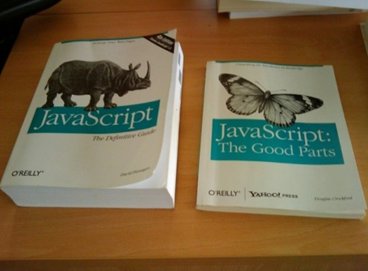


 I’m a huge fan of JavaScript. Its popularity has really surged in recent years with the advent of rich internet applications (RIAs), Ajax and web development libraries like jQuery that makes JavaScript more appealing and accessible to a broader audience. However, that doesn’t mean the language is without its quirks, and often these can come from nowhere to bite you.
There’s a long running joke about JavaScript’s good parts compared to its bad parts and how the language has many problems. In this multi-part guide, I’ll present you with a solution to most of these problems: CoffeeScript. This is the first part a series of articles that introduces you to this wonderful programming language.
What is CoffeeScript?
CoffeeScript is a small programming language that compiles into JavaScript.
It seeks to make writing JavaScript code better by providing you with a more consistent and succinct syntax, as well as by avoiding the “bad parts” and quirky/irregular nature of the JavaScript language. 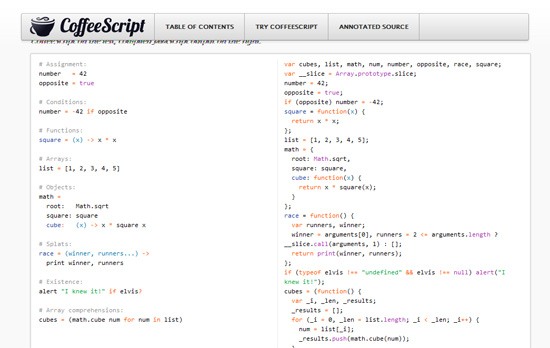 The official CoffeeScript website. CoffeeScript was created by developer Jeremy Ashkenas, a lead developer for DocumentCloud (an open source tool for journalists).
  Jeremy Ashkenas, creator of CoffeeScript.
Source CoffeeScript is an open source project. You can find the CoffeeScript source code on GitHub. 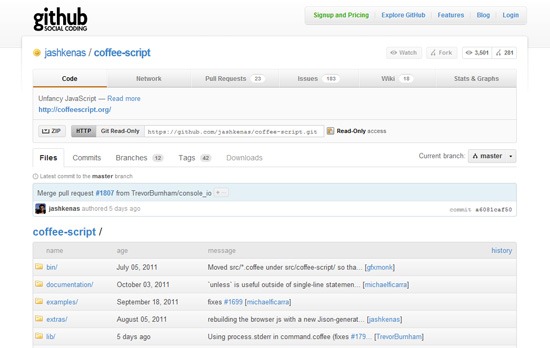
How CoffeeScript Works
The code writing and use process of CoffeeScript is simple:
- Write your code in a .coffee file
- Compile it into a .js file
- Include the .js file in your web page/s like you would any other JavaScript file
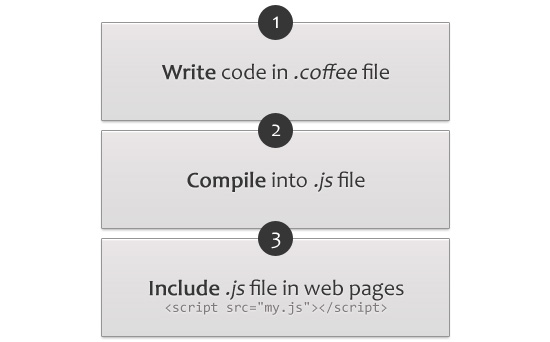 If you’re someone who fears the word “compile” (in step 2 above) don’t worry – later on, we’ll look at some tools to make all the compiling automated.
CoffeeScript Code Example
Let’s jump right in by showing you a small snippet of JavaScript (using jQuery), and then the same code written in CoffeeScript. The function will write Hey Six Revisions readers! inside the <body> tag of the web page.
JavaScript:
$(function() { $("body").html("Hey Six Revision readers!"); })CoffeeScript:
$ -> $("body").html "Hey Six Revision readers!"CoffeeScript allows you to write JavaScript quicker due to its slimmed-down, simplified syntax. Here are two basic rules to remember:
- Whitespace matters. There are no curly braces (e.g.
{[statements]}) in CoffeeScript. Instead, indentations are used. - No parentheses. Functions that take arguments do not need parentheses (e.g.
(argument)) around them as you can see in the code above. You can use them if you like, and in some places of your script, it might make your code more readable, but most of the time you can leave them out.Multiple arguments being passed in are separated with a comma (e.g.
argument1, argument2, argumentN).
JavaScript Syntax vs. CoffeeScript Syntax
So, going back to our above code example, let’s look at some differences between JavaScript and CoffeeScript. Firstly, you can see we’ve replaced function() {} simply with $->. The first line becomes $ ->, which calls jQuery and passes in an anonymous function.
If you wanted to declare a function that takes arguments, in JavaScript it would be like so:
function say(something) { alert(something); }But in CoffeeScript, it’s terser:
say = (something) -> alert something
You’ll also notice we can leave out semicolons (;). CoffeeScript adds them in when it compiles. Another good thing is that you don’t need to use the var statement, which you should use when you’re writing in JavaScript to avoid accidentally creating global variables.
So instead of:
var a = 2;
We can just write:
a = 2
All of this may seem hard to get used to at first — especially if you are more familiar with programming languages like PHP that use curly braces ({}) to enclose a statement block and semicolons (;) to indicate the end of a statement — but it is much quicker to type, and over time, it becomes natural.
Installing CoffeeScript
By far, the most popular installation of CoffeeScript is to install the command-line version through Node.js. First, make sure you’ve got Node.js and that the Node Package Manager installed.
Then, to install CofeeScript, issue the following command:
npm install -g coffee-script
Compiling CoffeeScript Files
To compile a CoffeeScript file, navigate to the directory it’s stored in and type this command in the terminal:
coffee --watch --compile example.coffee
That command will automatically recompile example.coffee into example.js every time you save the file because of the --watch option, which monitors modifications of the CoffeeScript file. All the CoffeeScript command options can be found on the CoffeeScript documentation on GitHub. For those on Windows without Node.js installed, I was able to locate an open source project called CoffeeScript compiler for Windows by Alexey Levedev.
I cannot vouch for it because I haven’t tried it, but it might be worth a try. I do highly recommend installing with Node, however. I also managed to find LiveReload 2, a Mac app that watches your folders for file changes and automatically refreshes the page.
The key thing is that LiveReload can automatically compile CoffeeScript for you, thus avoiding any need to go via the terminal. Unfortunately, this is a Mac-only app. If you know of any similar programs for Windows, please share it in the comments.
Summary
This is the end of our first guide on CoffeeScript. This is what we covered:
- What CoffeeScript is
- Advantages of CoffeeScript over JavaScript
- How CoffeeScript works
- The most important bits of CoffeeScript syntax
- A comparison of CoffeeScript versus JavaScript syntax
- How to install CoffeeScript
- How to compile CoffeeScript into JavaScript
In part 2 (coming soon), we’ll dive further into the CoffeeScript syntax and cover everything in more detail.
Related Content
-
 President of WebFX. Bill has over 25 years of experience in the Internet marketing industry specializing in SEO, UX, information architecture, marketing automation and more. William’s background in scientific computing and education from Shippensburg and MIT provided the foundation for MarketingCloudFX and other key research and development projects at WebFX.
 -

WebFX is a full-service marketing agency with 1,100+ client reviews and a 4.9-star rating on Clutch! Find out how our expert team and revenue-accelerating tech can drive results for you! Learn more
Make estimating web design costs easy
Website design costs can be tricky to nail down. Get an instant estimate for a custom web design with our free website design cost calculator!
Try Our Free Web Design Cost Calculator
Share this article




Web Design Calculator
Use our free tool to get a free, instant quote in under 60 seconds.
View Web Design CalculatorMake estimating web design costs easy
Website design costs can be tricky to nail down. Get an instant estimate for a custom web design with our free website design cost calculator!
Try Our Free Web Design Cost Calculator