

Digital Marketing for 3D Printing: How to Grow Your Business
Boost your 3D printing business with digital marketing strategies like SEO, PPC, Web design and Social media marketing. Stand out, gain a wider audience and increase revenue with WebFX.
-
 insights from 85,500+ hours of technology marketing experience
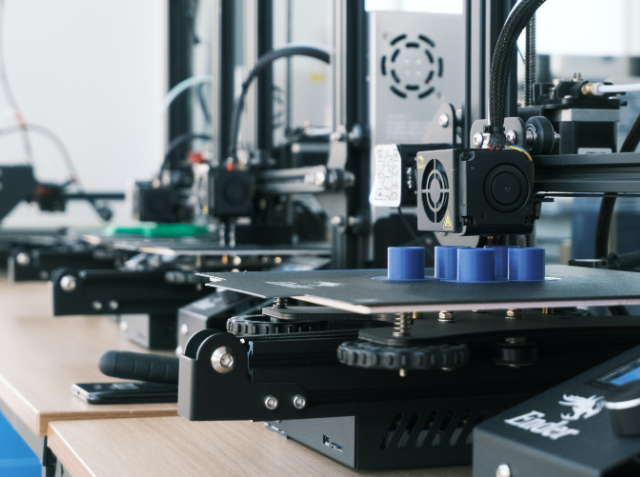
The global 3D printing market value went from $16,75 billion in 2022 to $23,3 billion in 2030 — a substantial difference in just one year. With the increasing demand for 3D printing services and products, your business must find a way to stand out among the competition.
If you want to push your business toward the right people, digital marketing for 3D printing is the way to go. Digital marketing services can help you increase your platform, connect with a broader audience, and gain more revenue.
Keep reading to see what 3D printing marketing services can do for your business and learn how to market 3D printing services. Be sure to call 888-601-5359 to speak with a strategist today!
What is digital marketing for 3D printing?
Digital marketing encompasses any online tactic used to sell or advertise your products. This term encompasses multiple techniques that you can use to boost your online presence.
Top digital marketing strategies include:
A huge part of each strategy is finding people interested in your services. Each approach uses different tools and tactics to place your business in front of your target audience. Instead of using a sweeping strategy, you can find those most likely to use your services.
Why use a 3D printing marketing strategy? 3 reasons other companies do
If you offer 3D printing services, you want to highlight your capacities and certifications. If you provide equipment, you must list product details to capture your readers’ attention. Digital marketing accounts for industry details while helping your customers find you.
Internet marketing offers multiple benefits — here are the top three.
1. Digital marketing increases exposure
Digital marketing helps you increase your online presence across platforms. Whether it’s social media or paid search ads, you widen your audience by putting your business online. The more people see your business, the more conversions you will likely see.
2. Digital marketing lets you outline your unique selling proposition (USP)
Your USP is the key factor that makes your business different from others. This specific benefit helps you paint a picture for prospects about how you can help them. Since 75% of American consumers prefer brands that understand them personally, this aspect is crucial.
Many outdated marketing tactics focus on the product. By outlining and focusing on your USP, you can paint your service as a logical solution that improves users’ lives.
3. Digital marketing helps you become an industry leader
Digital marketing focuses on short- and long-term solutions, like establishing your place in the industry. As you build your online presence, you can show people your expertise and become a source of information for relevant industry topics.
You can build customer loyalty and branding by being an information source. Over time, other industry names might reference you and create connections that help even more people find your business.
How to market 3D printing services and products
Every 3D printing business is unique — why would marketing be any different?
Your marketing plan will differ based on your:
- Goals
- Budget
- In-house resources
- Target audience
Below, you will find WebFX’s top digital marketing services that can help you grow your business.
SEO
Google processes 70,000 searches per second — that’s 5.8 billion per day and two trillion per year. That high number means if you aren’t optimizing your site to make it in the search engine results pages (SERPs), you’re missing out on valuable traffic to your website.
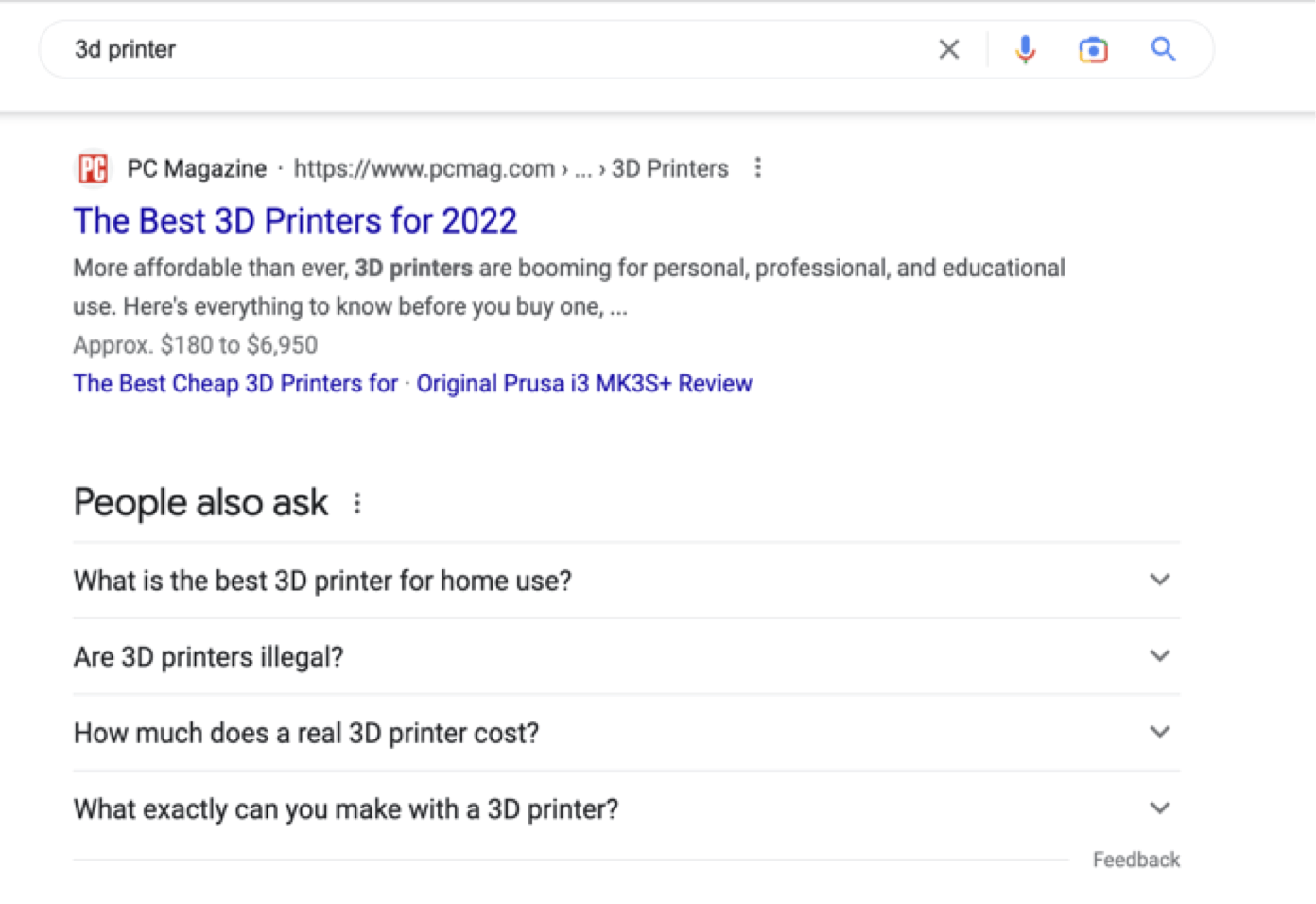
SEO makes your site and pages more accessible to search engines and users. Your site will be higher on the page, which makes it more likely to get clicks. In fact, 68% of all clicks go to the first five positions:
When optimizing sites, we can consider factors like:
- Content quality
- Page layout
- Domain name and rating
- Sitemaps
- Page speed
SEO focuses on organic traffic, meaning you don’t have to pay for someone to visit your site. SEO also helps drive long-term results with ongoing practices, helping your business drive traffic over time.
PPC
PPC ads are a type of paid advertisement. On SERPs, these are the results that have a “Sponsored” tag:
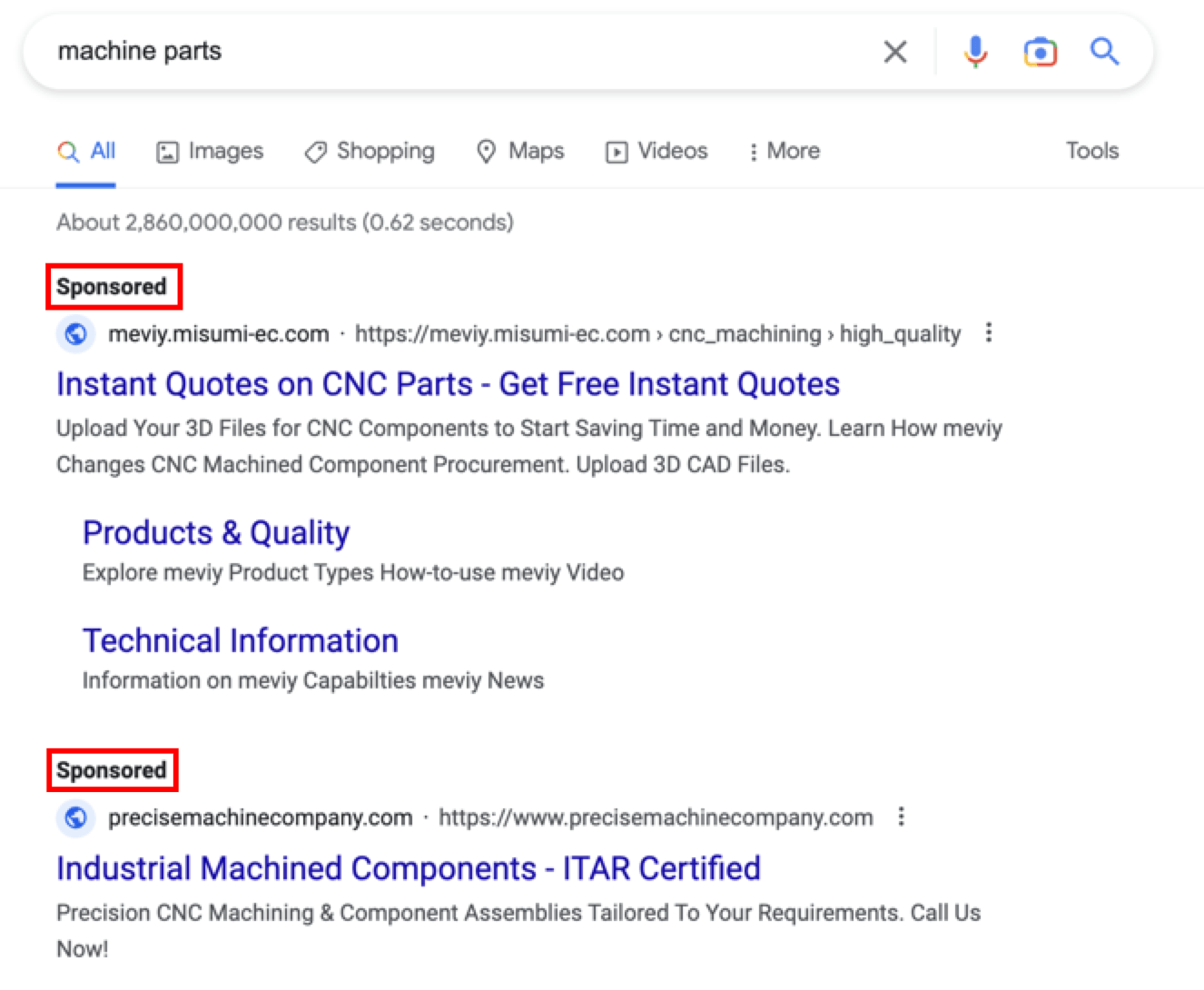
Unlike other paid ads, you only pay when someone clicks on your ad. Google will start an auction whenever someone enters a search, and they determine which ad fits the user’s search intent best. Then, if the user clicks, you pay a preset fee.
PPC ads drive instant results when your company needs a boost. For example, if you have a new product that you want to push, you could run a PPC campaign to drive results immediately. You can also use PPC on social media sites.
Web design
Your web design is another significant part of your marketing strategy — it tells your story and explains who you are to your customers.
Apple is an excellent example of connecting web design and brand voice. Apple’s products are sleek and user-friendly, and they reflect that in their web design:
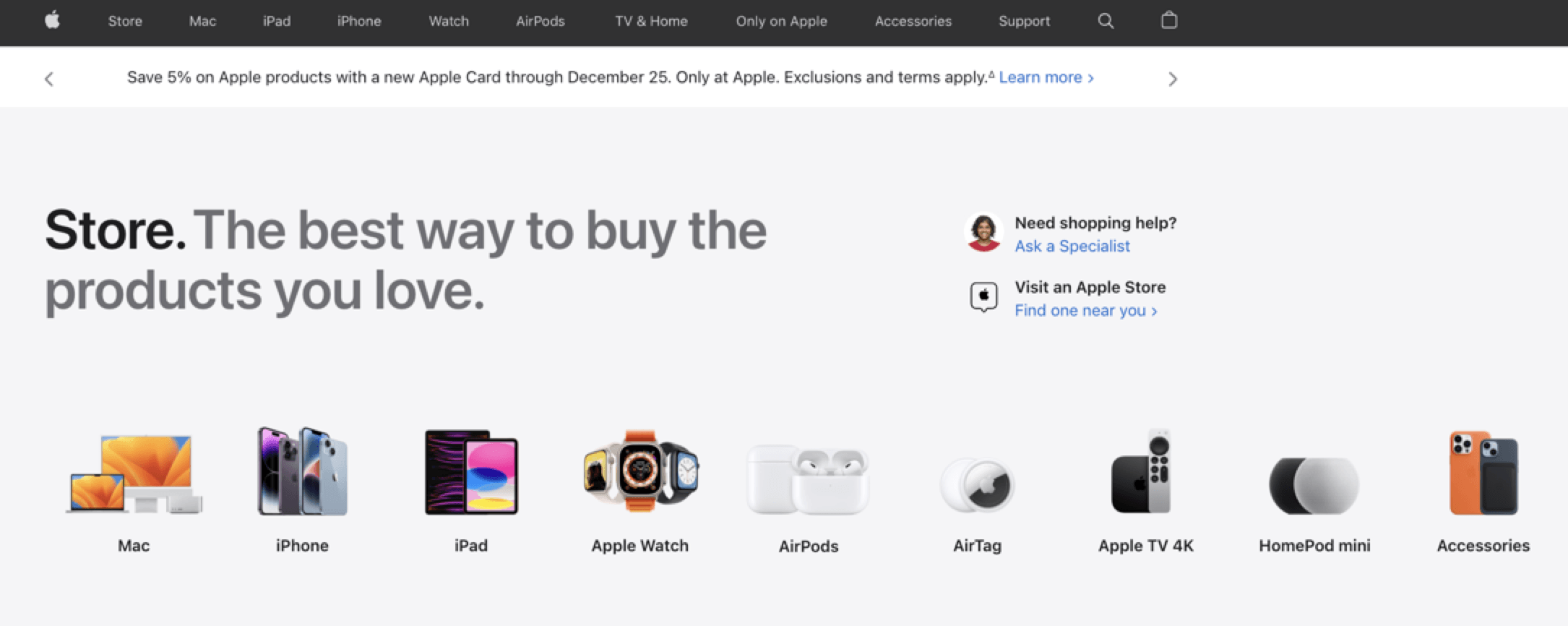
People who navigate your website want a clean, easy experience from start to finish. They will bounce if they encounter design mistakes like slow loading speeds, cluttered pages, and confusing text.
Web design services can transform your website into a functional space that reflects your brand and serves your customers. It can also boost SEO and give users more information when they come from your PPC ads.
Social media
Social media is more than a place for connecting with friends — it helps you connect with customers, too. In terms of businesses, 91% of companies use social media, meaning even if you haven’t set up an account, your competitors probably have.
Social media advertising lets you place ads and build your audience on various social platforms. For 3D printing companies, your posts can look like:
- Highlighting new printers, templates, and filaments
- Demonstrating printing services
- Showcasing previous 3D printed projects
- Connecting with those who want to learn more about 3D printing
Social media creates community, building loyal fans and connections. Your social media can be a powerful tool for advertising your services and separating yourself as the premier 3D printing company.
Time to Level Up Your Sales
Our long list of services helps you grow every aspect of your business with marketing strategies that are proven to increase bottom-line metrics like revenue and conversions.
In the past 5 years, we’ve managed more than 14.9 MILLION transactions across our client base.
Ready to outline your 3D printing marketing strategy?
Word of mouth and traditional marketing techniques are no longer enough in a growing industry. Companies must now take charge of their branding and online presence. However, not all businesses have the resources to tackle marketing in-house.

Handling digital marketing is simple with the right partner. If you want to see more customers, conversions, and revenue, WebFX is here for you. We have worked in 200+ industries and helped businesses across the board improve their online presence.
Ready to get started? Request a free quote today!
We Drive Results for 3D Printing Companies
- 360+ tech industry experts
- 24 million leads generated for clients


Table of Contents
- What is Digital Marketing for 3D Printing?
- Why Use a 3D Printing Marketing Strategy? 3 Reasons Other Companies Do
- 1. Digital Marketing Increases Exposure
- 2. Digital Marketing Lets You Outline Your Unique Selling Proposition (USP)
- 3. Digital Marketing Helps You Become an Industry Leader
- How to Market 3D Printing Services and Products
- SEO
- PPC
- Web Design
- Social Media
- Ready to Outline Your 3D Printing Marketing Strategy?
Solving key challenges for 3D printing
Our website isn’t driving enough traffic
Struggling to bring prospective clients to your website? Our team can help you increase your rankings in search results, meeting your audience when they’re looking for your solutions, so you drive more web traffic, leads, and revenue.

We’re not selling our software or services
Launch data-driven marketing and advertising campaigns with your dedicated WebFX team that reach the people most likely to invest in your solutions. The result? You drive more revenue and help achieve your business’s biggest objectives.

We’re struggling to attract new clients
Are you struggling to build your brand awareness and online visibility so more potential clients find you online? With our suite of digital marketing services, you’ll expand your reach and promote your solutions where your audience spends their time online.

We’re not retaining our clients
At WebFX, our marketing experts help you implement effective strategies and processes that help you deliver an amazing customer experience that builds brand loyalty and keeps your company at the forefront of clients’ minds instead of competitors.
