



Adobe Photoshop is the premier tool for digital artists when it comes to professionally enhancing images. It is made easy to learn for a positive user experience. Whether you’re a beginner just learning the ropes or an advanced user looking for unique techniques to add to your Photoshop arsenal, you’ll find some tutorials here that you’ll surely want to bookmark.
In this article, you’ll discover plenty of tutorials that deal with enhancing images, adding unique and impressive effects, and recreating digital replications of popular traditional photography techniques.
1. Cross Processing
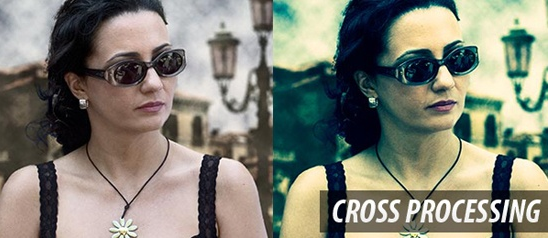
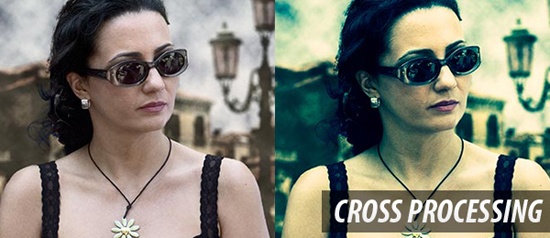 You can learn how to apply the Cross Processing film-developing technique digitally to your images by reading through this quick and educational tutorial that leverages the powers of the Curves tool in Photoshop.
2. Lomo Photography
 Take your ordinary digital photos and simulate the Lomo Photography effect (also known as Lomography) that will apply a dreamy and surreal effect onto your images in this tutorial that uses a Levels Adjustment layer among other Photoshop techniques.
3. HDR Photo Effect
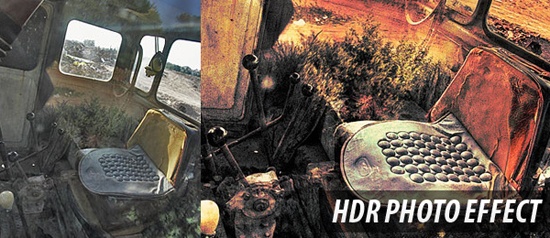 Create a pseudo-HDR image by reading through this popular Photoshop tutorial that uses basic Photoshop tools, options, and techniques such as adjusting Shadows/Highlight settings and changing layer Blending modes.
4. Gritty Effect
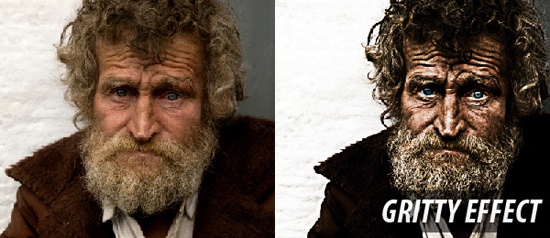 Improve your photos with a dramatic gritty bronze effect to make them truly pop though the techniques discussed in this Photoshop tutorial. The tutorial uses a combination of techniques including the utilization of a Curves Adjustment layer.
5. Dave Hill Look Photo Effect
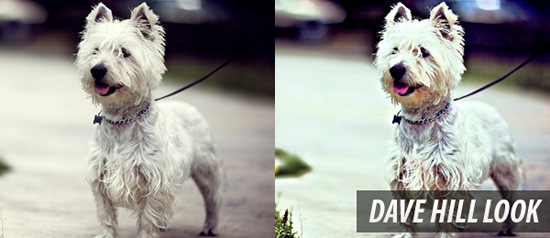 This simple but impressive tutorial takes inspiration from Dave Hill‘s unique photography work to create stunning HDR-like renditions of ordinary photographs using a combination of techniques that involves the Unsharp Mask in Photoshop.
6. Soft Focus Photography
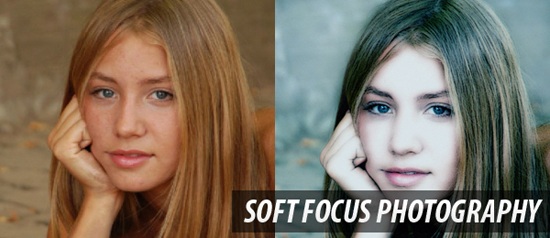 Learn about an image-enhancing technique that you can easily apply onto your images by reading through this handy Photoshop tutorial.
7. Movie Photo Effect
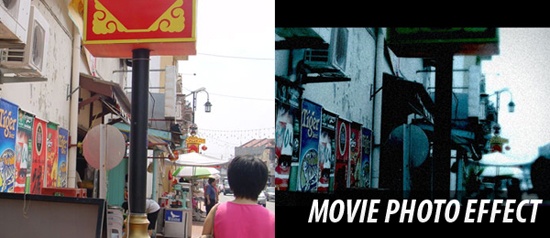 By following along this Photoshop tutorial, even the plainest photos can embody a stylish Hollywood film look-and-feel. The technique involves a few Image Adjustment (Image > Adjustment) options like tweaking Exposure and Hue/Saturation settings.
8. Extreme Contrast Photo Effect
 In this Adobe Photoshop tutorial, you will learn how to add some noise, how to take advantage of Photoshop’s sharpening tools, and how to add a simple Adjustment layer to give a photo an “extreme contrast” effect.
9. Infrared Photo Effect
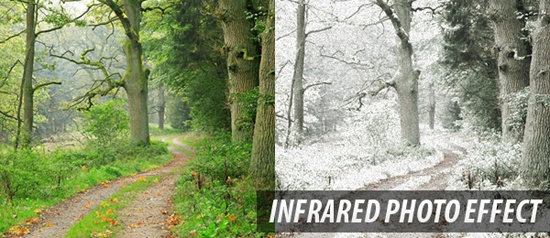 The infrared photo effect can be a unique and stunning way to create one-of-a-kind photos. Learn how to simulate this photography technique digitally through this helpful Photoshop tutorial that takes advantage of Photoshop’s Channel palette.
10. Soft Focus & Glow Effect
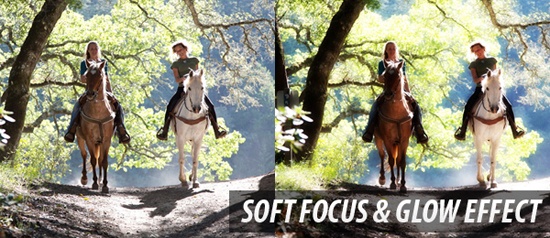 Do you want to change a plain and boring scene into a dreamy and surreal photo? If so – check out this wonderful tutorial on applying a soft focus and glow effect onto your photos using the Gaussian Blur filter and adjusting layer Blending modes.
11. High Pass Filter
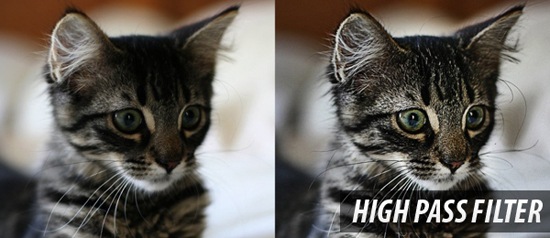 In this straightforward image-editing tutorial, you will learn a quick technique for enhancing your images to give them a subtle HDR effect by using Photoshop’s handy High Pass filter and adjusting layer Blending modes.
12. Vintage Photo Effect
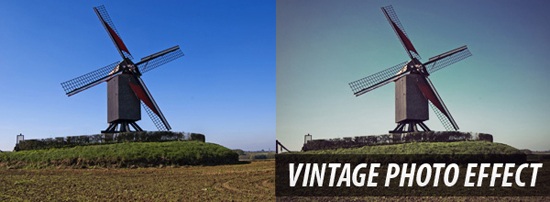 Renowned graphic/web designer Veerle Pieters discusses a method for putting on a vintage photography effect on images in this tutorial that uses a few techniques like adding a Brightness/Contrast Adjustment layer and utilization of Smart Filters.
13. Split Toning Black & White Effect
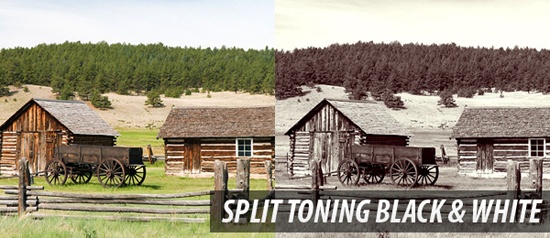 Learn to apply the split toning (a variance of sepia toning) photography effect which takes ordinary photos to produce a vintage-style photo effect. This tutorial uses several Photoshop options like adding a Color Balance Adjustment layer and the Channel Mixer.
14. Change Hair Color Tutorial
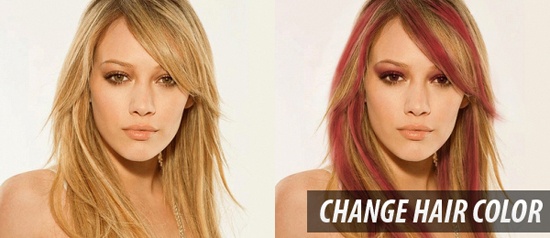 If you want to add a bit of spice in your photos – one way to do so would be to change the subject’s hair color. Learn about a method for coloring hair in this tutorial that shows where Photoshop’s notoriety for digital manipulation comes from.
15. Coloring Effect Tutorial
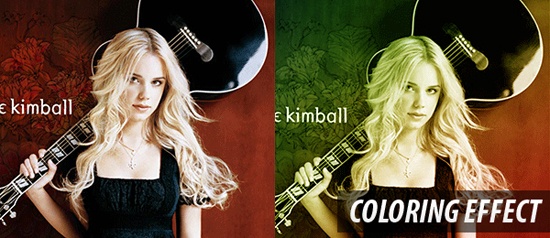 In this quick and simple Photoshop tutorial, you will get a chance to discover some methods for coloring your images using a few tools and options such Adjustment layers, modifying Blending modes, and the Blur filter.
16. Light Effects
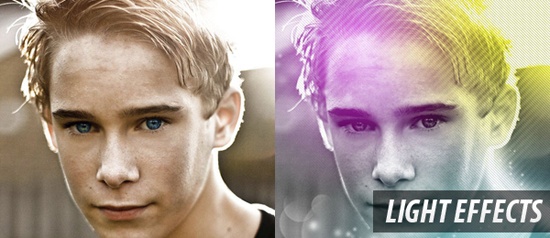 Enhance your images by adding a few cool lighting effects; learn how in this Photoshop tutorial. The tutorial uses various Photoshop tools such as the Gradient tool and taking advantage of the Pattern Overlay layer style.
17. Snow Photo Effect
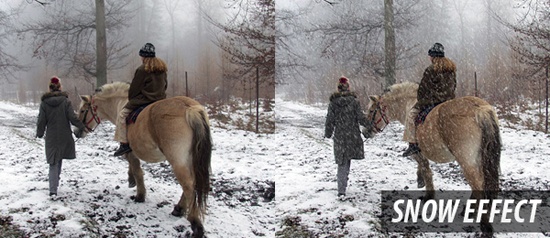 Add some weather into your photos by viewing this tutorial that teaches its readers how to add falling snow onto a photograph. The tutorial adds in the snow by using the Add Noise Photoshop filter, blurring it, and overlaying it onto the image’s layer.
18. Streams Of Dusty Light
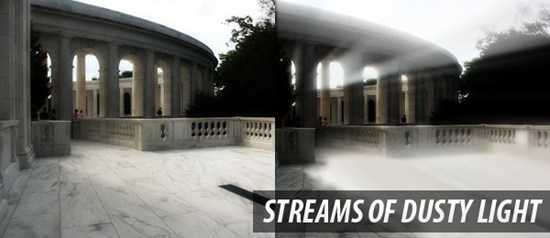 This interesting Photoshop tutorial shows you how to add a surreal stream of light to make your photos truly unique and eye grabbing. The tutorial leans on the Radial Blur filter to create the streams of light.
19. Photo Color Correction
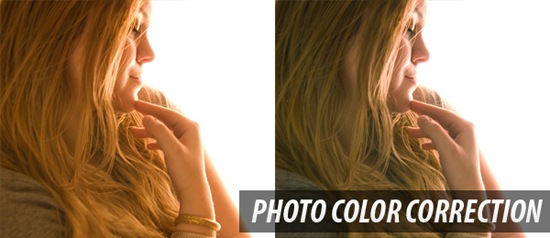 If you have an image that you would like to correct for color, Photoshop is here to help! Read this PSDTUTS tutorial in order to learn about one of Photoshop’s strongest tools: the Curves Adjustment tool.
20. Enhance Skin Tutorial
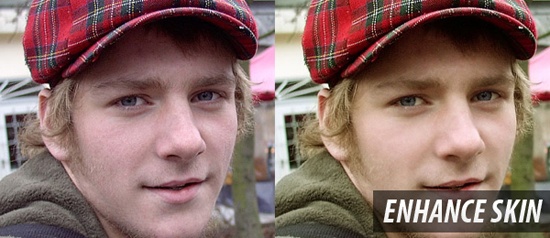 In this Photoshop photo-editing tutorial, you’ll come across a process for effectively improving your subject’s skin. One of the Photoshop tools you’ll be encountering in the tutorial is the Healing Brush tool.
21. Gaussian Blur
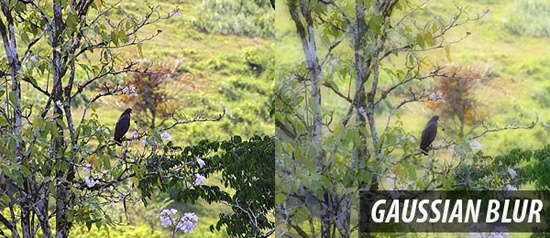 Using the Gaussian Blur filter on images can result in unique photo scenes. If you’d like to know how you could use this Photoshop filter in a manner that enhances your photos, you should read this excellent tutorial.
22. Tilt-Shift Miniature Fake Technique
 If want to use the Tilt Shift photography technique without spending boatloads of cash in purchasing the equipment to do so, read through this helpful tutorial on how to fake the popular technique.
Have a good Photoshop tutorial to add to the mix?
The comment section is a great place to find other resources that didn’t make the cut. Enhancing your images is a great way to amp up your website design. If you know of a good image-editing tutorial that we somehow missed – share it with all of us in the comments!
*Edited by: Jacob Gube
Related content
-
 President of WebFX. Bill has over 25 years of experience in the Internet marketing industry specializing in SEO, UX, information architecture, marketing automation and more. William’s background in scientific computing and education from Shippensburg and MIT provided the foundation for MarketingCloudFX and other key research and development projects at WebFX.
 -

WebFX is a full-service marketing agency with 1,100+ client reviews and a 4.9-star rating on Clutch! Find out how our expert team and revenue-accelerating tech can drive results for you! Learn more
Make estimating web design costs easy
Website design costs can be tricky to nail down. Get an instant estimate for a custom web design with our free website design cost calculator!
Try Our Free Web Design Cost Calculator
Share this article




Web Design Calculator
Use our free tool to get a free, instant quote in under 60 seconds.
View Web Design CalculatorMake estimating web design costs easy
Website design costs can be tricky to nail down. Get an instant estimate for a custom web design with our free website design cost calculator!
Try Our Free Web Design Cost Calculator



