


 This article presents 15 WordPress plugins to help enhance and simplify the blogging experience of advanced users, especially web developers and designers. Most of the plugins were tested on a default installation of WordPress version 2.3.1 for basic functionality; relevant screenshots of the plugins in action are included.
What’s a savvy user?
- A blogger with basic to expert knowledge of HTML/CSS, and for a lot of the plugins featured here, PHP and MySQL experience is highly recommended.
- A blogger who needs to display complex content in posts and pages like displaying and colorizing code snipplets, running custom scripts only on certain posts or pages, incorporating custom web forms, etc.
- A blogger who knows what they’re doing – The default configuration of WordPress is too “fool-proof“. For example, with the visual editor turned on, it will add unexpected indents and line breaks even inside
<pre>tags. Additionally, it blocks you from adding<div>tags, automatically “sanitizing” them into<p>tags.
If you match any of the above criteria, read on and maybe you’ll find a plugin or two that will make your blogging experience more convenient.
1) Google Syntax Highlighter for WordPress
Google Syntax Highligher for WordPress colorizes your code on-the-fly. It supports most programming/scripting languages such as C++, PHP, Perl, Ruby, and much more. The syntax is simple — just put your code inside <pre> tags and assign them the attributes name="code" and class="thelanguage".
The following code was tested:
<pre name="code" class="javascript">
var myString = "nSync";
if (myString == "Justin Timberlake") { document.write("You're a winner"); } else { document.write("There's always celebreality shows"); } </pre>
This is how it colorizes my code:
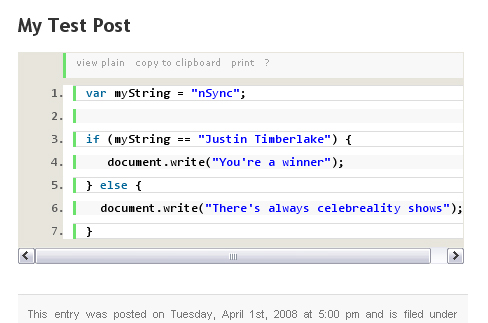 You can learn more more ways to customize your highlighted code in the Google code wiki entry on Usage – syntaxhighlighter.
Also check out the full list of supported languages on Google Code.
Other code highlighters available are:
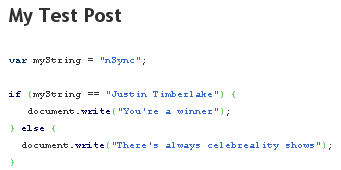
WP-Syntax – A plain and simple code highlighter.
WP-CodeBox – also check out the basic usage and demo page This plugin gives you two awesome <pre> tag attributes: download – which automatically creates a download link for your code snipplet, and colla – which gives you the option to collapse and expand the code block. 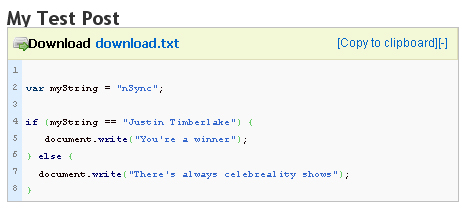
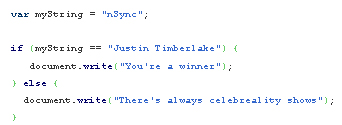
CodeHighlighter – It’s almost identical to WP-Syntax.
2) Exec-PHP
Exec-PHP gives you the capability of running PHP code inside certain posts and pages. You can insert PHP code directly into your posts without having to modify your theme files.
You can find a more detailed documentation of Exec-PHP on Bluesome. You have to turn off the visual editor whenever you use Exec-PHP in your posts or pages, It won’t work even in code view. As a test, I used a WordPress conditional tag to see if it supports them, turns out it does — the conditional tag is is_single() 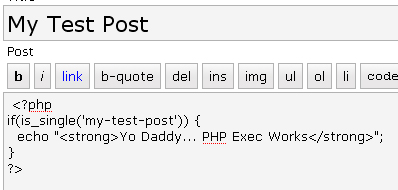
And this is what it looks like:

3) Save My <pre>
If you use the visual editor, then you’ve probably experienced the frustration of trying to figure out why it messes up your <pre> tags.
Code in between the <pre> tag should preserve the indents, spaces, and linebreaks, but the default visual editor doesn’t uphold this rule.
This is what I wanted my code snipplet to look like (minus the <pre> tags):
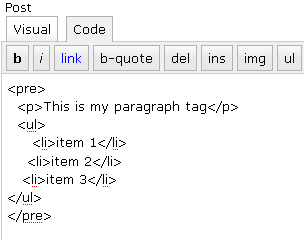
This is how WordPress renders it after I save my work from the visual editor.
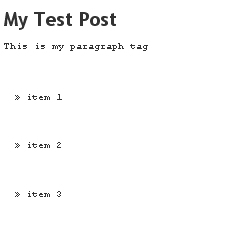 Using Save my <pre> will prevent the WordPress editor from processing and “cleaning” up the stuff inside <pre> tags.
4) Maintenance Mode
Maintenance Mode just notifies your readers that your blog is undergoing maintenance and is currently unavailable. The message won’t appear if you’re logged in as an administrator, so you can see what your updates look like during maintenance mode.
Here’s the options page for Maintenance Mode:
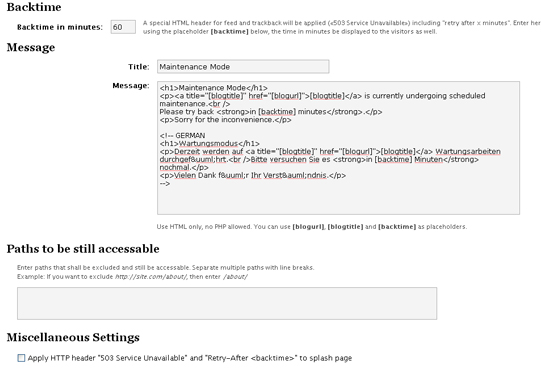 This is how it looks for users that aren’t logged in or don’t have the proper credentials: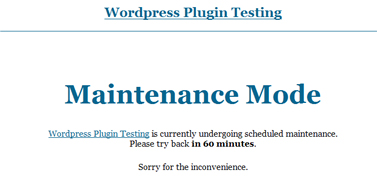
5) WP-DBManager
WP-DBManager gives you an administrative interface to manage, backup, and optimize your WordPress database. It has countless options for making database management quite effortless.
Installing this plugin gives you a new tab in the admin panel, called “Database“. 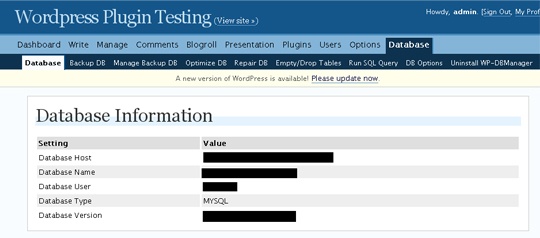
6) Deactivate Visual Editor
If you need to write intricate posts that have code snipplets and/or custom scripts, it’s highly advisable that you turn off the visual editor. But if you find value in the visual editor of WordPress, then you just may want to exclude certain posts and pages from using it. Installing the Deactivate Visual Editor WordPress plugin ensures that nothing gets accidentally screwed up when you edit a post that shouldn’t be edited using the visual editor.
To deactivate the visual editor on a post or page, you’ll need to create a custom field called deactivate_visual_editor and set the value to true. 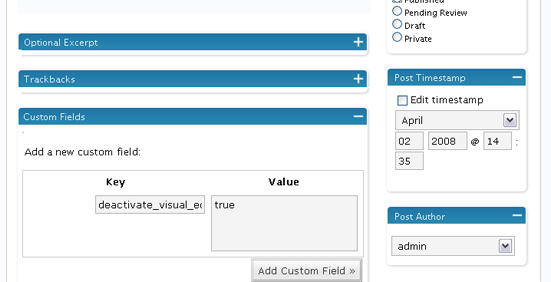
7) Search and Replace
Ever wanted to change a user’s name, email, website URL on old posts? How about correcting references to an old post that no longer exists or whose name has been edited?
Search and Replace allows you to do all of this inside of WordPress, through an intuitive admin interface.
Here’s how the admin interface looks like:
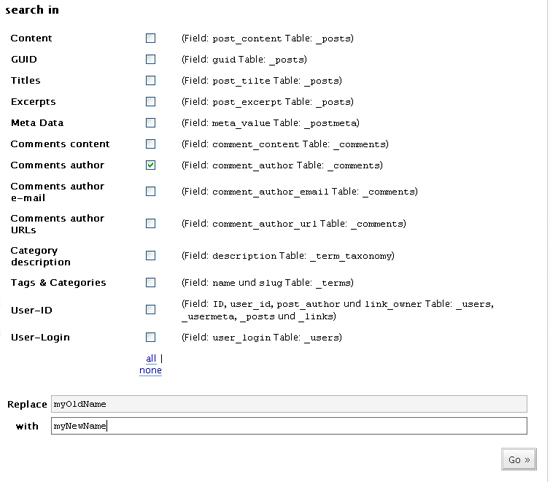 For this test, I created a few comments throughout the test installation using the name “myOldName“. I then replaced it with “myNewName“.
 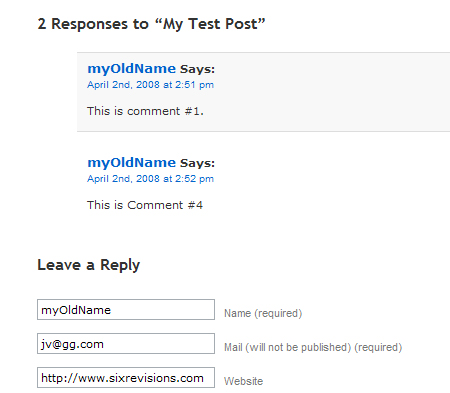 After pressing the “Go” button, search and replace simplifies this database update by not requiring you to run a custom MySQL query (alternatively, use WordPress’ $wpdb database class and PHP-Exec if you prefer to run your own update).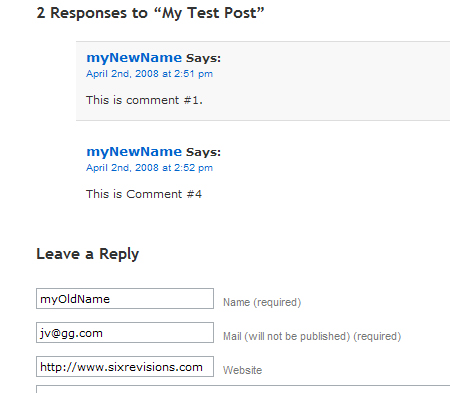
8) WP-DB-Backup
WP-DB-Backup offers a straightforward interface for backing up your WordPress database. It’s an excellent alternative to WP-DBManager if you’re only looking to create a backup.
You can save the backup on the server, on your computer, or have it sent to you via email. 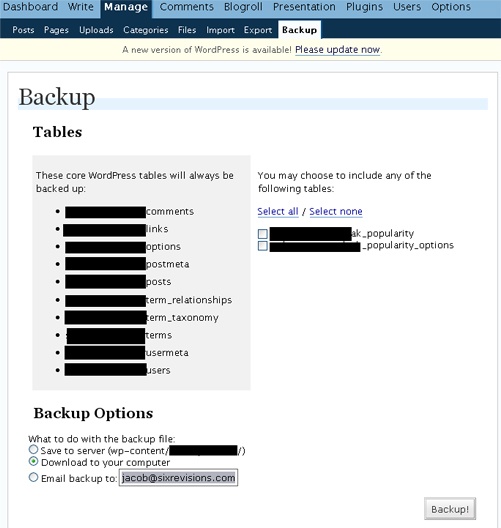
9) Tidy Up
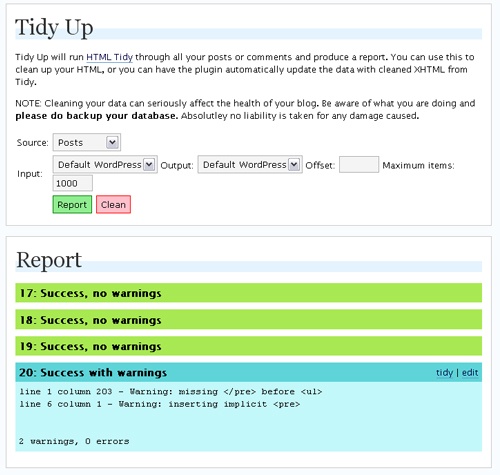
Tidy Upcleans your HTML source code and attempts to correct invalid XHTML code. It utilizes WC3’s HTML Tidy conversion tool.
If you’re concerned about XHTML validation this plugin can help.
Running the Tidy Up report gives the following output:
10) FormBuilder
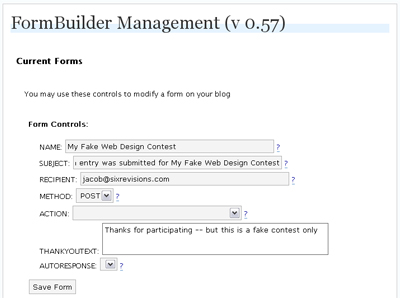
FormBuilder is a simple plugin that allows you to create custom forms inside posts and pages.
Setting up a form is a walk in the park:
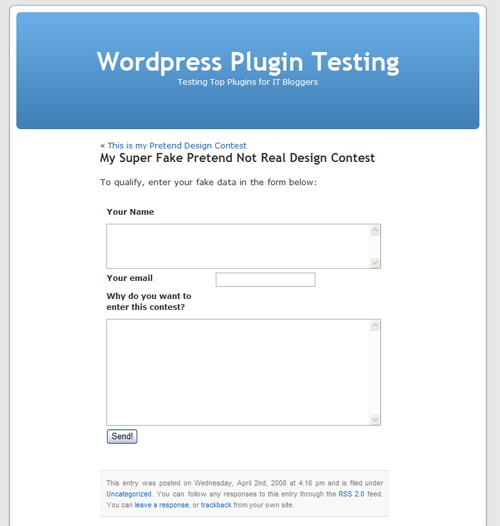
Here’s how the form looks (unstyled):
Other Notable Plug-ins
11) WP Super Edit
WP Super Edit is an alternative to the default visual WYIWYG editor (TinyMCE). It improves on the default editor by providing advanced users with additional options such as a button for inserting <div> tags in your posts.
12) WP-Debug
WP-Debug lets you see what’s going on when your WordPress web page is rendered. This plugin is vital for efficiently troubleshooting your WordPress installation.
13) Theme Preview
Theme Preview permits you to see how your new WordPress theme looks without having to switch it out.
Use it on a demo WordPress site to showcase your theme designs.
14) post2pdf
post2pdf converts your blog posts into PDF format. This is terrific specifically for tutorial writers who want to provide a PDF download option.
15) X-Valid
X-Valid is another popular plugin to help you achieve XHTML validation by cleaning up HTML code.
Got any cool experiences with these plugins? Got a particularly awesome idea on how to use them?
Please share it with us by leaving a comment!
-
 President of WebFX. Bill has over 25 years of experience in the Internet marketing industry specializing in SEO, UX, information architecture, marketing automation and more. William’s background in scientific computing and education from Shippensburg and MIT provided the foundation for MarketingCloudFX and other key research and development projects at WebFX.
 -

WebFX is a full-service marketing agency with 1,100+ client reviews and a 4.9-star rating on Clutch! Find out how our expert team and revenue-accelerating tech can drive results for you! Learn more
Make estimating web design costs easy
Website design costs can be tricky to nail down. Get an instant estimate for a custom web design with our free website design cost calculator!
Try Our Free Web Design Cost Calculator
Share this article




Web Design Calculator
Use our free tool to get a free, instant quote in under 60 seconds.
View Web Design CalculatorMake estimating web design costs easy
Website design costs can be tricky to nail down. Get an instant estimate for a custom web design with our free website design cost calculator!
Try Our Free Web Design Cost Calculator



