




It’s often convenient to have an offline blog editor if you often work in places without ready access to the internet. Even if you do have an internet connection, desktop blogging apps can give you a host of features that the normal UI of your blogging platform simply can’t offer. In this article, we briefly review some top-notch free desktop blog editors for you to consider.
1. Thingamablog
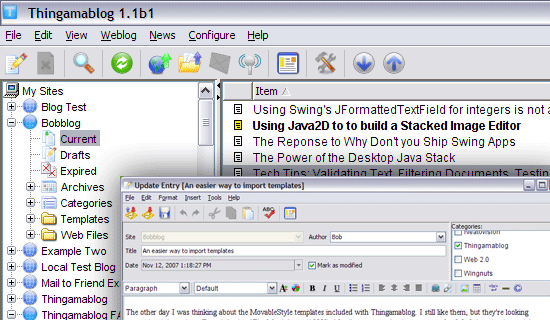 Thingamablog is an open source blogging application that has a wide array of features such as an RSS feed import function that allows you to import blog entries into the application. It has the capability to post to blogs via email and tools to set-up and install a weblogging platform onto your server in minutes. In addition, it has built-in wizards to aid you in accomplishing your blogging tasks.
Screenshots of Thingamablog | Download Thingamablog
2. Windows Live Writer
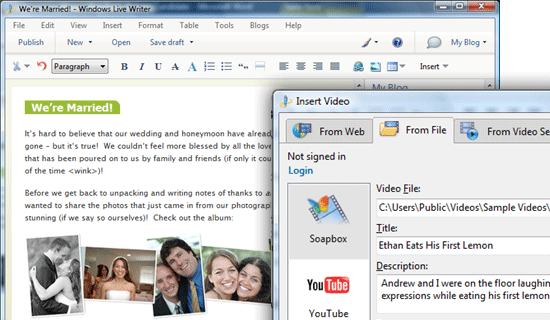 Surprisingly (to many), Microsoft has a very good offline desktop blogging application called Windows Liver Writer that’s regarded by seasoned bloggers as the best one out there (for Windows users). It has a characteristic MS Office look and feel that will be familiar to most Windows users. A key feature of this blog editor is its ability to post maps, videos and other types of media easily. Download Windows Live Writer
3. BlogDesk
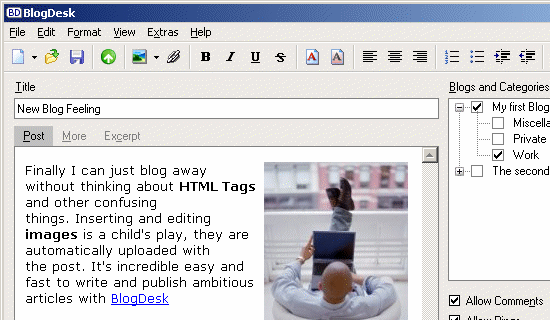 Among the many things that makes BlogDesk a favorite amongst bloggers is the handy ability to publish posts to multiple blogs at once. BlogDesk comes with an ImageWizard feature that allows you to prepare your images for the web. Its spellchecker has a built-in dictionary that supports 14 languages. It even has a notebook that serves as a scratch pad that you can use to keep track of your post ideas. It also has a feature called Tag-generator that remembers previously used keywords to help you tag your posts quicker.
Screenshots of BlogDesk | Download BlogDesk
4. Bleezer
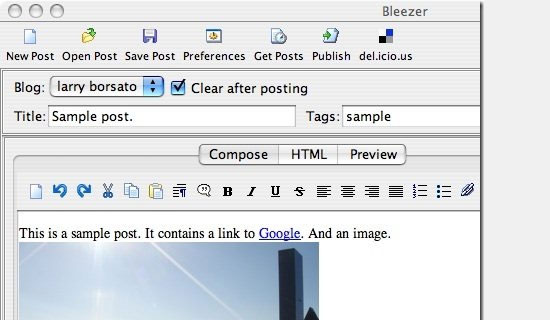 The main advantage that Bleezer has is its cross-platform support for Linux, Windows and the Mac OS. It’s compatible with most blogging and content management platforms such as Drupal, WordPress and Blogger. Features that will appeal to you in Bleezer include image uploads to a server of your choice, a good spellchecker to avoid typos, the ability to add keyword tags to your posts, and a WYSIWIG interface.
Bleezer can also work while you are logged into your account for real-time posting. Download Bleezer
5. Post2Blog
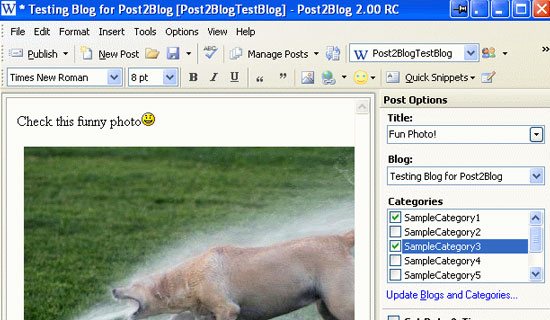 Post2Blog is a freeware desktop blogging application that is portable, giving you the opportunity to carry it around on a USB stick for use in any computer. It also has a robust image uploader that supports services such as Flickr and imageshack.us. It has a “Live” spellchecking feature that evaluates your spelling and grammar on the fly.
6. w.Bloggar
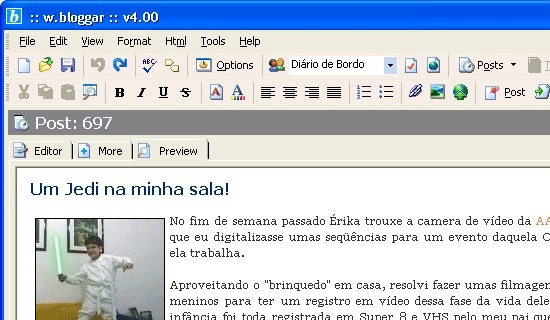 w.Bloggar is quite a nice blogging application that’s portable onto a USB drive. It has a file upload function that is able to interface with most of the popular blog platforms such as Typepad, Drupal and WordPress. Its hot-key combination feature can be set up for keyboard shortcuts to make blogging quicker. Download w.Bloggar
7. Flock
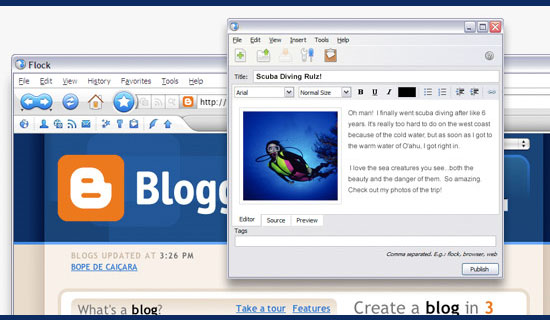 This is actually a web browser that has a built-in weblog editor. Flock allows you to work online or offline. The browser comes with other features such as a web clipboard, image uploader, tight social media integration, and a nifty feed reader that can help you get some blog post ideas.
Download Flock
8. ScribeFire
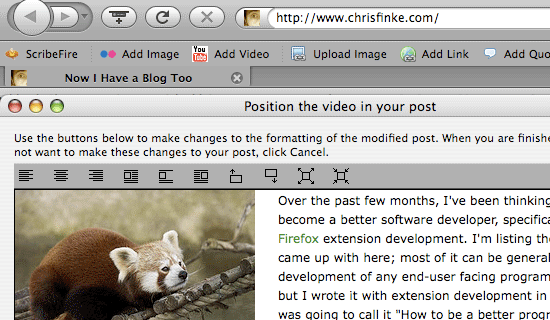 This Mozilla add-on takes the form of an icon on your Firefox browser. It’s uniquely convenient as you can post to your blog directly from your browser instead of having to start an editor while your idea is still hot in your mind. It also comes with the usual features such as HTML tags, image uploadm and multiple posting to several weblogs. ScribeFire has a vibrant support forum where you can with get help and chat fellow ScribeFire users.
Download ScribeFire
9. Qumana
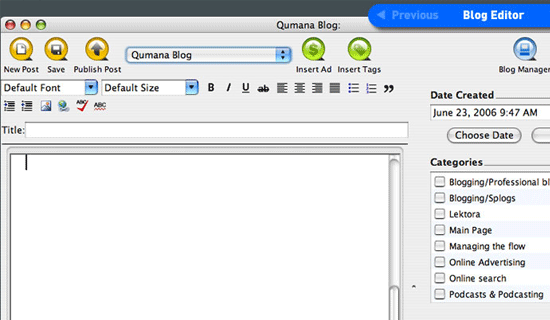 This excellent desktop weblog editor has an interesting and useful feature called DropPad, an area where you can drag and drop items such as photos for instant posting to your blog. Download Quamana
10. Zoundry
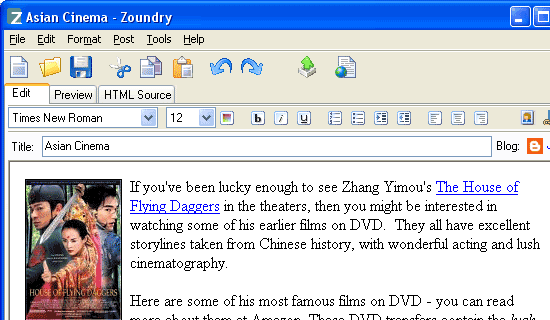 Zoundry is a terrific blogging application that has a feature to help you recommend products and services to your readers (and get paid for it). In addition to this feature, it also has the usual blog editor features like spellchecking and a WYSIWYG interface. Download Zoundry What’s your blogging editor of choice (and why)? Share your thoughts and opinion on this topic in the comments.
Related Content
- 15 Useful Tools for WordPress Bloggers
- How to Create a Blog from Scratch Using Ruby on Rails
- 15 Tools for Monitoring a Website’s Popularity
-
 President of WebFX. Bill has over 25 years of experience in the Internet marketing industry specializing in SEO, UX, information architecture, marketing automation and more. William’s background in scientific computing and education from Shippensburg and MIT provided the foundation for MarketingCloudFX and other key research and development projects at WebFX.
 -

WebFX is a full-service marketing agency with 1,100+ client reviews and a 4.9-star rating on Clutch! Find out how our expert team and revenue-accelerating tech can drive results for you! Learn more
Make estimating web design costs easy
Website design costs can be tricky to nail down. Get an instant estimate for a custom web design with our free website design cost calculator!
Try Our Free Web Design Cost Calculator
Share this article




Web Design Calculator
Use our free tool to get a free, instant quote in under 60 seconds.
View Web Design CalculatorMake estimating web design costs easy
Website design costs can be tricky to nail down. Get an instant estimate for a custom web design with our free website design cost calculator!
Try Our Free Web Design Cost Calculator



