




There are many available tools to help make web development projects quicker and more productive. Aside from a handy text editor or WYSIWYG editor like Dreamweaver, you can find plenty of tools and utilities that can greatly increase development speed, reduce debugging and testing time, and improve quality of the output. The tools described below are a variety of utilities, optimizers, testing, and debugging tools aimed towards helping developers create websites more efficiently.
1. CSS Grid Builder
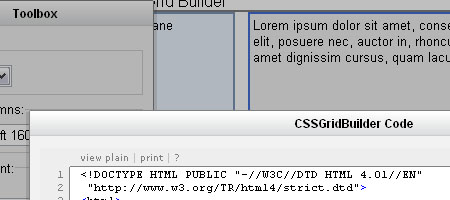 CSS Grid Builder is an online GUI for customizing the YUI Grids CSS – a lightweight CSS framework developed by Yahoo! that comes with over 1000 page layout combinations. The CSS Grid Builder allows you to rapidly generate a CSS-based, web-standards compliant page layout in a matter of minutes (or even seconds).
Once you’ve got the page layout the way you want it, all you have to do is press “Show Code” and it generates the HTML for you. You don’t even have to host the CSS file on your web server (saving you some bandwidth and maintenance hassles), the generated code links to the appropriate stylesheet found on Yahoo!’s Developer Network API.
2. CSS Sprite Generator
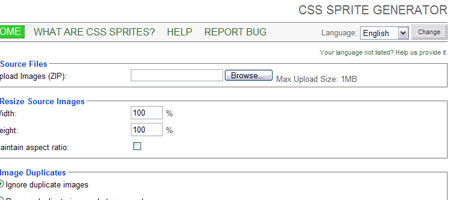 Using CSS sprites is an excellent way to improve web page performance by reducing the number of HTTP requests needed for rendering images, but it can take a lot of planning, measuring, and coding if done manually. CSS Sprite Generator allows you to upload all of your images (you have to place them in a .zip file first) and it will combine the uploaded images into a single sprite and also generate the CSS for you.
3. Blueprint: A CSS Framework
 Blueprint reduces the amount of CSS code you have to write by including common styles that developers typically use such CSS reset and page layouts. A demonstration of a web page that uses Blueprint can be found here.
4. CSSTidy
CSSTidy is an open source application that parses, fixes, and optimizes CSS code to reduce file size and also to standardize CSS code formatting automatically. It also finds and removes redundant styles and properties. You can adjust this web design tool’s settings to your preferred compression level but even the default setting can often give you 30% compression according to the creators of CSSTidy.
Check out the “before and after” examples to get a feel for how CSSTidy works.
5. logicss: CSS Framework
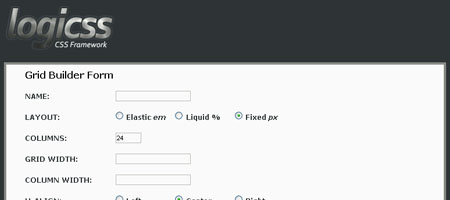 logicss is a collection of CSS files and PHP utilities aimed at reducing web development time. It allows developers to create customizable fixed, elastic, or fluid (liquid) layout grids. Check out the preview of their CSS code generation tool.
6. ___layouts
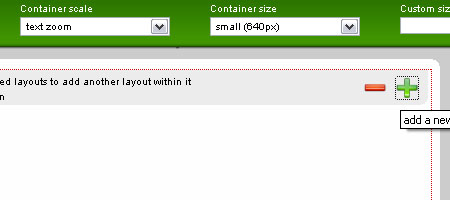 ___layouts is a very simple CSS framework that can be used to create web-standards compliant page layouts. ___layouts was inspired by Yahoo!’s Grids CSS and offers 5 preset widths that supports fluid-width or fixed-width layouts. Much like Yahoo!’s Grid.css, ___layouts also has a web-based Layout Builder that was developed for the Firefox browser.
Caution: the Layout Builder is still in its early stages of development, so things may be buggy at times.
7. Clean AJAX
 Clean AJAX speeds up Ajax development by cutting down the amount of code you have to write (and rewrite), giving you access to common and proven design patterns used in Ajax applications. Clean AJAX can be used with any server-side technology such as PHP, RoR, and .NET because it’s JavaScript-based. Check out the demo page so you can see Clean AJAX in action.
8. Sajax
Sajax (which stands for “Simple Ajax Toolkit”) is an open source framework developed to speed up the creation of Ajax applications. It supports major sever-side technologies such as ASP, Cold Fusion, PHP, Perl, Python, and Ruby. Sajax has a fairly large community of over 39,000 registered users on their forums – so if you run into any troubles while developing a Sajax-based application or if you want to showcase your work, you’ll be sure to have an audience.
9. DOMTool
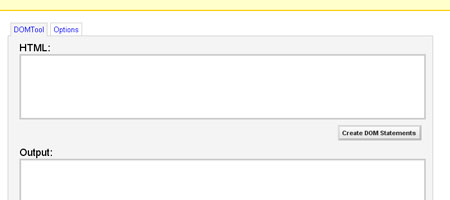 DOMTool was created to cut down the time it takes to code DOM structures. Creating DOM statements is as simple as copying your HTML code into the DOMTool and then clicking a button. It’s not meant to be used as a simple copy-and-paste solution and you should verify and optimize the output, but it gives you a great starting point.
10. JavaScript Code Improver
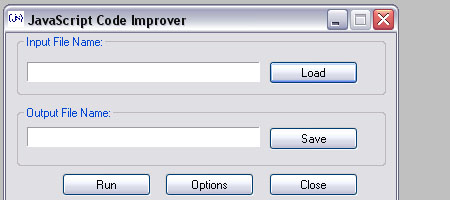 JavaScript Code Improver is a simple, no-frills application that allows you to quickly tidy up and format your JavaScript. It’s a great way for a team of developers to standardize JavaScript code format for easier readability and collaboration.
11. JSUnit
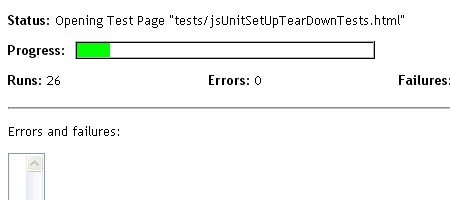 JSUnit is a unit testing framework for JavaScript. Testing JavaScript manually is time-consuming and prone to errors, but JSUnit provides the developer a simpler, automated way of doing unit tests to ensure thorough testing at a fraction of the time it would take to test manually. JSUnit allows for the execution of automated tests for multiple browsers and operating systems.
12. Test plugin for JavaScriptMVC
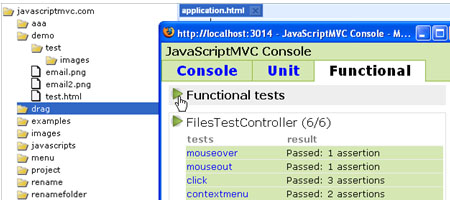 The Test plugin for JavaScriptMVC is another excellent JavaScript testing framework to help make development speedier. It was created with the concept of “JavaScript testing sucks… so we want to make it easier” in mind.
The Test plugin is a comprehensive set of utilities allowing you to do unit tests as well as simulate user interaction that can occur in a web page.
13. Venkman: JavaScript Debugger
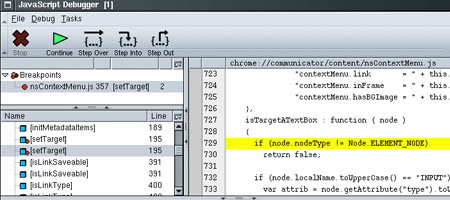 Venkman is a JavaScript debugging environment for Firefox 2, Netscape, and Seamonkey. It gives you a GUI for stepping through JavaScript code and setting break points. It also comes with a command-line interface built in.
Venkman is an extension that you can easily install and download through the Firefox Add-ons section of Mozilla.org.
14. Firebug
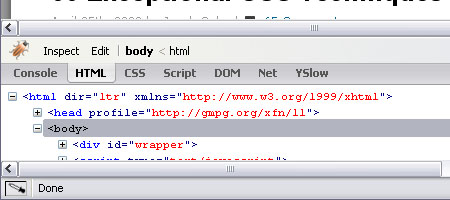 Firebug is a Mozilla Firefox extension that gives you plenty of web development tools and features. Firebug has a built-in JavaScript debugger that lets you step through your script as well as allowing you to perform benchmarks to see why your script is slow/sluggish. You can quickly hunt down CSS, HTML, JavaScript, and XML errors through Firebug, and it even allows you to filter and search for specific errors.
Another handy feature is the DOM inspector pane which outlines a web page’s structure; very handy if you’re working on a big website or an open-source application that you’ve recently gotten involved with. It’s an awesome tool though I find that disabling Firebug when I’m not using it is helpful in speeding up normal browsing (such accessing Gmail, for example).
15. Web Developer extension for Firefox
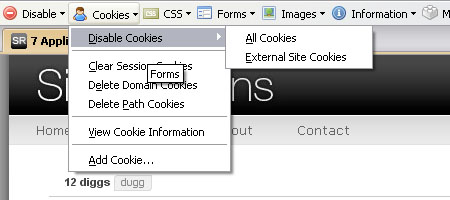 Web Developer extension is a very handy and time-saving extension for Firefox. I’ve written and recommended it plenty of times and is an extension that I use daily. You can rapidly validate your XHTML, find JavaScript/CSS errors, visualize a web page’s structure, quickly fill out web forms for testing purposes, clear your cache with a shortcut key, change XHTML on-the-fly (great for working remotely on a web design), inspect HTTP headers information, and much more.
16. Internet Explorer Developer Toolbar
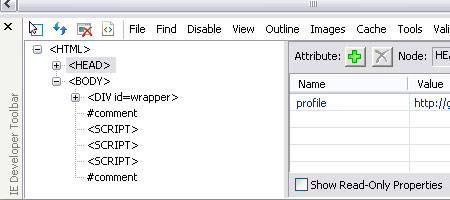 Even if you prefer Firefox (or Safari) to develop and test your web pages, you have to test your stuff in the Internet Explorer browser for cross-compatibility. Whenever I test in IE, there are plenty of times when I wish certain features in Firebug and the Web Developer extension are accessible through IE, such as the DOM inspector option or the CSS Information option. IE Developer Toolbar is the IE add-on that provides me the features I like in my Firefox extensions.
17. Yahoo! Design Pattern Library
 The Yahoo!
Design Pattern Library is a large collection of proven optimal web design patterns to save you time in creating highly-sophisticated design solutions. Some things that you can find in the Design Pattern Library are: breadcrumb navigation, auto-complete for web forms, and drag-and-drop solutions. It speeds up development by offering solutions to common design needs so that you don’t have to re-invent the wheel.
18. Test Everything
Test Everything is a web-based application for multi-purpose testing, reducing the time it takes you to use online services and validators. Test Everything is an aggregate of over 100 tools reduced to just one web page. You can validate your XHTML for web standards and accessibility, test your design in several browsers (using the Browsershots service), check page rank, and more – all in one location.
19. Pingdom Tools
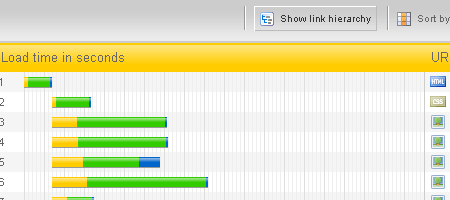 Pingdom Tools is web-based application that you can use for easily testing the performance of your web pages. It can give you information on the total loading time of a web page and the total number of objects required to render the page to give you insights on things you can leave out or combine. It gives you a visualization of how page objects are loaded and you can sort the results by load order, load time (helpful in seeing what’s taking so long to load), file size, file type, and URL.
20. Aptana Studio Community Edition
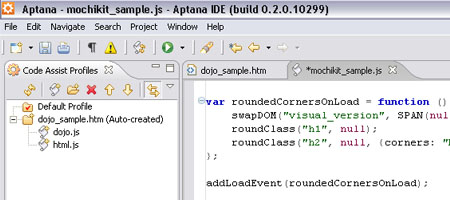 Aptana Studio is an integrated development environment (IDE) designed for Ajax-based applications. It has JavaScript debugging, an Ajax and JavaScript library that includes some popular frameworks (such as the Dojo Toolkit) syntax colorizing, HTML/CSS/JavaScript code assistance (auto-complete and tool tips) and much more. It makes Ajax development simpler and gives the developer time-saving ways of organizing and managing multiple projects.
Some more tools
- Google Web Toolkit: write high-performance Ajax applications quickly using Java and the compiled output is highly-optimized JavaScript files.
- Cuzillion: quickly construct web pages to see how page objects interact so that you may explore techniques on how to improve web page performance.
- CSSFly: edit web pages on-the-fly through a web browser. Helpful in debugging and testing a web page.
- AppJet: a web-based solution that allows you to create a functional web application or widget through a GUI.
- Google Sitemap Generator: Quickly generate a sitemap file based on the Sitemap XML protocol without you having to write it yourself.
Some related articles
- Awesome Things That Firefox’s Web Developer Extension Can Do
- Top 6 Internet Explorer Extensions for Web Developers
- 16 Free JavaScript Solutions for Displaying Your Images
I hope you’ve enjoyed this collection of tools and that you’ve found one or two that you’d like to try out. Got a tool that’s saved you a lot of time that wasn’t listed here? Share it with us in the comments.
-
 President of WebFX. Bill has over 25 years of experience in the Internet marketing industry specializing in SEO, UX, information architecture, marketing automation and more. William’s background in scientific computing and education from Shippensburg and MIT provided the foundation for MarketingCloudFX and other key research and development projects at WebFX.
 -

WebFX is a full-service marketing agency with 1,100+ client reviews and a 4.9-star rating on Clutch! Find out how our expert team and revenue-accelerating tech can drive results for you! Learn more
Make estimating web design costs easy
Website design costs can be tricky to nail down. Get an instant estimate for a custom web design with our free website design cost calculator!
Try Our Free Web Design Cost Calculator
Share this article




Web Design Calculator
Use our free tool to get a free, instant quote in under 60 seconds.
View Web Design CalculatorMake estimating web design costs easy
Website design costs can be tricky to nail down. Get an instant estimate for a custom web design with our free website design cost calculator!
Try Our Free Web Design Cost Calculator



