30 Useful Open Source Apps for Web Designers
There are plenty of open source applications that can help you tremendously as a web designer. Open source projects are great not only because of their price tag (free), but also because of the passionate community that typically forms around them. In these economic times, it’s often a worthwhile endeavor to see places where you can conserve, and open source alternatives are a good place to start looking.
In this article, you’ll find 30 exceptionally handy open source applications for web designers. There are a variety of tools here that include source code, WYSIWYG, and graphic/image editors, as well as useful software utilities that can improve your task management and production processes.
Source Code and WYSIWYG Editors
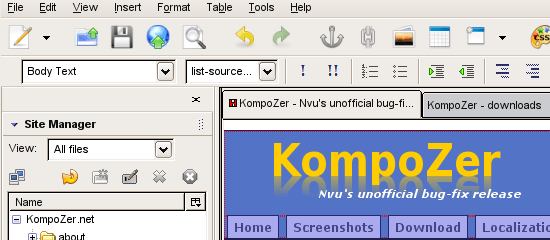
KompoZer
KompoZer is a fully-featured web authoring system that has an integrated FTP client, an intuitive tabbed user interface, and support for all major operating systems.
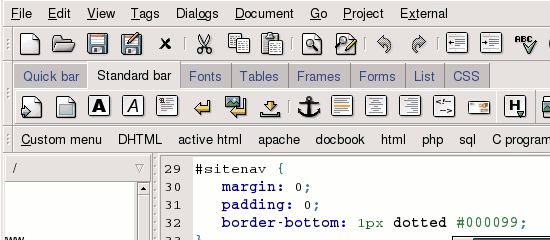
Bluefish Editor
Bluefish Editor is a lightweight, fast editor for web designers and programmers. It has useful wizards for HTML documents, great project management features, and a powerful search-and-replace option for quickly batch-replacing source code.
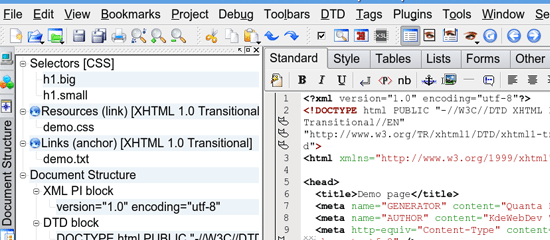
Quanta Plus
Quanta Plus is a robust web development IDE. It’s highly-extensible and is able to run custom scripts. It has an excellent visual CSS editor that has code hints and auto-completion of syntax.
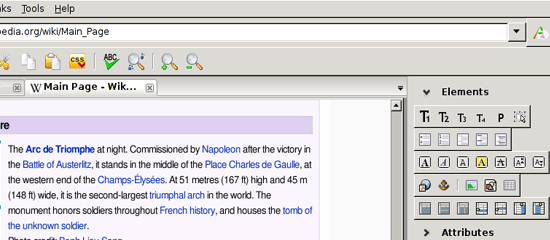
Amaya
Amaya is a free, open source web editor and web browser developed by the World Wide Web Consortium (W3C). Amaya started as an HTML/CSS editor and has since grown into an editor for many XML-based systems like SVG and MathML.
CSSED
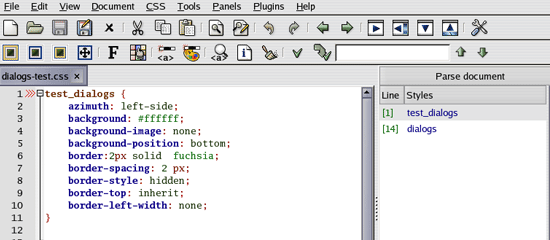
CSSED is a fully-featured GTK-2 based CSS editor that has a plugin system for utmost extensibility; check out some of the available plugins for CSSED.
OPEN BEXI HTML Builder
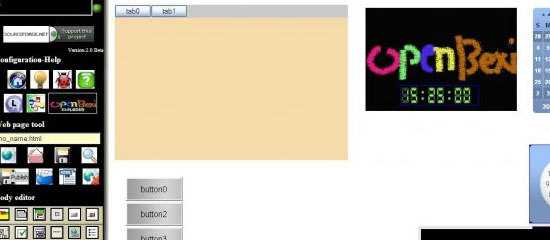
Open BEXI HTML Builder is a browser-based open source application for creating HTML web pages. It has a CSS color picker built into the interface and a very simple project management option.
NOTEPAD++
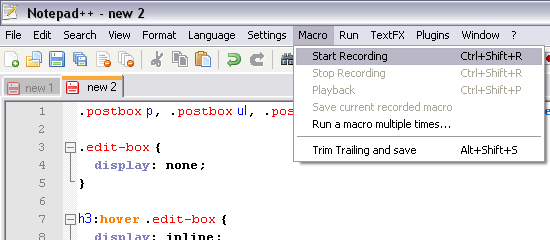
NOTEPAD++ is a very popular open source text editor for Windows. Though not strictly just for web designers, it has an excellent source code editor the supports HTML, XML, CSS, and JavaScript.
jEdit
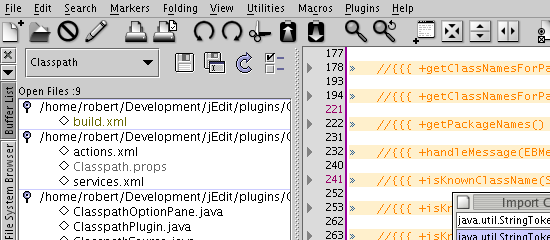
jEdit is a text editor created for programmers. It can run on Mac, Windows, and Linux and has syntax highlighting for HTML, XML, CSS, JavaScript and many other languages.
SeaMonkey
SeaMonkey, fostered by the Mozilla Foundation, is an "all-in-one" web browser that has a simple yet powerful HTML editor for in-browser source code editing (called SeaMonkey Composer).
Graphics/Image Editors
GIMP
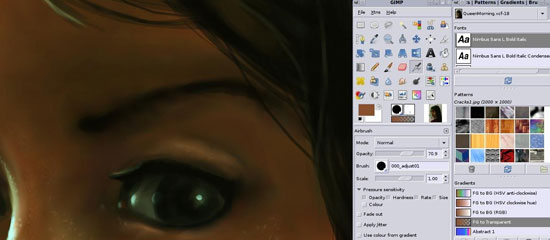
GIMP, one of the most popular open source projects currently out on the market, is a feature-packed image editor and graphic design suite. For those who like Photoshop’s interface, check out Gimpshop – an extension that roughly mimics Photoshop’s interface.
Inkscape
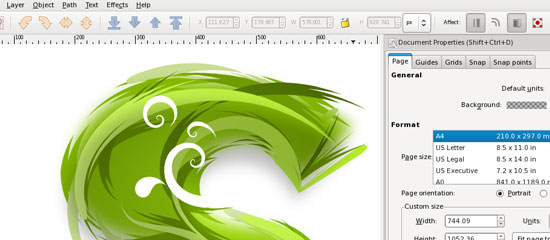
Inkscape is the premier open source vector graphics editor (much like its commercial counterparts, Adobe Illustrator and CorelDRAW).
Krita
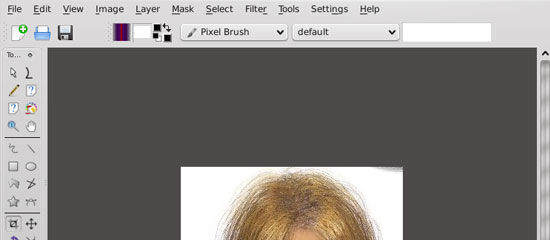
Krita is a painting and image-editing software application for KOffice.
Karbon14
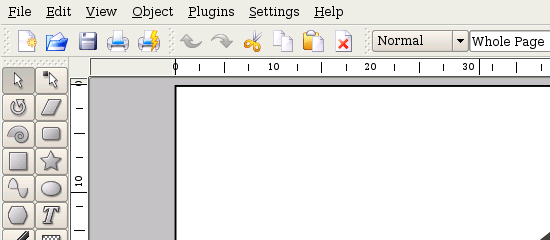
Karbon14 is a scalable vector-based drawing application that’s part of the KOffice project.
Kivio
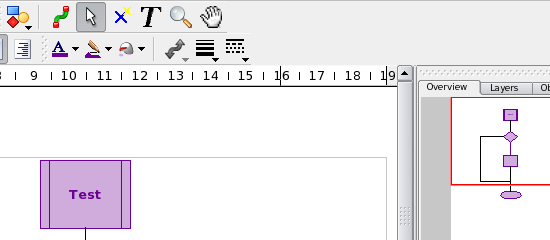
As a web designer, you’ll often need to storyboard and prototype your designs or create flowcharts for navigation schemes; Kivio is an excellent diagramming/flowchart editor to help you boost your prototypes, wireframes, flowcharts, and diagrams.
Dia
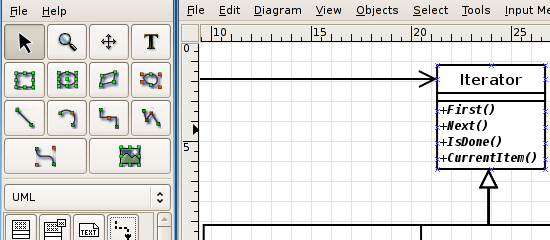
Dia is another wonderful diagramming tool to help you draw diagrams and flowcharts.
Skencil
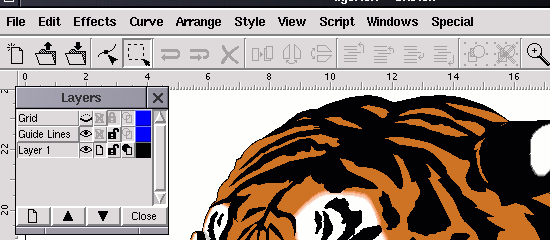
Skencil is a vector drawing application that’s great for illustrations and diagrams. You can save your compositions in EPS format – a format recognized by most vector-editing applications.
OpenOffice Draw
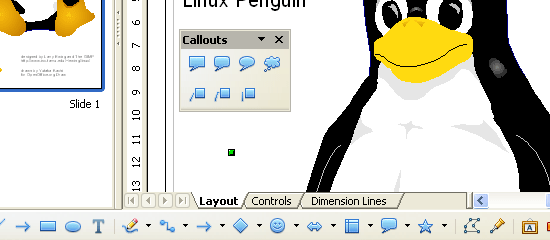
OpenOffice Draw is a simple yet powerful drawing/diagramming utility that’s part of OpenOffice software suite.
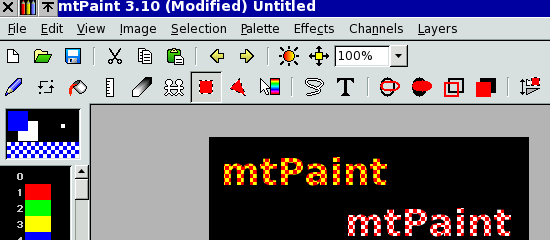
mtPaint
mtPaint is a simple painting utility developed by Mark Tyler (mt); it is perfect for simple painting and editing.
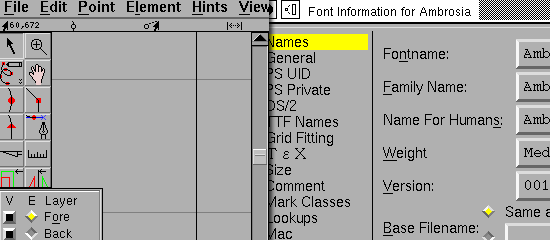
FontForge
If you ever need to edit fonts for your designs you may want to check out FontForge, a handy, open source font editor.
ImageMagick
ImageMagick is a robust image-editing suite that lets you compose images in bitmap-based formats. It can open and save in over a hundred formats, including popular web formats such as GIF, JPG, SVG, and PDF.
GraphicsMagick
GraphicsMagick is fondly referred to as the "Swiss army knife of image processing" by its core developers. It supports many image formats; you can view a list of them here.
Helpful Utilities
HTML TIDY
HTML TIDY is a free, open source utility for fixing and optimizing HTML syntax.
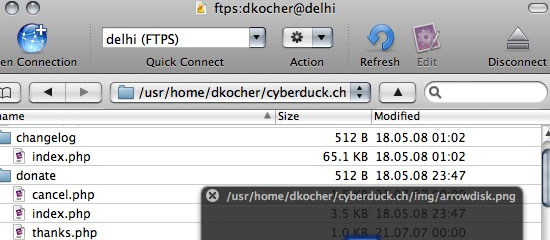
Cyberduck
Cyberduck is an excellent open source FTP client for the Mac OS. Its built-in support for Mosso Cloud files and its built-in Amazon S3 browser makes it a top-notch app for web designers and web application developers.
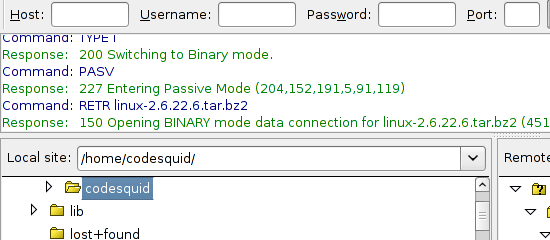
FileZilla
FileZilla is typically thought of as the most popular open source FTP client. It is cross-platform compatible (available for Linux, Mac, and Windows operating systems) and has the ability to transfer files through numerous protocols.
WinSCP
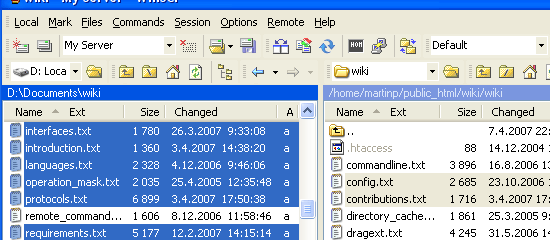
WinSCP is a Windows-only (S)FTP client for local to remote file transfers. It has a simple file manager to help you navigate and organize your files.
CamStudio
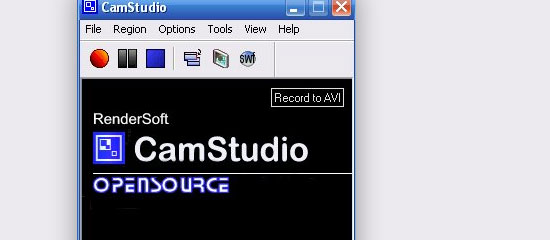
There may come a time when your client/project leader will ask you to design a computer simulation (such as an activity in an e-course or a tour of a website’s services). If you ever need a screen-capturing app, look no further than CamStudio, a fully-featured open source, screen-capturing tool.
Greenshot
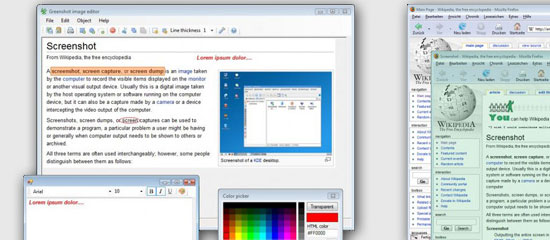
Web designers often need to take screenshots; usually for documentation and for in-browser design presentations. Greenshot is a wonderful and robust screenshot application that’s free and open source.
ZScreen
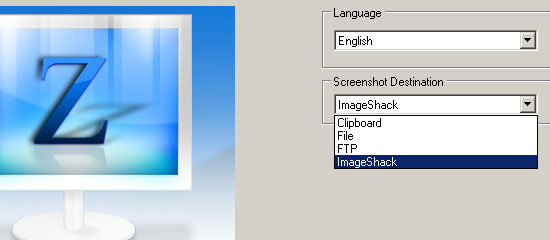
ZScreen is an exceptionally useful open source screen-grabbing utility that can take full-screen, viewable area, and just certain regions of the items in your monitor. You can set it up to automatically FTP screenshots; a helpful function for easily sharing and archiving your images.
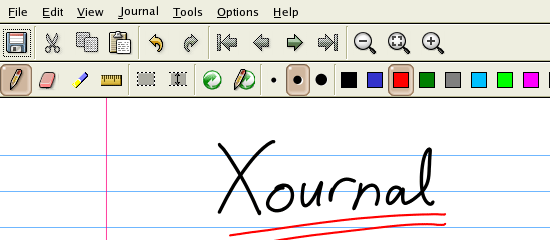
Xournal
Xournal is a simple note-taking/sketching utility that lets you use your tablet as an input device. It works similarly to Windows Journal.
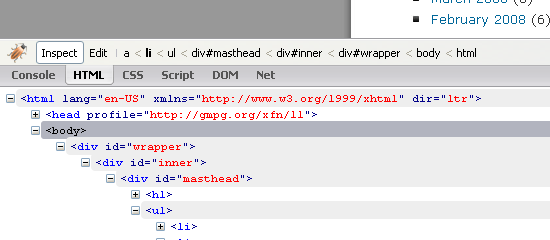
Firebug
Firebug is an extremely useful and versatile web page debugging tool. You can use it to learn and explore your HTML and CSS markup.
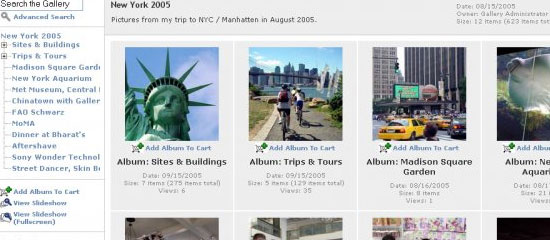
Gallery
With Gallery, you can take greater command of your image repository. Gallery is a web-based image gallery that you can use to store, organize, and access image assets online.
Share experiences about your favorite apps
If your favorite open source application isn’t on the list or if you have thoughts and opinions on the ones above – we’d love to hear it – please share it with all of us in the comments.
Related content
- Useful Cheat Sheets for Web Designers
- 20 Invoicing Tools for Web Designers
- 10 Adobe AIR Apps for Web Designers


69 Comments
Bill Lowden
January 25th, 2009
Great post! I see several gems I will be checking out. Thanks.
Webmasterish
January 26th, 2009
Open source rocks!
Gimper
January 26th, 2009
Great lis, although i wouldn’t suggest anyone to use GIMPSHOP since it’s a dead project hasn’t been updated in ages.. a new active GIMP with photoshop like menus and UI is GIMPHOTO http://www.gimphoto.com/
desizntech
January 26th, 2009
Nice article… I almost have the same kind of opensource focused article here too //http://desizntech.info/2009/01/make-the-best-of-open-source-web-designers-and-everyone-else-part-1/..
But this is one more detailed.. Good Work!!
Web Designer
January 26th, 2009
Great list of apps. There’s many new one’s I haven’t seen yet. Thanks!
Roshan Bhattarai
January 26th, 2009
I was wondering is there some editor which give the design functionality of Dreamweaver and code completion functionality of bluefish….
sun
January 26th, 2009
simply great!! thnx for this fabulous list!
Siraf
January 26th, 2009
For open-source text-editing, I’ve always loved geany. (http://www.geany.org/)
Ordinary Gui
January 26th, 2009
Netbeans 6.5 from Sun for PHP, XHTML, CSS Development (Windows, Linux, Mac OS X). Screengrab (Firefox extension) for screenshots.
Michael
January 26th, 2009
Thanks. Great article.
Although I know and frequently use some of them (Bluefish, Notepad++, GIMP and FireBug among others), there are new and interesting things here that requires further investigation later.
Since you already mention FTP-stuff, I think the FireFTP-plugin for FireFox is a great, great alternative for a “real” FTP-client (https://addons.mozilla.org/en-US/firefox/addon/684).
Nick
January 26th, 2009
I love FileZilla, glad you listed it.
Might I also suggest Programmer’s Notepad for CSS + HTML + PHP + etc. I love it and use it for everything: http://www.pnotepad.org/
Only works on Windows, though, I believe.
stefan
January 26th, 2009
I am really missing some applications. Without them I couldn’t do my job as a web designer/developer properly.
Suberversion, Ant, KeePass, Eclipse, Firefox WebDeveloper Extension
Matteo
January 26th, 2009
Komodo edit is an exceptional opensource/multiplatform editor. Give it a try.
Frog
January 26th, 2009
I highly recommend Cyberduck, much more stable than Transmit and Filezilla on the MAC
Online hry
January 26th, 2009
One more tip – PSPad.com – great editor
John Coonen
January 26th, 2009
Excellent work on putting this together. Very helpful. It’d be great to see a few OS CMSs in here like Joomla, Drupal, Typo3 – all great choices, depending on one’s aptitude technically.
Thank you again for putting this together Jacob!
John Coonen
CMS Expo
Amy
January 26th, 2009
Interesting list; I see a few that are absolutely awesome (Gimp & Inkscape FTW). By the way, it would be cool to see any open source apps that can substitute for flash. I’d be eager to try them.
AntonioCS
January 26th, 2009
Nice list.
I think you should explain some of the items on your list a little better. Firebug is not an application but a Firefox plug in.
I am sure there are other “apps” that are not really “apps”, but firebug is the one that really stood out for me.
montreal web design
January 26th, 2009
I would also recommend using “freemind” for brainstorming and creating a basic site map.
http://freemind.sourceforge.net/
WD
January 26th, 2009
Forgot to add Aptana.
http://www.aptana.com/
Jimmy
January 26th, 2009
@Roshan Bhattarai
check out aptana studio
http://www.aptana.com
everysongsaboutagirl.com
January 26th, 2009
Great post several of these are new to me
ahmet alp balkan
January 26th, 2009
Check out Eclipse or Aptana!
Kurt Avish
January 26th, 2009
Wonderful list. I am already having a look at some. Thanks fr sharing.
Toby
January 26th, 2009
Don’t forget Smultron for text/code editing on the Mac…
PM Hut
January 26th, 2009
It would have been nice if you added collaboration tools. A lot of web designers also do a sort of Project Management, so that would have been extremely helpful.
Matthew Holloway
January 26th, 2009
Glazman has been working on a new version of Nvu/KompoZer for ages now, and making good progress: http://www.bluegriffon.org/
Samir
January 27th, 2009
Great list! I myself am a web designer (and designer in general) with a completely open source workflow, so I was glad to see many of my favourites here. Also very glad to discover many apps I didn’t know about.
From my experience there are some others that deserve a place here:
Scribus
http://www.scribus.net/
Yes, it’s meant for print work, and that is how I mainly use it, but it is the best out there for editing and creating complex PDF files. Can also create PDF forms so a must for the more adventurous web designer.
Blender
http://www.blender.org/
Make 3D stills, animations, and can even be used to do some more complex image manipulations with its excellent node compositing system. Invaluable once you get the hang of it.
GhostScript and GhostView
http://pages.cs.wisc.edu/~ghost/
More PDF goodness and the hidden workhorse behind some of the PDF capabilities of many, including GIMP, Inkscape, and Scribus.
VLC
http://www.videolan.org/vlc/
Most think of this as just a media player, but dig below the surface and you’ll find a powerful media conversion tool. Convert between various video formats to put your video files on the web.
Synfig
http://synfig.org/
This is one I haven’t played with much but it is a powerful 2D animation suite. It can do simple frame-by-frame animation as well as more complex calculated stuff with vector filters and other complexities. Worth a look.
Pencil
http://www.les-stooges.org/pascal/pencil/
Want something simpler for 2D animation? Try this one. Let loose on this with a graphics tablet and you’re bound to come up with some fun animated doodles. It can even export to Flash.
I’m sure there are many more I’ve missed, including some I use on a regular basis. It’s difficult to itemize things on demand when they have become second nature.
Thanks again for the useful list.
Samir
Mukesh
January 27th, 2009
This is a great list…Very useful for the designers. Thanks a lot.
alika
January 27th, 2009
check out aptana studio.
Ashish
January 27th, 2009
Great List !
Marielle
January 27th, 2009
Check out Total Commander–for batch file operations from your cpu to ftp it’s awesome! It does a ton of other stuff but that’s one of my favorites. You can donate to the guy that made it, but it’s shareware with no limitations. http://www.ghisler.com/
Marielle
January 27th, 2009
Btw, thanks for the great list, as always, Jacob!!!!
Jacob Gube
January 27th, 2009
Hi everyone, thanks for all of the input! I think if people don’t read the comments, they’re really missing out – I mean it, I thank everyone here who’ve taken the time to leave a comment and for making these articles more informative and comprehensive.
@Gimper: Good tip on GimPhoto, thanks for sharing that here.
@Roshan Bhattarai: Dreamweaver is sort of tough to beat, it’s one of the few non open-source applications I use. If you guys have a suggestion for Roshan, help him out.
@John Coonen: I guess I was thinking more about production tools really, and I felt that CMS/Publishing Platforms are out of that scope, otherwise this would be a very, very long list.
@Marielle: Thanks for your kind compliment, glad you found this post to be useful!
Rob
January 27th, 2009
I’m a big fan on WinSCP
MikeMoreno
January 27th, 2009
Many thanks as well! I would like to add to the list a screen capture program I like to use, it’s called MWSnap, it has all the features you might expect from a screen grab program as well as some nifty tools like a zoom tool, a ruler, color picker and a window info tool. It can be also used as a fast picture viewer or converter and you can run it from any portable device, check it out at:
http://www.mirekw.com/winfreeware/mwsnap.html
And if you can, donate as well. Cheers!
newport web design
January 27th, 2009
On Kubuntu 8.10 (Intrepid) / KDE4.2 I use Krusader for managing multiple servers, file tree comparison, visual file diffs, archive making, etc..
Also web developer FF extension is priceless.
Recently came across FontMatrix which is a very good font manager, useful for choosing fonts when preparing graphics.
Surely Mark Tyler must be your mate?? What exactly do you use that app for?
Bernard
January 28th, 2009
Thank you very much. As always your posts are very usefull. Go on and “courage” !
Mark Sanborn
January 28th, 2009
When developing on a Nix box I have to have: Vim and SSH.
Farid Hadi
January 29th, 2009
Nice list Jacob. I’ll be checking a few of these apps out. Thanks.
Jay
January 29th, 2009
Great list & great comment.
For font manager I use NexusFont2 (http://xiles.net/), free, windows only.
alika
February 2nd, 2009
Great list! I myself am a web designer (and designer in general) with a completely open source workflow, so I was glad to see many of my favourites here. Also very glad to discover many apps I didn’t know about..
suspicious minds
February 7th, 2009
What the hell!?
I hope you know this guy Jacob, or else you are being ripped off!
http://www.paulspoerry.com/2009/01/26/12-useful-open-source-graphics-apps-for-web-designers/
Rokurosv
February 7th, 2009
Another open source illustrator program is sk1 http://sk1project.org/, it’s very powerful and easy to use.
Jacob Gube
February 8th, 2009
@suspicious minds: Nope, I don’t know the owner of that site; you’re right, I’m being ripped off.
Lauren
February 9th, 2009
great list. Thanks for taking the time to put it all down for us!
Banago
February 9th, 2009
I use Bluefish. It is great, especially for css.
jbrown
February 11th, 2009
Awesome as usual. The comments are just as good as the article itself. Here is a cool web based util and I use it alot. It will convert any file type into just about any other file type you can imagine. It could probably turn a document into a mp3. ;)
http://www.zamzar.com
Miguel
February 15th, 2009
Hey, thanks for sharing. I’ve never heard of Xournal before? I’m looking for a blog editor for a mac? any suggestions?
-Mig
Bob Lawrence
February 17th, 2009
Thanks for this terrific list. I knew of (use) a number of these, but wasn’t aware of most. In fact, I have a need right now to storyboard a project. Looks like Kivio or Dia will come in handy. Thanks again!
Bob Law
india
February 22nd, 2009
awesome list guys …. you and smashingmagazine guys simply rock…..keep it up
Ric
March 1st, 2009
Seriously missing..
Web Developer Toolbar: http://chrispederick.com/work/web-developer/
and
Paint.NET: http://www.getpaint.net
Jacob Gube
March 1st, 2009
@Ric: Web Developer and Paint.NET is free, but but not open source.
Duyet
March 4th, 2009
Nice list.
As sometimes one needs to verify stuff in IE, you can use Firebug Lite on other browser @ http://getfirebug.com/lite.html.
Also IETester is a nice tool for testing all version of IE @ http://www.my-debugbar.com/wiki/IETester/HomePage
Majella
April 29th, 2009
Fantastic list, I am just starting out on web design and feel lucky to have found this site
Cesar Noel
June 11th, 2009
Nice list most of this I use on my Ubuntu Laptop
Eebrah
June 12th, 2009
Great list. I tend to stick to firebug, screengrab, and yslow for “what if?” analysis and screenshots because they can be used across platforms.
I use notepad++ on windows and late on linux to type the actual code. Has worked well but i’m looking forward to trying out the apps on your list and those suggested in the coments in trying to improve my workflow. I’m a recovering macrodobe addict trying to get back to basics :-)
Marc
July 12th, 2009
Just Fantastic! I am sending this link out to many people!
webguy303
July 19th, 2009
Wow – nice list of stuff! I saw a few of my favorites in there but there’s a lot of stuff I haven’t heard of that I’ll now for sure spend a few hours distracted :)
David King
August 11th, 2009
Brilliant! I’ve tried the vast majority of them and believe anyone will find a nice setup using this list, I’m a: FireFTP, FireBug, GIMP, Inkscape, Blender, gEdit kinda guy!
S. Emerson
August 15th, 2009
Great list of open source applications for web design!
I have used:
-NOTEPAD++
-GIMP
-FileZilla
-WinSCP
Ashely Adams
September 11th, 2009
Hey there……..a great collection once again. I can see some gems here that I would like to check out. Thanks :)
Sasha
December 19th, 2009
I think Selenium web site testing framework should among the first 3 in this least, here is a short introductory article –
Leave a Comment