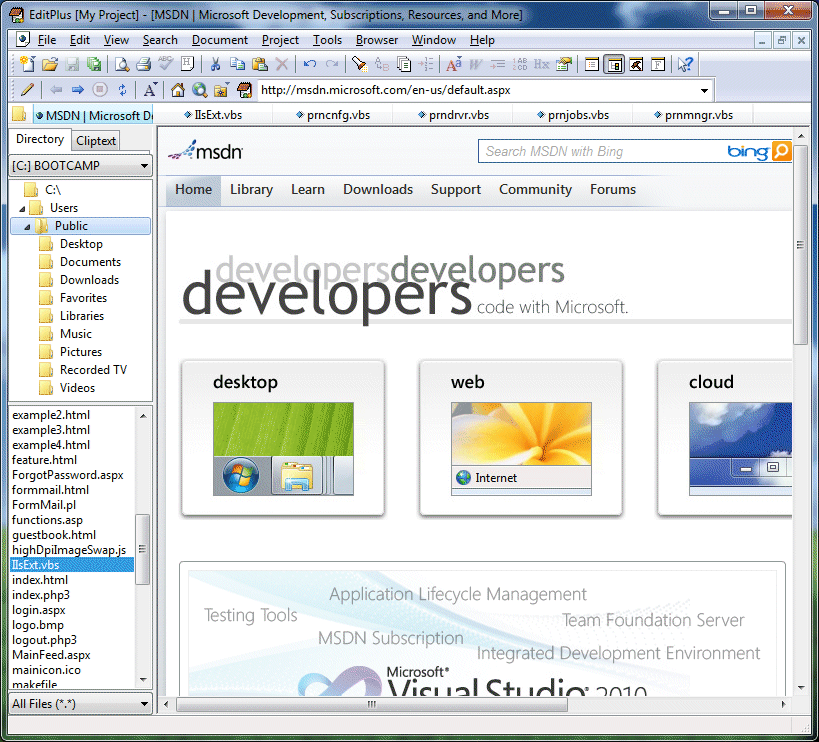


For many developers, a trusty text editor is all you need for even the most complex web applications. Whether you’re creating a site from scratch, editing a CSS file, or messing around with configuration files on the server – a good, solid text editor will do the trick just fine. Last week, over 600 people voted for the text editor that they felt was the best from the large set of options out in the market.
In this article, you’ll find fifteen of the most ubiquitous text editors for development as voted by you.
15. SciTE
 SciTE download page SciTE, an open source text editor for Windows and Linux, was originally developed to demonstrate the power of Scintilla. It has since grown into a fully-featured text editor for developers. You can extend the default SciTE installation with user-generated configuration files like the SciTE command-line launcher (a simple Windows command-line tool for opening files in SciTE).
14. EditPlus
 EditPlus download page EditPlus is a Windows text editor for HTML and programming. It has syntax highlighting for HTML, CSS, PHP, JavaScript (among others), a built-in web browser (which they call Seamless Web Browser) for previewing your work and browsing the web, and auto-completion. EditPlus isn’t free, and it costs thirty-five buckaroos for a 1-user license.
13. E – TextEditor
 E – TextEditor download page E – TextEditor, or just called E, is TextMate for Windows. It has a host of useful features that developers will appreciate, such as a personal revision control system to ease the burden of managing multiple versions of a file, ultimate customization possibilities, and a collection of automated tasks to save you time and improve your productivity. Check out the Keyboard Shortcuts Cheatsheet to make writing with E more efficient.
12. GNU Emacs
 GNU Emacs download page GNU Emacs is an open source, cross-platform (available for various distros of Linux, Mac OS X, and even Windows) text editor. Emacs is highly extensible and customizable to your particular needs and has all of the things you’d expect from a developer’s source code editor such as syntax highlighting, ability to edit plenty of file types, and the ability to broaden its features with extensions such as debuggers and note managers/organizers.
11. gedit
 gedit download page gedit is the official open source text editor for GNOME (a desktop GUI for Linux-based and Unix-based computers). It has a plethora of options and features that coders will love, including syntax highlighting for many languages, full support for UTF-8 text, remote-file editing, and file backups. It also has a very accommodating plugin system that permits you to extend gedit.
10. TextPad
 TextPad download page TextPad is a general purpose text editor for Windows-based systems. It has plenty of features like a spell checker for 10 languages, a Warm Start feature which lets you start the program from where you left off when you last opened it, and a keystroke macro recorder for automating keystrokes (which can save you a ton of time from typing frequently-used code), and lots more.
9. UltraEdit
 UltraEdit download page UltraEdit is a popular and powerful Windows-based text editor for developers and programmers. It has support for languages like PHP, JavaScript, Perl, C/C++, has built-in file management features, and has a notable and robust search-and-replace feature. Check out their feature map to see a gallery-style presentation of UltraEdit’s features.
8. Dreamweaver
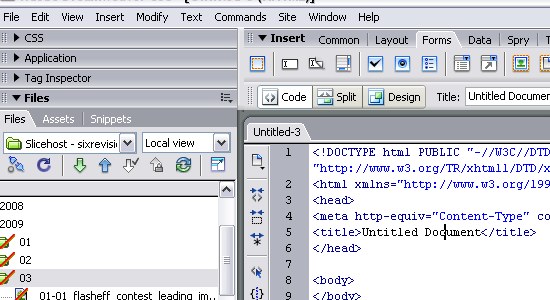 Dreamweaver download page Dreamweaver is a fully-featured IDE for web designers and developers created by Adobe. Its built-in Code View is excellent for developers: it has syntax-highlighting, a very smart code-hinting/auto-completion feature, and on-the-fly syntax validation.
7. Komodo Edit / Komodo IDE
 Komodo Edit download page Komodo Edit is an open source, cross-platform (Windows, Linux, Mac) editor for serverside languages that comes with Komodo IDE (but you can download it separately). Developers will have a great set of features in store for them in Komodo Edit, including code folding for tucking away lines of code you’re not currently working on, on-the-fly syntax checking, and the ability to extend it with various plugins.
6. Aptana
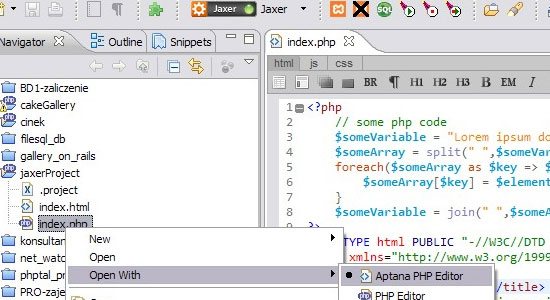 Aptana download page Aptana is a free, complete web development IDE that’s available as a standalone application or as an Eclipse plugin. It has built-in support for popular libraries like jQuery, MooTools, and Prototype to make client-side web development easier for you.
5. PSPad
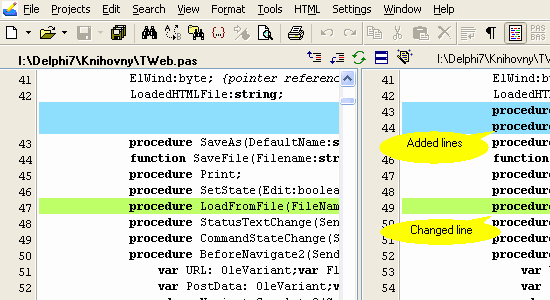 PSPad download page PSPad is a freeware programmer’s editor for MS Windows. It has the ability to save sessions so that you can return to your previous set-up after you close the program, a built-in FTP client, and a text difference feature so that you can compare differences between several files.
4. Vim
 Vim download page Vim is an advanced text editor for Linux, Windows, and the Mac OS. It is very extensible and was designed with the principle of making text editing as efficient as possible. Many consider it to be a programmer’s text editor, and even an IDE.
Vim is charityware, meaning that donations to the project go to charities.
3. Coda
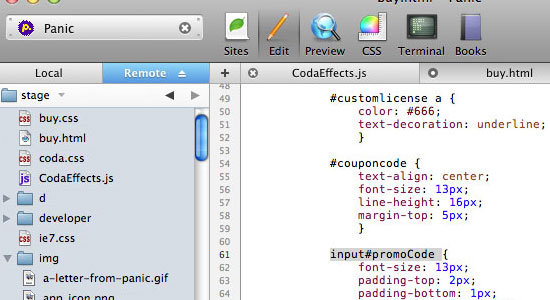 Coda download page Coda is a web development environment for the Mac OS. It’s powerful and elegant text editor has all the features you’d expect from an application made for developers: syntax highlighting, line numbers, and auto-completion. It also has the ability for live collaboration (based on the Subetha Engine) and a Clips feature which is a floating window that stores frequently used snippets automatically.
2. TextMate
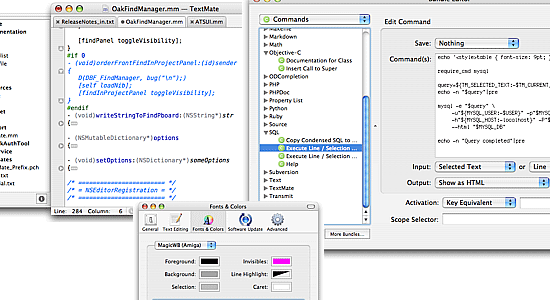 TextMate download page TextMate is a powerful Mac OS editor for programmers and designers. It allows you to theme the interface to your preference, auto completes character pairs like parenthesis and brackets, and allows you to run shell commands from within a document.
1. Notepad++
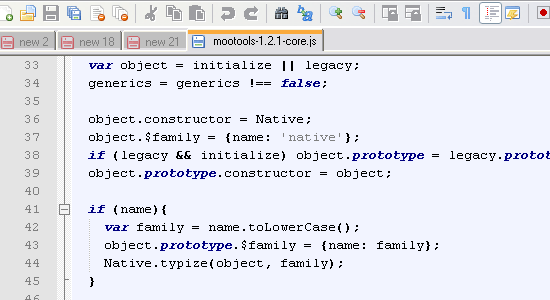 Notepad++ download page Garnering close to a quarter of the total votes, Notepad++ stands to be the most popular text editor for developers. Notepad++ is a free source code editor for Windows released under the GPL license. Its features are too many to mention, but among the notable ones are: macro-recording and playback for repetitive keystrokes, a powerful regular expression search-and-replace, and support for many programming languages.
A Poll
Related content
-
 President of WebFX. Bill has over 25 years of experience in the Internet marketing industry specializing in SEO, UX, information architecture, marketing automation and more. William’s background in scientific computing and education from Shippensburg and MIT provided the foundation for MarketingCloudFX and other key research and development projects at WebFX.
 -

WebFX is a full-service marketing agency with 1,100+ client reviews and a 4.9-star rating on Clutch! Find out how our expert team and revenue-accelerating tech can drive results for you! Learn more
Make estimating web design costs easy
Website design costs can be tricky to nail down. Get an instant estimate for a custom web design with our free website design cost calculator!
Try Our Free Web Design Cost Calculator
Share this article




Web Design Calculator
Use our free tool to get a free, instant quote in under 60 seconds.
View Web Design CalculatorMake estimating web design costs easy
Website design costs can be tricky to nail down. Get an instant estimate for a custom web design with our free website design cost calculator!
Try Our Free Web Design Cost Calculator