




Testing for web accessibility (how usable a website is by individuals with disabilities) is an often neglected part of web design and development. Web accessibility is important not only because your content will reach a wider range of audience, but also because correcting web accessibility issues have secondary benefits such as cleaner and more semantic code and better indexibility on search engines. In this post, you’ll find 10 free tools to help you evaluate and correct issues which decrease your website’s accessibility.
There was a high emphasis on the ease-of-use during the selection of these tools.
1. Firefox Accessibility Extension
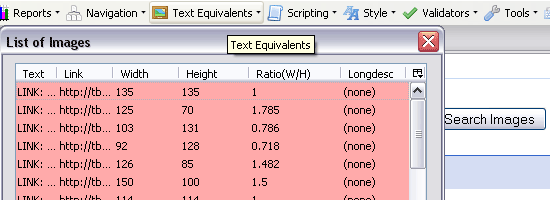 The Firefox Accessibility Extension is a Firefox toolbar that allows you to inspect every aspect of a web page to determine its accessibility. A helpful toolbar feature is the Text Equivalents menu which allows you to generate lists of elements such as images and links to see whether each are standards-compliant. You can also launch 3rd party applications such as the WC3 HTML Validator and Link Checker services directly from the toolbar.
2. aDesigner
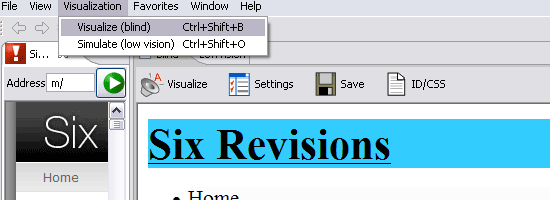 aDesigner, developed by IBM, simulates the experience of visually-impaired individuals so that designers can better understand how a web page is interpreted by screen readers. It has a plenty of features including a summary and detailed report of compliancy to web accessibility guidelines and simulations for blind or low-vision impairment.
3. EvalAccess
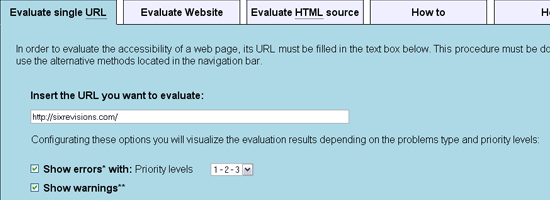 EvalAccess is a web-based service for testing your website’s accessibility. You can either point to a web page, an entire website, or directly enter your HTML source code. It checks your mark-up against the WC3’s Web Content Accessibility Guidelines (WCAG 1.0) and provides a summary of the number of errors and warnings and a breakdown of each error.
4. WebAnywhere
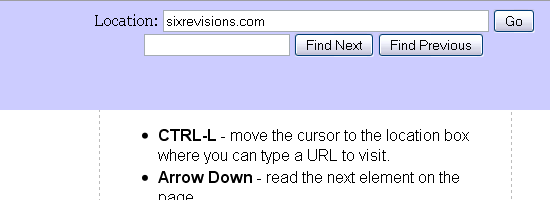 WebAnywhere is a browser-based web application that works similarly to screen readers such as JAWS. It’s an excellent way to see how a web page is read and navigated by assistive technologies.
5. Web Accessibility Inspector
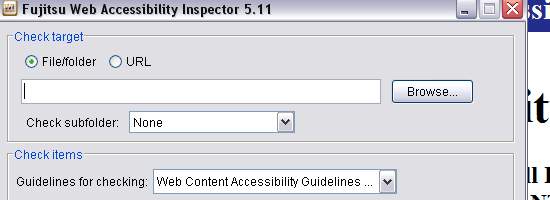 The Web Accessibility Inspector, developed by Fujitsu, is another web design software application that indicates web accessibility issues. You can specify a file, folder, or URL to run the inspection on. It has the “View on the screen” option which opens the web page in a browser window with markers that point out elements that have issues.
6. Vischeck
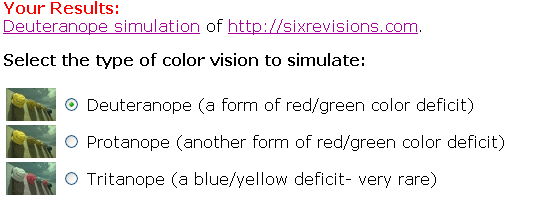 Vischeck simulates how a web page or image will look if viewed by people affected with color-blindness. It simulates three types of color-blindness. You can conduct the test by entering a URL or uploading images.
7. Accessibility Color Wheel
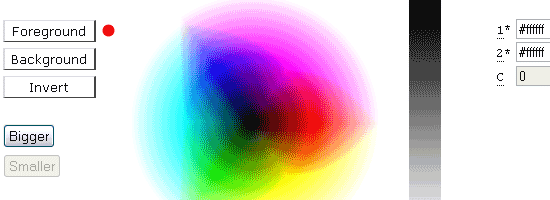 The Accessibility Color Wheel is a web-based tool to help you select the background color and font color. You can enter the hexadecimal values of the colors you want to test, or you can hover over the color wheel to select colors.
8. Colour Contrast Analyser
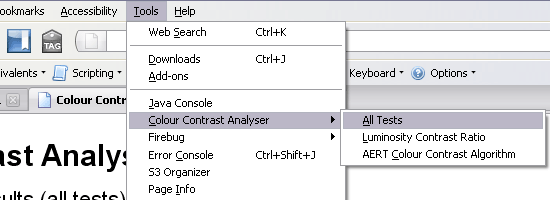 The Colour Contrast Analyser, developed by Juicy Studio, is a Firefox extension (currently in alpha) that checks all the elements in the Document Object Model for color contrast to insure that content is accessible by people who are color-blind or affected by other visual-impairments. It uses the color and brightness differences algorithm suggested by the WC3 “Techniques For Accessibility Evaluation And Repair Tools” (AERT). Juicy Studio also has other web accessibility evaluation tools such as the Readability Test, CSS Analyser, and Image Analyser.
9. TAW Web Accessibility Test
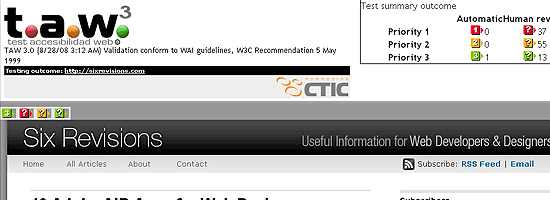 The TAW Web Accessibility Test evaluates your website’s accessibility based on the WCAG 1.0. It marks trouble spots directly on the web page, allowing you to quickly see where the errors are. Clicking on the error/warning indicator will bump you down to a summary of the issue. It’s a great way to visualize the areas of a web page that needs work.
10. Web Accessibility Toolbar
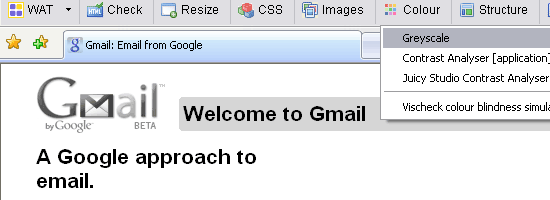 The Web Accessibility Toolbar (WAT) is an extension for Internet Explorer or Opera that offers designers a ton of useful tools and features to help in the analysis of a web page’s accessibility. One helpful feature is the Greyscale (Colour > Greyscale) feature which renders the web page in black in white to help you find low-contrast spots in the design.
What’s your viewpoint on web accessibility?
How important is it in your web projects? Do you go out of your way to make your projects accessible?
Share your thoughts in the comments section below.
-
 President of WebFX. Bill has over 25 years of experience in the Internet marketing industry specializing in SEO, UX, information architecture, marketing automation and more. William’s background in scientific computing and education from Shippensburg and MIT provided the foundation for MarketingCloudFX and other key research and development projects at WebFX.
 -

WebFX is a full-service marketing agency with 1,100+ client reviews and a 4.9-star rating on Clutch! Find out how our expert team and revenue-accelerating tech can drive results for you! Learn more
Make estimating web design costs easy
Website design costs can be tricky to nail down. Get an instant estimate for a custom web design with our free website design cost calculator!
Try Our Free Web Design Cost Calculator
Share this article




Web Design Calculator
Use our free tool to get a free, instant quote in under 60 seconds.
View Web Design CalculatorMake estimating web design costs easy
Website design costs can be tricky to nail down. Get an instant estimate for a custom web design with our free website design cost calculator!
Try Our Free Web Design Cost Calculator



