9 Ways To Improve the SEO of Every Website You Design
One of the biggest challenges that online businesses face today is maintaining relevance in the eyes of the search engines, especially Google. With Google controlling more than 90% of the search traffic in the US alone, it’s not surprising that the most important goal of any web-based marketing strategy is to be number one in Google.
It’s a well-established principle that on-site SEO is one of the most basic building blocks every business needs to have as they start on the road to search engine domination. So it makes sense to add another string to your own marketing bow as a web designer and incorporate some simple SEO strategies into every web design you deliver.
Here are nine ways to improve the SEO strength of every website you design.
1. Add a blog

Adding a blog to any site gives your clients the opportunity to add fresh content easily and regularly. Search engines love fresh content and if you encourage your client to update the blog on at least a weekly basis, or hopefully even more regularly, you will be giving them a distinct SEO advantage. You can explain to your client that blogs naturally attract search engine traffic and they can take advantage of this by not only adding content as often as possible, but to allow visitors to ask questions or leave comments.
The interactivity of the blog also adds value to the site and can also increase the likelihood of potential customers social bookmarking it and sharing it their social networks, but remember to look out for spam comments and to remove anything that looks like duplicate content.
Blogs also increase the size of the website over time and this can provide a major SEO benefit in the form of an increase in website authority and a higher number of pages to leverage with internal links.
2. Add Google Analytics to each page

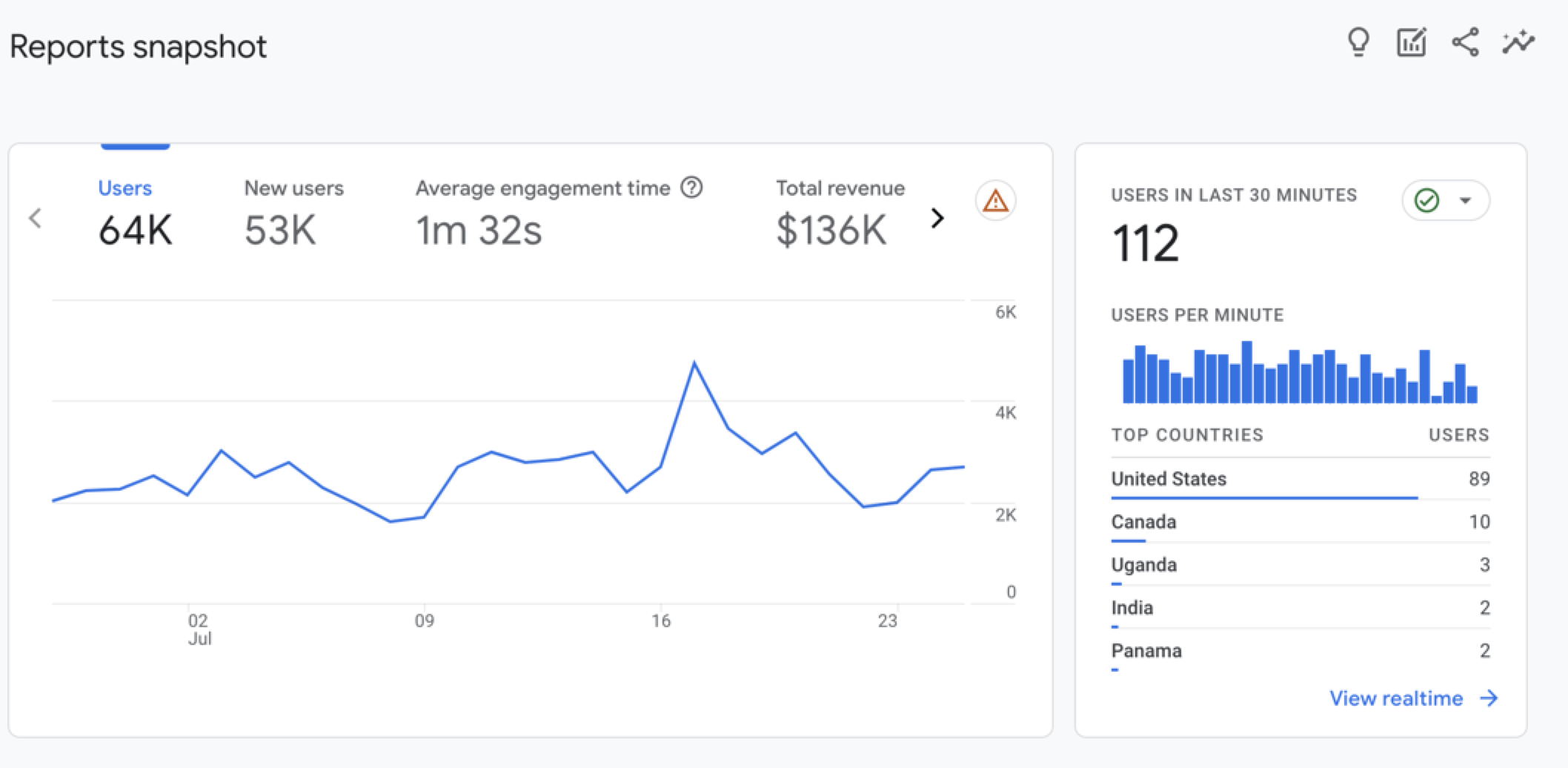
As you are no doubt aware, Google Analytics is a free analytics software package that can provide your client with a range of critical data about their site and how it is performing in the search engines.
By using such features as Goal Tracking, Event Tracking, bounce rates and Intelligence you can show your client which keywords, search engines and traffic sources are producing sales or leads for their business. You can also use this data as a way of showing them how they can improve their site over time (with your help) through ongoing split testing.
Bonus tip: Sign up for Google Webmaster Tools, which also have a ton of information that you can use to learn more about your keywords and web pages.
3. Reduce code bloat

Google’s spiders are on the lookout for unique content, and JavaScript and CSS in the HTML code make it harder for them to find it. For example, you should already know that all scripts and CSS files should be added as external files to reduce the time it takes for search engine spiders to find the actual content as well as reducing the code-to-content ratio.
Remember that excessive code not only slows the page’s loading time, but it also increases the possibility of coding errors that, whilst they may have no direct impact on the site’s SEO, may still cause difficulty for the search engine spiders.
4. Make each page unique

Google ranks the relevance of each website according to the content it contains, and is always seeking relevant content not contained anywhere else on the Internet. This means that the content of every page needs to be completely different not just from any other site on the Web, but also any other page on the same site. This raises the issue of duplicate content, the dread of all site owners.
Put simply, if you publish any content that appears somewhere else on the Internet, you run the risk of being ignored by search engines because the algorithm will be looking for content that sets your site apart.
Unique content removes any such impediments from your site and your design standards will support your clients’ SEO. It is also worthwhile pointing out that wherever you include snippets of information contained on other pages within the site to tempt the visitor to follow the link, you run the risk of being penalised for duplicate content. So be careful of the wording used in the snippets so that it provides a summary without repeating any of the words actually used.
5. Use meta description tags

<meta> description tags are what appear in the search engine results pages – they give the web surfer an overview of what the site is about. Put your marketer’s hat on and write a description that convinces visitors to click on the result. This is your site’s first opportunity to attract visitors, so it’s vital that you give your client the best chance of standing out from the other results.
Remember, Google also uses meta description tags to differentiate web pages (although not as much as title tags) so you also need to be careful to describe each page differently to avoid any duplicate content issues. Including free offers, guarantees and a phone number can improve the click through rate on your clients’ SEO ranking.
Make sure to limit the <meta> description tags to 160 characters in length, including spaces.
6. Remove repetitive wording from the website layout

It’s worth repeating again that unique content is vital to the success of any site’s SEO. When designing a website layout for a client it is tempting to include information such as copyright text, contact details and maybe even company mottos on every page of the site. If there is not enough unique content on every page then you run the risk of your client’s site being penalised for duplicate content. That’s why it’s important to remove such repetitive wording from the website layout so that the true informational content of the site is not diluted in any way.
7. Add footer links to every page

Linking between web pages using plain text links, with the target SEO keywords in the anchor text, can provide a significant boost to your clients’ SEO rankings. The problem is that most good website designs use graphical, JavaScript or Flash navigation that don’t use anchor text. If this is the case, you can use footer links to link between your pages, with the keywords you want to rank for within the anchor text of the links.
8. Create a separate web page for each keyword or keyword phrase

The best way for a website to rank for a particular keyword phrase is to create a web page targeted to that phrase with the keywords in the <title> tag, <meta> description tags, <h1>, body copy and URL. This means that it is critically important to create a separate web page for each product or service that the client sells, as well as category pages if they are needed. A dedicated page for each product or service will also ensure a good user experience as they will land directly on this page from the search engine results, making it much easier for them to buy online or submit a form for more information.
9. Use keyword rich title tags on each page

<title> tags appear in the title bar of the browser and are one of the factors used by search engines to determine the content of your page. Rather than including the company name in the <title>tag, use the keywords that your client wants to rank for. This will give your client a solid advantage for ranking in the search engines. Make sure to limit the <title> tags to 60 characters in length, including spaces, so that the full text of the title tags appears in the search engine rankings and doesn’t get cut-off by Google.
By integrating all of the above suggestions into each of your website design projects, you will give your clients the best possible chance of generating sales and profits from search engine rankings.
Related Content
- 10 Ways to Improve Your Web Page Performance
- 7 Incredibly Useful Tools for Evaluating a Web Design
- Optimizing WordPress for Search Engines
- Related categories: Web Design and Web Development


147 Comments
Steffen
April 10th, 2010
Awesome, just what i needed for my new page! :)
Martin Hyde
April 10th, 2010
Thanks for the post Alex, useful pointers there. I like the little banners for each point.
Matthew Heidenreich
April 10th, 2010
great and informative read. Thank you for sharing these tips.
esranull
April 10th, 2010
good post thanks lot alex
cameyz
April 10th, 2010
Nice tips thx for sharing :)
Waiting for more
FrogKnowledge
April 10th, 2010
Great tips- I did not realize footers were so important
Beben
April 10th, 2010
great info
thanks…its usefully…^_^
Nathan Ziarek
April 10th, 2010
Thanks for the fine article. I have one nit-pick on point number seven.
“Good” websites use progressive enhancement to layer graphics and interaction to the site as the visitor’s browser allows. While this is seemingly quaint now that IE6 is on the way out and we have a host of modern, compliant browsers, it certainly isn’t with respect to crawlers.
Make your site usable without any JavaScript or CSS. That’s what the search engine sees. Then go back through and pretty-ize. Important keywords should be no more stuffed in the alt tag of an image than at the bottom of the page.
Site maps are useful as user experience tools and they can affect SEO just like any other page content. Don’t use them to cover a deficiency in another area. Fix the deficiency.
Best,
Nathan
Webanddesigners
April 10th, 2010
Good article was worth reading.
JC
April 10th, 2010
Thanks for the info. Didnt had the knowledge of number 160 for meata tag & 60 title tag. Will take care of that now onwards.
Google webmaster tool & analytics are awesome stuffs to get your website boost up for sure.
Yahoo too has an web master tool
http://siteexplorer.search.yahoo.com/ that can give more benifit.
A person should always submit a sitemap to the wmt so that it becames easy for it to cache the content easily and soon.
Hope i am right :P
Regards.
Alex Flueras
April 11th, 2010
Good article, concise list. I would only add the use of .xml site maps.
JayDz
April 11th, 2010
Very helpful tips, thank you :)
krike
April 11th, 2010
nice article :) very usefull
office furniture in new york
April 11th, 2010
How harshly is boilerplate sidebar content weighed against central column text. Engines would notice it’s a common div/links used for navigation and perhaps website slogans etc too
Blogging Tips
April 11th, 2010
The nine ways are excellent. Great article and easy to understand.
Maverick
April 11th, 2010
Hi Alex. The article is really informative and useful.
I guess there is one error…
In the following sentence:
A dedicated page for each product or service will also ensure a good user experience as they will land directly on this page from the search engine rankings
don’t you think it should had been “search engine results” instead of “search engine rankings”?
Roei cpo
April 11th, 2010
Thank you! that’s a very good tutorial
inspirationfeed
April 11th, 2010
Awesome tips, will be trying this soon.
Harsh Agrawal
April 11th, 2010
Point to Point and useful post Alex. Nice share.!
Jacob Gube
April 11th, 2010
@Maverick: Good catch. I fixed it.
camilo lopez
April 11th, 2010
checking and implementing in the new version of designplusonline.biz
Pracas Upreti
April 11th, 2010
Thanks for sharing the great article.
Kolama
April 11th, 2010
Great Article !. Thanks a lot !.
By the way is the characters limit for description tag is 150 ?
Avangelist
April 11th, 2010
These articles are always the same. I can some up good SEO for a new site in fewer words.
Write good semantic markup
Create strong copy which relates to your target audience
Collaborate with others to feed off somebody else’s reputation.
Jason Lancaster
April 11th, 2010
This is a great list for designers, but I’d like to argue a little with you about the footer links tip. While it IS a good way to link your pages together if your main menu is flash or javascript, it’s just glossing over a bigger problem.
Menus that are flash or javascript dependent are simply inexcusable – many javascript features can be duplicated using CSS, and it’s easy to use SWFobject to ‘layer’ flash on top of an html/css menu. This way, if someone doesn’t have javascript or flash installed, they can still use your menu…and the bots can understand every link and read every bit of anchor text too.
Rather than advising footer links (which don’t really help that much SEO-wise on a ‘normal’ site), you should be explaining the importance of the concept ‘graceful degradation,’ a buzz-word at Google. At least that’s what I would advise as an SEO geek.
Fidget
April 11th, 2010
Really great tips. But I would be a little bit careful with adding too many keywords and clustering a page with it in ever title, h1, h2, h3, meta tag and so on.
Sydney Shore
April 11th, 2010
Can you discuss the WordPress sidebar issue and what impact it has on SEO since it tends to be an exact repeat on every page of the WordPress site? For instance your pages all show the same sidebar. Does this impact the ranking since a portion of every page is the same?
jason
April 11th, 2010
This is wrong….
“7. Add footer links to every page: The problem is that most good website designs use graphical, JavaScript or Flash navigation that don’t use anchor text.”
1. Image navigation is usually based on anchor tags.
2. Javascript navigation is usually based on anchor tags
3. A good flash developer would always provided alternate HTML markup, which can be based on anchor tags
Mario
April 11th, 2010
WOW!!! Great article
striker17
April 12th, 2010
nice and very informative but what next ?
How do we increase traffic?
how much time Google bot take to optimize the blog and domain?
what’s the minimum time of optimization?
how Google recognize its duplicate or not for e.g any celebrity name profile pictures ?
Gary
April 12th, 2010
> Use keyword rich title tags on each page
By all means include good keywords in the title tag. But also remember this is used by humans as well as search engines (e.g. it’s displayed in Google’s search results for the user to click on), and should not just be a list of keywords but should also describe what the page is.
So instead of
“ACME Inc” (company name)
or
“Widgets, cheap, value, New Jersey” (keywords)
use a combination
“ACME Inc – Supplying cheap widgets to New Jersey”
Askar Sabiq
April 12th, 2010
nice, don’t forget to build sitemaps and submit it to Google Webmaster :D
spain
April 12th, 2010
Well written article Alex and as an overall plan – it hits most of the bases.
I agree that the use of sitemap is a must.
Mike
WebMalta
April 12th, 2010
Great and very useful article :) THANKS
Richard Menon
April 12th, 2010
Yes i agree with jason. code, image and flash optimization are the key factor for search engine as per google, website speed will also effect the search result.
–Richard
Jordan Walker
April 12th, 2010
Great suggestions for anyone.
electrofikr
April 12th, 2010
Great article and very important information, I specially like the create a page for every keyword, thanks for sharing Alex.
PeterD
April 12th, 2010
Short, clear, containing all important. Bible for beginners seo optimizers. Thanks Alex
Bill
April 12th, 2010
Good Article. I particularly take one page and make it relevant for many key words as opposed to separate mini pages. May have to play with it in the future.
Web Risorsa
April 12th, 2010
Nice article. Apart from this there are also lot of other techniques to make user navigation and for search engine indexing. If that too explained a little bit that would be great…
Tonmoy Goswami
April 12th, 2010
Awesome post….and it came at a time when i just launched by own site!! Thanks a lot!!
Sol
April 12th, 2010
Great article.
Simply put and really helpful.
Rondell Paul
April 12th, 2010
I agree with what Askar posted earlier….sitemaps as well
great post nonetheless!
Smashy Design
April 12th, 2010
Great post. Thanks for sharing.
Netventure
April 13th, 2010
Great article , thanks
Vim Marley
April 13th, 2010
Nice info, will definitely come in use for future projects. Thanks
Chris Pierre
April 13th, 2010
Great Article, also don’t forget to mention creating a sitemap.xml file and submitting it to the online directories.
-Chris Pierre
Case Ernsting
April 13th, 2010
I’m in the process of retuning my design standards with my team. This post is such a great reference guide, I printed it out to start the conversation.
Dean Duncan Jones
April 13th, 2010
Overall, this is a very good post, Alex. Thank you.
I do want to point out, however, that meta descriptions are not used anymore for a determination of ranking by the major search engines, but are instead used by them as a preferential way to describe the page in the SERPs. This was stated on the Google Webmaster Central blog, the Bing community and several other places across the web.
It’s good to use meta descriptions for better SERP representation of your page’s topic…but it has little other value.
Stevr
April 13th, 2010
Uh, pretty, but like Sarah Palin, shallow. Come on, duplicate content??? How can sidebar teasers, lists of headlines & summaries, and common branding elements be treated as duplicate site content??? There are millions of database driven sites out there that take advantage of reuseable content to link to other pages, and they are doing great in seo results. Each major news org has a database driven site that uses those princiles and they are fine with seo….
Blogs? Have you tried convincing a site owner to take the time to write a good blog? They can’t be bothered.
I would also add, put your most important content, ie the main article first in the Dom structure, and less important stuff below, and use css containers to control where irbid actually displayed on the page. It helps se find the good stuff fast.
I’m waiting for kissmetrics to launch, I’m hoping it will give better insights into site activity, especially for small low traffic sites.
Thanks for your effort, even though I don’t agree with some of it,
Jakub Musil
April 14th, 2010
That’s great tips. Thank you!
Benjamin @ EV
April 14th, 2010
This is brilliant! One question though, are Meta tags still relevant? I keep hearing that Google doesn’t really worry about them any more?
Willian ALmeida
April 14th, 2010
I am Brazileiro…
I like a great deal of this site…
I read he through the translator of the GOOgle…
congratulations…
the best
Jesicca
April 15th, 2010
Nice Article……
Thanks for sharing Alex
Jonathan
April 15th, 2010
Hi Alex, I don’t mean to nitpick but could you please state your sources of information (e.g. seoMoz) for each of your tips please?
I’m fairly sure in a number of instances the points are no longer correct due to developments in the SEO world, at least as far as Google is concerned.
One I can be fairly sure of is the idea of a duplicate content penalty – http://googlewebmastercentral.blogspot.com/2008/09/demystifying-duplicate-content-penalty.html – Google and others have been pretty clear for years now on what sort of duplicate content will get you into trouble and anyone reading SixRevisions won’t but up to that sort of skullduggery.
I’m not an SEO expert myself however I do know some absolute masters of the subject and have learned an incredible amount from them, more than the average web developer would know.
I will be asking them to read your article and let me know what they think, so hopefully I will be able to provide some more constructive feedback soon.
Thanks,
Jonathan – /0
Jonathan
April 15th, 2010
Apologies for the spelling mistake in my last comment – should read ” SixRevisions won’t BE up to that sort of skullduggery”. Thought I’d try to help answer some of the other comment’s questions while I was about:
@Benjamin – neither description or keywords are used for ranking by Google any more. Meta keywords are not used for anything [http://www.mattcutts.com/blog/keywords-meta-tag-in-web-search/], where as description (as Dean said, spot on) can be used to provide the snippet (at Google’s discretion) in the SERPs [http://herbertvandinther.com/matt-cutts-on-snippets-and-meta-description-tags/] – click through rate gold if you get it right, which Alex mentioned.
One thing you should make sure though is that your SEO efforts a) come after quality content has been written for the site (by a copywriter & the client ideally) and b) don’t affect the readability – the user comes first. Which leads me to…
@Gary – bang on about the title. Title lengths can be up to about 70 characters now too. One big factor however with titles is the ORDER of the keywords. Not only does the order affect the weight Google places on each keyword, but in the SERPs any keywords which appear in the user’s query will be bold if they appear in the title – so having them closer to the front will help click through rate.
I recommend – .
RE footer links, check out [http://www.seomoz.org/blog/footer-link-optimization-for-search-engines-user-experience] – basically make them useful for the user, don’t worry about SEO as it won’t make much difference.
@Jason – Graceful degradation has been surpassed by progressive enhancement (PE). Granted when done by a good developer it’s often difficult to distinguish between the two – your description of how to use swfObject was spot on of course – but when you start with a more ‘enhanced’ solution and work backwards to accommodate users you can run into trouble, whereas PE starts with a more basic solution and gradually layers features and functionality progressively on top.
clea walford
April 16th, 2010
Thanks for the post and the great tips!
Kristie
April 16th, 2010
Thanks! So many excellent tips here. Nice concise writing-style too, I’ll bet you are making great web profits indeed.
Gal
April 16th, 2010
Hey Alex,
Thanks for this great consolidation of tips on SEO. I know for beginners this topic might be a little vague and obscure, but once you get the hang of a couple of useful tips you’re set.
Relevant keywords along the page and on the meta section is pivotal, though I would also extend emphasis to the code as well as the content.
For example, using text as headers instead of images (though if it greatly compromises your design, you shouldn’t) would help spider through your blog/website and figure the important knacks to pay attention to.
So make sure to wrap headings, titles and subtitles in their appropriate tags.
Just one extra quick tip.
chandan
April 17th, 2010
Very nice article. I greatly recommend to integrate blog with website. The best strategy is to put the blog on the homepage, that means each time we update the blog our homepage look update. I see the good SEO result by using this strategy.
Sid
April 19th, 2010
Does anyone know whether pagination on website effects the effectiveness of SEO???
leleng
April 20th, 2010
what else i could do to improve page layout if i use the tables….?
leleng
April 20th, 2010
help me guys???????im stuck on my coursework……due this friday!!!!!!!
valeraz
April 21st, 2010
Alex thanks for great collection of tips!
Media Maven
April 23rd, 2010
Kudos to such a well written and engaging article! Thanks for sharing, and I must say that I really liked the graphics woven into the text as well. Keep up the good work!
janmejay kumar
April 24th, 2010
Thanks for this great consolidation of tips on SEO. I know for beginners this topic might be a little vague and obscure, but once you get the hang of a couple of useful tips you’re set.
Noman
April 29th, 2010
Hello,
Thanks for your informative post. Giving really useful information for creating website and also for seo purpose…
Max
April 29th, 2010
Great article this is. You put really a very informative part about website design.
Raghav
May 2nd, 2010
loved this post..
javad pourhosaini
May 14th, 2010
usefull post
thanks alo alex
Husien Adel
May 27th, 2010
Actually very useful post ;) thanks guys
Scott C.
July 20th, 2010
You had some great information. Trying to write fresh relevant content is difficult with all the competition surrounding Google’s organic search list.
naruto20
July 24th, 2010
great article, but some things are pretty old.
byron
August 2nd, 2010
very nice post, solid information
Jared Detroit
September 2nd, 2010
Adding a blog is a great way to increase the SEO on clients websites. It’s all about getting them to blog with quality content, however.
john
September 6th, 2010
I know nothing of SEO, etc. I do know however that Google has my page rank at 0 out of 10.
Questions follows:
1. Does my choice (so far) of Yahoo Sitebuilder defeat application of all of the above tips?
2. I have run across innumerable, seemingly “abandoned” blogs over the last few years. Does a blog help a site only if hundreds of persons in fact read it?
3. Re making each page “unique” and removing “repetitive wording,” does that mean I should not have my business name and contact information reproduced at top of each page of my site? The site has only like 6 pages total.
4. Also, if I sell only “Brand A” in the retail automotive industry with about twenty six total brands A through Z selling vehicles in the United States, does making each page “unique” and removing “repetitive wording” therefore forbid my repeating “Brand A” on each of those six pages?
5. What is a footer link as opposed to other types of links?
6. I don’t find any kind of software under $500 to assist with improving publicity of my site. Does software have no application to execution of the above recommendations?
mizboat
September 7th, 2010
I have discovered most of these tips around the web, however the footer links are a good idea, I was wondering if they were worth doing, and you have confirmed they are, so thanks, now I won’t waste my time on another seo misconception.
Youpele
September 10th, 2010
Fantastic post you left no stone unturned!
Craig
September 15th, 2010
Thanks for the nice overview to improve SEO in website design, great tips!
Ricky
September 20th, 2010
Great post! This is what I need for my current website. Thanks for sharing.
Ken
October 4th, 2010
Thanks for the great tips on it. Keep it up.
Glenn Ferrell
November 14th, 2010
Great article ! On point 6 – repetitive wording — when you have single header and footer files, included (thru PHP, etc.) are these counted as repetitive wording by Google ?
Adrian Iorgu
November 19th, 2010
Thank you for sharing these tips. I usually try to submit the websites to main Web Inspiration Galleries.
ffa
November 21st, 2010
hi
thx for you it’s very important points
we have to do it
thx
button badge
November 29th, 2010
awesome, this is what i need, great guides ,good article about seo . Thanks for sharing all these tips
Brett Widmann
December 9th, 2010
This is a great set of tips. I’m always looking for enw way to improve! Thanks.
Chris
December 9th, 2010
Useful article, which i’ve already implemented into the new site. Everyday is a school day.
Thanks for the info.
zaira
December 17th, 2010
Thanks for sharing. Search engine optimization is indeed one of the most crucial areas in Internet marketing, it is a perfect bridge between technology and business.
David Jenyns
December 19th, 2010
It was good that you stressed the importance of different areas to consider to improve the SEO of some designed websites. I just like to ask your take on bounce rate in websites in relation to improving the sites’ SEO.
Here are some questions I thought about in terms of bounce rate: Question one, does having a higher click through rate a huge factor in increasing your rankings within the SE results page? Question two is whether a high bounce rate of your site affects your search engine results page? If that is the case, I often wonder how I would game the search engine in case they were true?
I am thinking perhaps you could get a software program to use a proxy rotation server that would repeatedly click the links on your website within the organic results to move it up the rankings?
And then there’s the whole bounce rate issue. On the other hand, maybe you could go to your competitors, click their link, click ‘Back’ immediately – increasing their bounce rate?
And that’s just a few ideas I came up with off the top of my head. I’m certain that the smart guys at Google have thought all of these possibilities thoroughly ;)
With that said, click through and/or bounce rates don’t affect organic listings!
Now that’s not to say you shouldn’t try to improve your click through rate by improving your title tags and meta descriptions. Who knows, by doing some minor adjustments and getting an increased click through rate might even be easier that finding a new keyword to optimize for ;) Just sharing my two cents here…
Your SEO Coach,
David Jenyns
P.S. By the way, I also made an audio regarding this topic on click through rates and bounce rates here http://davidjenyns.posterous.com/do-click-through-rates-and-bounce-rates-affec feel free to drop by and let me know what you think.
Yee Bonsu
January 19th, 2011
Hey, awesome website! Very clean cut and has decent content haha.
David
February 11th, 2011
Great SEO article, I am pleased to see allot of our build approach is in the tips. One thing I would add to this would be the creation of a sitemap.
Would you agree this would benefit the optimisation of a website?
Huy
February 24th, 2011
I wish there was a tool which tests your web site’s optimization level.
Jason
March 13th, 2011
Yeah, I like submitting to popular directories like http://www.addyoursitefreesubmit.com to increase SEO as well.
Craig Pennings
March 19th, 2011
Good article, I believe you did a good job covering the basics of on-page SEO.
Manoz
March 27th, 2011
Thank you for sharing these tips. Really helpful
Hemal Shrimanker
March 27th, 2011
very useful. Helped me lot during the launch of my new website.
Chokri khalifa
March 28th, 2011
Hi there, thx for these tips, it’s helpful!
sally.source
April 1st, 2011
Thank you for this article, it was written in a way I could understand even though I’m not a professional and it explained extra details I hadn’t seen/understood before.
Eric
April 13th, 2011
Thank you for this tutorial, I find value in your mention of having footer links.
Jack Roy
April 18th, 2011
nice written article.these factors are very important for seo purpose and so beneficial in short time.
Dheeraj
April 21st, 2011
thanks for sharing this point from now i am always going to consider all of them
Pete
April 23rd, 2011
Most of this is common sense. However the use of a blog is a big waste of time. We have no blog and are top ranked in all the organice keywords we want. It is better to up date the content of each item on your web site instead of wasting your time on a talk show. I mean come on think about it?????
Mohammad Liton
April 27th, 2011
Thanks Alex for your great information. You need to include more point Content because content is the king for SEO. Every search engine prefer unique, human readable and valuable content.
Rajeesh Nair
April 27th, 2011
Really nice information to share. Mostly we know all these but ignore the vital factors in carrying out the SEO campaign for our website.
Alexandra
May 8th, 2011
Very educational. Unfortunately, as a consumer it’s hard to tell on our end if the designer is taking the time to implement it all.
sohail gill
May 23rd, 2011
really awesome information to share.it will help me in improving my SEO ranking…me really thankful to you dear…may u live happy
Donaldsmith
May 25th, 2011
Hi, i am agree with that code because it is very helpful code.
Jermaine
June 2nd, 2011
Wow guys, thank you very much for your seo improvement techniques. Have sent this to all of my developers.
Esther
June 7th, 2011
thanks for the tips. I’ll be using some for sure.
Prothom Alo
June 17th, 2011
Great post alex. i find most of this tips around the web. but i have a question… why footer link is important for seo?
Chadan Papneja
June 25th, 2011
very useful & applicable :)
Ruiz24
July 4th, 2011
Thank you for this .. i find it very useful ;)
Jermaine
July 9th, 2011
I love that you go straight to the point and give us the SEO Info that we need. Please keep the posts coming, I have bookmarked this page (ctrl+D)
Rudy Sim
July 14th, 2011
Very useful… now i am understand how to optimize my blog. thanks..
PhotoAlbert
July 15th, 2011
That’s very helpful content. I am glad that you published that. Many thanks
Peter
July 17th, 2011
excellent article. I wish i’d read it before doing my site – but am going back to make some changes. Thanks very much.
Will D
July 17th, 2011
Very helpful and well-organized, thanks!
marv
August 15th, 2011
Thank you so much for this basic breakdown. As i am new to SEO i have found this very helpful. Thanks again
August
August 16th, 2011
This is a helpful tool to those who are new to SEO like me. Learning the processes between SEO and search engines. Great job!
Chris Smith
August 19th, 2011
Excellent article. Just set up a new site at http://www.capturedcanvas.co.uk and this will hopefully have a good effect.
Naeem
August 27th, 2011
thanks for tips its really helpful
Phil
September 5th, 2011
Great insights for beginners to SEO.
James
September 8th, 2011
Excellent guide for us who are still learning :)
Jay
September 22nd, 2011
This is wonderful article on SEO. Thanks to the author.
John
September 23rd, 2011
Great info. This helps alot
Brad
September 23rd, 2011
Thank you very much for this outline. Ive applied these methods. Ive already seen change. thanks again
Will Gorodn
September 27th, 2011
Great article. I love how everything is written in “crayon”. This is a good place for beginners to learn the basics or 101 on how to build a correct site.
Jake Thambra
September 29th, 2011
this is a great and well written information for SEO.
Thanks
Mike
October 7th, 2011
thanks for sharing this info…
shan
October 12th, 2011
Awesome tips.Thanks for the post.
Markprag
October 14th, 2011
I dont think this is great article…Rubbish…
Nikhil Phirke
October 15th, 2011
Nice tips, I’m just wondering why my blog is not getting traffic. I am gonna try these tips now!
Thanks!
Martin
October 18th, 2011
Out of date rubbish
daf
October 28th, 2011
thanks for share
Mahesh Jawahar
October 31st, 2011
thanks alex , i’m making gross changes in my website with your advice. Its really good!!
noam
October 31st, 2011
thank u, butt i also think that articles is too old and not correct
Bernard
November 10th, 2011
Thank you for some great tips and i really like the images you used.
Nicholas
November 21st, 2011
you didnt mention anything about backlinks on this article, those play a big role in increase web presence right?
john
November 22nd, 2011
if I add different languages to my website, will that improve my SEO activity??
petrotexghse
June 15th, 2012
very nice thanks for sharing, It’s very useful to me.
Jane
August 31st, 2012
Is it ok to change meta keywords after some time? Also what about titles can we change titles of the pages or posts?
Reza
September 1st, 2012
Thank you. very informative
Mukesh
October 6th, 2012
Thanks, your tips are very useful. I have implemented it in my website but results are something different. When i search seo in google it will not display my website but when i write chandratech seo then it display my website.
Divyanshu Negi
October 8th, 2012
A really very extensive article on SEO , I learnt all about the SEO stuff from the official Google documents , But your article really helped me in getting a more clearer knowledge on the subject. My website is now getting more Google search impressions and clicks.
Al
October 10th, 2012
For # 6 what type of signal-to-noise ratio are we talking about? If the content of the page is only a few phases how different does it need to be?
For example if I had business listings page with a couple dozen links in the footer (half internal, half external) if this exceeds body text length is that OK?
CUBA
October 10th, 2012
excellent information well writen and easy to explain to others as we build websites etc. thanks
satya
March 6th, 2013
Thanks for sharing this Article .
Leave a Comment