
Things You Should Do Immediately After Launching a Website
So you’ve just launched your website. The only thing left now is to start creating content and arranging for some promotion, right? Well, not so fast. You first have to do several things to ensure that your site is set up properly and ready for the public.
Here are a few things you should do right after launching a website (and if you can, do them prior to launching your website publicly).
Create a Sitemap.xml File and a Robots.txt File
What are these files? These files are essential for search engines and other web services. They are two out of the five web files that will improve your site.
The Sitemap.xml file is a standard protocol for listing all the URLs that are contained within your website. It gives web spiders like Googlebot a better understanding of your website’s structure.
If you’re using WordPress, you’re in luck: The only thing you need to do is to install a plugin called Google XML Sitemaps, and it will do all the work for you. This is a valuable WordPress plugin, and is one of six plugins that Six Revisions uses on the site.
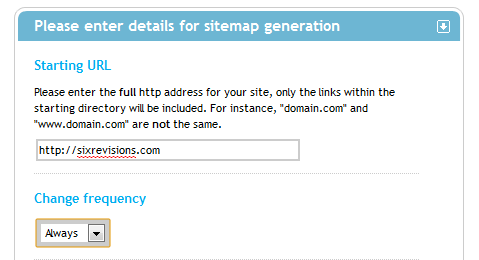
If you’re not using WordPress, you can have a look at XML-Sitemaps.com, a simple tool for generating a Sitemap.xml file just by providing your website’s URL.
Robots.txt is yet another file that search engines love. It’s a simple text file containing information about which parts of your website search engines should and shouldn’t visit.
To create such a file, you can just use a template and modify it to you own needs.
Here’s my template (designed for WordPress sites):
User-agent: * Disallow: /cgi-bin/ Disallow: /wp-admin/ Disallow: /wp-includes/ Disallow: /wp-content/plugins/ Disallow: /wp-content/cache/ Disallow: /wp-content/themes/ Disallow: /trackback/ Disallow: /feed/ Disallow: /author/ Disallow: /archives/ Disallow: /2009/ Disallow: /2010/ Disallow: /2011/ Disallow: /print/ Disallow: /index.php Disallow: /*? Disallow: /*.php$ Disallow: /*.js$ Disallow: /*.inc$ Disallow: /*.css$ Disallow: */feed/ Disallow: */trackback/ Disallow: */print/ Allow: /wp-content/uploads/
You should remember two things regarding robots.txt:
- You don’t want search engines to encounter any duplicate content on your website
- You don’t want search engines to index your private pages and scripts (e.g. the wp-admin files in WordPress)
If you use WordPress, check out this guide called Optimizing WordPress for Search Engines to learn more about Sitemap.xml and robots.xml in the context of SEO and WordPress.
Set Up Web Analytics
Having stats about the traffic to your website is simply priceless. Without traffic statistics, you won’t know how many people are visiting your site and you will have a hard time figuring out how to improve your site to draw in more traffic.
If you want a top-notch and free application that will report data about your website users, then look no further than Google Analytics.
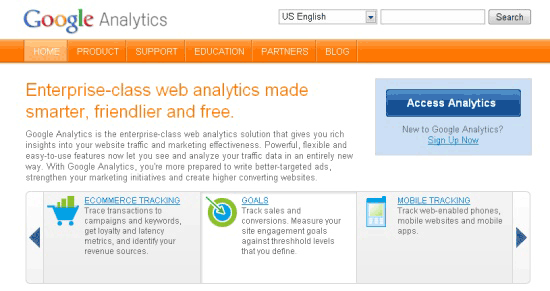
Of course, there are alternative web analytics software out there, but Google Analytics is the undisputed leader, and not simply because it was created by Google, but because the tool is extremely powerful and easy to use.
Here are a few guides and tutorials to read for getting up to speed with Google Analytics:
- Unleashing the Power of Website Analytics
- Google Analytics in Depth: Goals and Funnels
- Search Analysis with Google Analytics
Set Up Google Webmaster Tools
Not many people use this tool — it’s not as popular as Google Analytics, for example — however, it still is one of the best tools to have as a website owner.
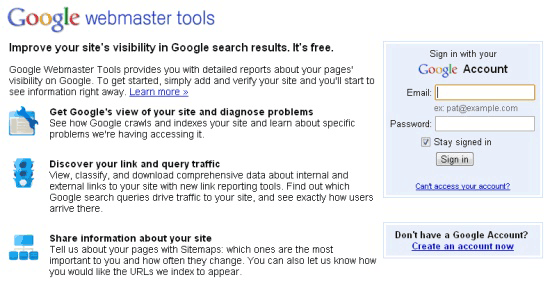
Here are just a few things Google Webmaster Tools will tell you about your website:
- What errors Googlebot encountered while indexing your website
- The number of links pointing to specific web pages (both inbound and outbound links)
- Keywords that Google sees as being used frequently on your website
- Keywords that have been used by people using Google Search to land on your website
- Info about possible security compromises and malware that might have been installed on your website
Want to learn more about Google Webmaster Tools? It’s not surprising that the best place to start is the official Webmaster Tools Help articles.
Also, make sure to check out the following guide: How to Find and Remove Broken Links in Your Website. This guide will allow you to make sure your hyperlinks work.
Monitor Your Search Engine Rankings
A good ranking in search engines is important to any site. Good ranking equals more traffic and increased levels of popularity. More traffic equals more money. That’s why it’s crucial to monitor whether or not your SEO efforts are bringing good results.
If you don’t want to buy software (i.e. spend money) there are two main ways of monitoring your keywords:
Manually: Just input a keyword in Google Search and take note of the position of your website. Important: Do not click on your listing because if you do, Google will remember it and next time you will see your website on a higher position. However, you will be the only person to witness that change; everybody else will see it on the actual position. This is because Google Search tries to predict what you will likely click on and, thus, previously visited sites bubble up to the top.
Use a Firefox plugin: There are a few Firefox browser add-ons for checking your keywords. I like the one called Rank Checker. Check out this video of Rank Checker:
Rank Checker is easy to use and has all the important features for search engine ranking analysis and monitoring.
Submit Your Website to Dmoz
I don’t really know why, but for some reason Google checks whether your website appears in Dmoz, and if it does, it gets some extra points when it comes to its search rankings.
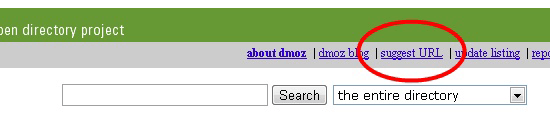
Submitting your website is very easy. Just go to Dmoz, browse to a category that best describes your website, and then click the suggest URL link in the top menu.
Unfortunately, it takes some time for your submission to be reviewed. Sometimes even a couple of months. Here’s something important: Even if you don’t see your website listing yet, don’t resubmit it. Such a practice may result in your website dropping to the end of the line. I would suggest not resubmitting your site more than once in a 6-month period.
Set Up Google Alerts to Monitor Mentions
Google Alerts is brilliant. Let’s say that you’re interested in all things that have to do with the term, guitar. If that’s the case, then you probably want to know about every new website that appears on Google that covers this topic.
However, you can’t possibly monitor the whole internet (it’s a pretty huge place). Here’s where Google Alerts comes to the rescue. Google Alerts will notify you about every new web page that contains keywords you’re interested in. If you don’t see the power behind this nifty app, then let me rephrase my value proposition for Google Alerts: Google will let you know of any web page that contains your keywords. This lets you stay on top of competition, as well as monitor what people are saying about your website.
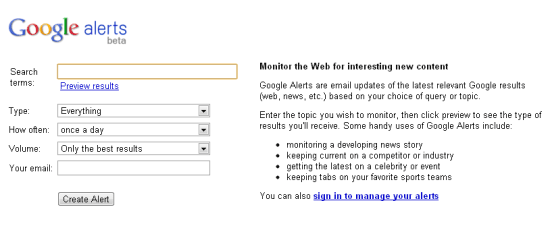
A good idea is to monitor your website’s name, your company’s name, your own name, and other things that are pertinent to your website. For example, Six Revisions might want to monitor:
- sixrevisions.com
- designinstruct.com (the other site of Six Revisions)
- Jacob Gube (the founder’s name)
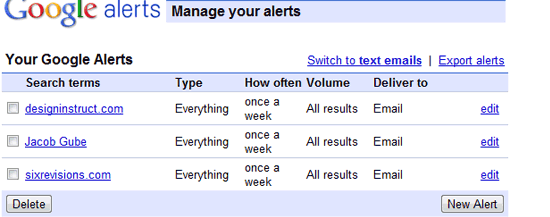
Talk about having your finger on the pulse — it doesn’t get much better than that. There are many more tools for monitoring your website’s mentions. For example, you can use the RSS feeds of places like Yahoo! Pipes, Twitter search and Google Blog Search.
Monitor Your Website’s Uptime
Without a doubt, the most important piece of information you can have about your website is if it’s online or not. The problem is that you can’t really visit each of your websites every minute of the day. Luckily, there’s an app for that. It’s called UptimeRobot. You can use UptimeRobot to track as many as 50 websites at the same time, and if one of them goes offline even for a minute, it will send you an email notification. The best part? The tool is free.
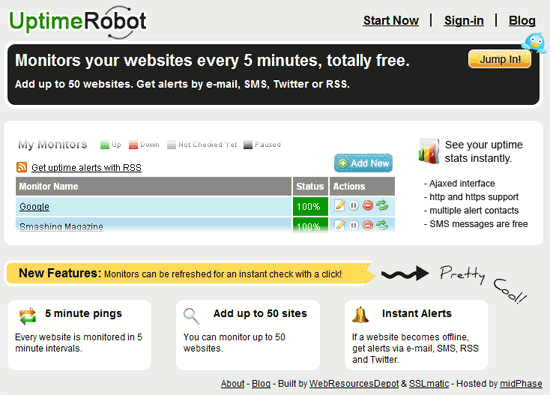
There are plenty of tools for monitoring your web properties’ uptimes. Be sure to check out this list of 12 free tools for monitoring your site’s uptime.
Check Your Site’s Speed
It was not so long ago when Google announced that one of the new factors for ranking websites in search engine results is site speed. Of course pleasing Google is not the only reason why you need to make your website lightning quick. Users hate waiting, and they will less likely visit your website again if they remember it as being slow.
There are many tools for allowing you to make fast web pages. One such tool is YSlow: it checks your web pages to see issues and suggests things you can do to make your site faster.
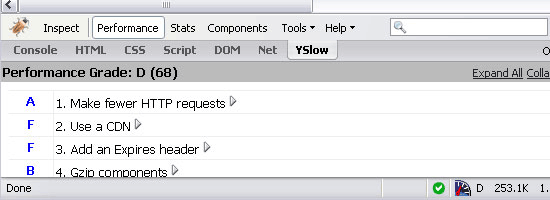
There are many other tools you can use to check and evaluate your website’s speed; be sure to take a look at this list of 15 tools to help you develop faster web pages.
Conclusion
Dealing with all the things mentioned above will take you less than one hour (maybe a little more if you don’t have a web development background and if this is your first site). This hour might very well be one of the most fruitful hours you spend towards the well-being of your new website.
What other things should site owners do immediately after launching a website?
Related Content
- Launching a Blog Successfully in 15 Days
- A 6-Step General Process for Producing a Website
- 6 Things You Need for Your Web Project to Succeed
- Related categories: Website Management and Web Development

Karol K. (@
104 Comments
Guy Arbus
November 8th, 2010
Hi,
There are many interesting ways you have to follow immediatly after the website’s launch. Great article, many thanks !
Umut Muhaddisoglu
November 8th, 2010
Thanks so much for featuring Uptime Robot in this handy article. So appreciated.
Marc von Brockdofff
November 8th, 2010
Great post! Just moved my blog to a new domain yesterday so some of these are really helpful.
Will be trying out Google Alerts.
Jason
November 8th, 2010
Very handy laundry list – thanks for writing it up.
Chief Alchemist
November 8th, 2010
Good list. But the speed tuning should be prior to launch, no?
Waheed Akhtar
November 8th, 2010
Nice article Karol.
Between I have 2 questions here.
1- Do submitting to Dmoz really matter anymore?
2- I just checked the robots file Six Revisions and its just simple 2 following lines.
User-agent: *
Disallow:
Would like to know you guys opinion on this.
Thanks.
Boost Inspiration
November 8th, 2010
Nice article Karol
Between I have 2 questions here.
1- Do submitting to Dmoz really matter anymore?
2- I just checked the robots file Six Revisions and its just simple 2 following lines.
User-agent: *
Disallow:
Would like to know you guys opinion on this.
Thanks.
QVectors
November 8th, 2010
Great tips. The robots.txt is really important if you’re using wordpress and “theme my login” plugin. i learnt the hard way and found out i had over 500 duplicate pages marked by google.
Taimur Asghar
November 8th, 2010
Awesome, specially for me who is starting new web blog in upcoming January :)
David Hobbs
November 8th, 2010
Karol this is a nice list. Since in the heat of a launch it can be easy to forget details, keeping using a checklist is helpful. You mention that ideally these happen before public launch. I thought I would list some reasons to do these before public launch:
a) at launch, you probably want to know the immediate response, especially for a high profile site (so for example you want to know web analytics from the start)
b) you may realize that the way the site was implemented makes it difficult to ideally implement the items in the checklist — this may may it difficult to “get right” if you’re in a rush to put in this monitoring
Thanks,
– David
Rochelle
November 8th, 2010
Thank you. Informative article!
Peter E.
November 8th, 2010
gtmetrix.com is also a great way to test speed and gives great feedback on how to reduce http requests. it combines yahoo’s yslow and google page speed.
Lucifix
November 8th, 2010
For me one of the most crucial thing when I open new website is to regularly check error log. Only then can I see if I missed an error generated other users or bots.
benedetta.s
November 8th, 2010
Thank you very much! Your advices are extremely useful!!
Sandy Allen
November 8th, 2010
Besides Google Webmaster Tools, you should also register with Bing Webmaster Tools. You get a lot of info not duplicated at Google and it seems you get indexed by Bing faster.
imran khan
November 8th, 2010
oh wow! i am gonna do that
Usi
November 8th, 2010
believe all these are very interesting for me, for now I am going to create site map and robots file for my site.
Really I’ve my site up since 2 months I think but I was really not sure how to do this all, an gathered guide like this help me alot.
thanks again.
Elias
November 8th, 2010
Forgot to mention that you should start farming backlinks to improve your page rank.
Dotty
November 8th, 2010
I was looking for that type of article! I found it just on time! Thx! ;-)
Asikur Rhaman Reko
November 8th, 2010
In a single word this is great posting.
thanks…
chrelad
November 8th, 2010
Awesome! Thanks for the great list :)
Chad DePue
November 8th, 2010
Good article. We just launched a product that takes care of “Monitor Your Search Engine Rankings” – http://inboxseo.com – would love feedback on it; we tie it to Google Analytics so you can track the ranking of the keywords people are using to find your site. Also one thing to remember is it’s important to track rankings on the Google of the country you’re in – don’t search google.com if you have a french website, the results are radically different. Seems obvious but a lot of tools don’t properly let you set the target country.
web
November 8th, 2010
I wouldn’t disallow these:
Disallow: /index.php
Disallow: /feed/
Blocking index.php can potentially cause problems and WordPress automatically redirects it. Search engines use feeds to index content and don’t show them in the SERPs anymore so there’s no need to block them.
This works for Google, but maybe not for Bing which also powers Yahoo:
Allow: /wp-content/uploads/
I would leave /wp-content unblocked, but just be sure that directory listing is off with .htaccess:
Options –Indexes
If you completely block dynamic URLs with “Disallow: /*?”, you might miss out on some link juice if people link to URLs with parameters attached. For example, sometimes Google Analytics parameters get attached from Feedburner URLs and then people copy/paste those dynamic URLs into their links. You can fix the dynamic URLs either with link-canonical tags or with 301 redirects…
Manish
November 8th, 2010
Hi Karol,
Nice article. I have only implemented a few of the items (Analytics,Google Webmaster Tools, alerts).
Will surely implement the rest.
Thanks
Manish
Zach Lysobey
November 8th, 2010
From your Robots.txt link:
Note also that globbing and regular expression are not supported in either the User-agent or Disallow lines. The ‘*’ in the User-agent field is a special value meaning “any robot”. Specifically, you cannot have lines like “User-agent: *bot*”, “Disallow: /tmp/*” or “Disallow: *.gif”.
Kuroki Kaze
November 8th, 2010
IMHO most of these should be done before launching, not “Immediately after” :)
Ibrahim
November 8th, 2010
This is a must have list. Thanks for putting this up… Where else would I have learned of the existence of a spam-free page rank look-up application? Thanks Carlos.
Tim
November 8th, 2010
DMOZ has been useless for years. Google does not consider DMOZ at all when indexing your site. Check the videos by Matt Cutts from Google on Youttube.
Dom Crook
November 8th, 2010
Great post! The YSlow plugin is very handy I can’t believe I hadn’t heard of it before.
webXpress
November 8th, 2010
really useful article. thanks :)
Kent
November 8th, 2010
Hey Karol,
Great article. Thanks for sharing!
John Faulk
November 8th, 2010
An excellent line-up of the most crucial tools. I’m just starting out, and I don’t (yet) get much new business from website, but I plan to upgrade and redesign the site in the coming months and I’ve got a set of bookmarked pages with just this kind of intelligence. Yours will now go to the front of the line. Very helpful, nicely written and formatted. Good work all around.
Thomas
November 8th, 2010
Nice Post. I always like to do a baseline site audit that includes SERPs, traffic figures, indexed page count, backlink count, and alexa rankings. Then in a few weeks or months I can say hey…this site is doing great/poor.
tech2011
November 8th, 2010
Thanks much!!!
Rob Mills
November 8th, 2010
These are great suggestions! I didn’t know about uptimerobot. Will certainly make use of that.
WordTracker’s another tool I suggest for using: http://www.wordtracker.com/
Toma
November 8th, 2010
Great article. Compliments. Could also mention modifying the htaccess file, especially for security when using WordPress.
ceejayoz
November 8th, 2010
After launching? Virtually all of these should be done beforehand.
Himanshu
November 8th, 2010
A very enlightening article. Just written when needed badly.
Sir, one thing, you have mentioned only wordpress only. Even other CMS like Drupal and Joomla are also widely used. Please write about them also. And if not, do provide us with a link – especially for Drupal – as my new site has been built in Drupal.
cancel bubble
November 8th, 2010
Here’s an interesting blurb from a huge site about google sitemaps:
http://webmasters.stackexchange.com/questions/4803/the-sitemap-paradox
Based on our two years’ experience with sitemaps, there’s something fundamentally paradoxical about the sitemap:
1. Sitemaps are intended for sites that are hard to crawl properly.
2. If Google can’t successfully crawl your site to find a link, but is able to find it in the sitemap it gives the sitemap link no weight and will not index it!
That’s the sitemap paradox — if your site isn’t being properly crawled (for whatever reason), using a sitemap will not help you!
Aji(TechShu.com)
November 8th, 2010
There are few more things one should do:
#1) Create a Facebook page and link it from the website and vice-versa (I like you, I don’t want to have sex with you know, but may be later I will fall in love with you and have sex with you too .. Facebook community is a room for such people .. Get a vamity URL as soon as possible
#2) Some of them may not be there on FB, so have a link to Twitter and LinkedIn (Linkedin is important for some sectors)
#3) A custom search engine, to establish your trust … It has some more significance :)
Hope it helps :)
nikos lianeris
November 8th, 2010
Although these are the steps I follow when I launch a website I found this article very useful!Thank you for shearing!
Paz Aricha
November 8th, 2010
Great article. really awesome tips I really learned some new stuff.. especially on the robots.txt file.
Dan Rowan
November 8th, 2010
Fantastic article Karol! I think that many people tend to overlook these simple steps for successfully launching a website. Even as a heavy internet user, I didn’t know that Google had Google Alerts (although they do have a billion different resources; who can keep track of them all). I am definitely going to be using that asap.
Greg Babula
November 8th, 2010
Great post, you pretty much covered everything important.
Kristina Made
November 8th, 2010
Hey, Karol! Nice and interesting article! Thanks! :)
izdelava strani
November 8th, 2010
Thank you for this tips. Good bookmark for my next project as to-do list! :)
Nathan King
November 8th, 2010
A lot of these should actually be addressed prior to launching a website; the speed test, sitemap, robots.txt, and analytics set up should all be taken care of before launch.
Dustin Dyer
November 8th, 2010
This is the exact reason I come to sixrevisions every day. This article is perfect for me! Simple tips like these are what help people the most. Thanks…
Asoto Adeola
November 8th, 2010
Found this article at the right time. Launched my site a month ago. I have actually been thinking of the next step to take. Thumbs up…
Alex
November 8th, 2010
A lot of these should be done before you launch a site!!
PS: I’ll try Google Alerts, nice advice!
Karol K.
November 8th, 2010
@Waheed Akhtar
Yes, submitting to Dmoz does matter. The directory is manually reviewed so Google knows that only good, quality sites pass the exam.
@David Hobbs
Launch hour can be really crazy, so setting those things up earlier is a good idea indeed.
@Peter E
gtmetrix.com looks really cool. Great site.
@Sandy Allen
Great idea. Will have to give it a shot.
@web
Thanks for these tips!
@Zach Lysobey
Are you saying that lines like: “Disallow: /*.php$” are incorrect?
@Tim
Do you have any other evidence except Matt’s videos?
@cancel bubble
That’s a really interesting piece. Thanks for sharing!
Lucian
November 8th, 2010
Very good points and resources. I would also definitely check the website on IE browsers on a Windows platform.
There are many developers there who really love MAC’s but there are sometimes differences or platform related bugs. So make sure 90% of the visitors will see your site properly.
Jason
November 8th, 2010
The manually ranking thing is useless.
Google rankings on its serp change depending on:
1. Where you live, (someone in London will get a different serp to someone in Brussels)
2. If you’re logged in or not
3. What your search history is, whether you clicked the link or not.
Where your site comes in google may be different on other people’s machines so manually noting your ranking can be rendered pointless in some retrospect.
Kelly Lawrence
November 8th, 2010
I hate analytics — almost every time a site fails to load, I check to see what’s loading and it’s usually stuck on some analytics or ad javascript. Analytics basically makes a worse experience for your users. Why not just process your own server logs? It’s more reliable that way anyways.
Prince
November 8th, 2010
Awesome tips. I got lot of information. thank you so much for sharing this info. Keep up the good work.
Mohamed Mansour
November 8th, 2010
Or, just use http://html5boilerplate.com/ :)
Ibrahim azhar armar
November 8th, 2010
Very nice and useful article, I started web development recently and I am so thankful to you for guiding me on this.
omvaishnav
November 9th, 2010
Really great article, Thanks for valuable information.
Payam Rahmani
November 9th, 2010
Great post. Thank you so much.
Mark Shingleton
November 9th, 2010
Uptime Robot is a great free application to get you going with website monitoring but if you need something a little more comprehensive, but still super easy to use ,then I recommend that you check out http://www.sentinelmonitoring.com.
We do all the same stuff that uptime robot does plus a whole heap more. So you can check things like PING, HTTP, HTTPS, SMTP, POP3, SSL Certificate Expiry, DNS, FTP and more and when your site or application grows and you need to run it on a VPS or dedicated server then we can keep an eye on DISK, CPU Load and MEMORY too.
We’re a relative newcomer in the monitoring space but we’ve had really great feedback and think we have a nice app and I would be really interested to hear any feedback your readers may have.
Marck
November 9th, 2010
Most of your tips are OK. But better create and tune a .htaccess file to harden your installation.
It’s created by wordperss when you switch to real urls. Bur you can use it to block hackers, fake user agents an hacking attempts.
Marius
November 9th, 2010
getting submitted into DMOZ can be real headache, never succeeded before. If you are submitting to popular category you will be denied cause in many cases it’s controlled by people who have interested for you not to appear in lists. If you gonna sell ads on one point or another would consider signing up for such services as alexa or quantcast. Somehow people from advertising tend to look how you rank on alexa.
nnes
November 9th, 2010
This is really useful information. Currently I’ve only got a sitemap.xml-file. Thanks for this info!
Michael Buckley
November 9th, 2010
Good tips! I do some of them already, but not all of them, going to go implement the rest soon.
Johan R
November 9th, 2010
Thanks for all those tips. I use only the half but it’s great to see there are other things I have to do after launch.
BPM
November 9th, 2010
Someone said to check your site in IE on Windows. Go a step better and check your site on browsershots.org. It produces screen shots of your page on dozens of browsers. Very neat.
Regards, BPM
LaKaye Mbah
November 9th, 2010
Awesome tips. thanks for sharing the info!
Kimberley Turrell
November 9th, 2010
What a great article – especially because I’m just about to re-design my website using WordPress!! Very Useful
Ahmad
November 9th, 2010
Site map is essential step. very nice article
Mark
November 9th, 2010
Great tips thanks
CJ Treggett
November 9th, 2010
Hi Karol,
I could just kiss you lol. I’m planning on launching my first website next week. So this article couldn’t have come at a better time!
Thanks so much, from a ‘non-techie’ new web-mistress :)
Cindy Auligny
November 9th, 2010
Nice article. But after launching those stuffs, we have to keep our sites alive. You know, there’re so much things we should do.
Chandan
November 10th, 2010
Thank you for sharing useful information in detail :-)
Karol K.
November 10th, 2010
@Lucian
There’s a cool tool for that: browsershots.org – it’s a real time-saver (as mentioned in a comment by BPM)
@Kelly Lawrence
You are so right about the loading times. I have the same problem. However, tools like Google Analytics have some valuable features, so the loading time is the price I’m willing to pay.
@Marck
I agree, .htaccess is an important one. You can also use it to prevent direct directory access and hot-linking (among hundreds of other things, of course).
@CJ Treggett
No comment about the kissing thing, but good luck with your launch ;)
Muhammad Haris
November 10th, 2010
I completely disagree with the last point. yslow should be used during development not immediately after launch.
Roy@NeedWebsite
November 10th, 2010
Great list … but I have loads of doubts whether you would get a Dmoz listing right after starting a website – unless backed by awesomeness.
Jessica Lee
November 10th, 2010
Thank you for this great informative article! I just started creating my own WordPress blogs for the first time, and this article will help me a lot! :)
Nikki Davis
November 10th, 2010
Great list, I think there’s a couple things that could be added (I haven’t look at everybody’s comments so it could already have been covered). Setting up a 301 re-direct (so that you don’t have 2 instances of your website on the internet, www and non-www) is very important immediately after going live (if not before) and also important (not essential) is creating some custom error pages.
vitmel
November 10th, 2010
Thanks for article. Very useful. Using almost all of them except DMoz. So many useful tool out there, and it is so hard to remember all of them :)
roy morejon
November 10th, 2010
Karol, This is a great resource on launching a website. Thank you.
Rohit
November 11th, 2010
i am not sure about Dmoz listing is essential! Concentrating on Media Marketing is must these days else your sites won’t catch up in rankings well.
Karol K.
November 11th, 2010
@Roy@NeedWebsite
Getting a Dmoz listing is never easy.
@Nikki Davis
Good tips, thanks! 301 redirects and a 404 page are really important.
Hesky
November 11th, 2010
and probably tweet it!
Michael A. Robson
November 11th, 2010
Wow. Perfect! A couple of these I’m already doing, but definitely love the recommended WP plugins, thanks! I love my blog, but have zero interest in actually doing .. um.. the nuts and bolts stuff. Thanks for the great advice!
Phil
November 12th, 2010
This is a great checklist… I wasn’t really aware of not clicking on your own site after searching key words, thanks for the article.
Adam
November 14th, 2010
I haven’t read such a useful writing for .. I really don’t know how long. I added your site to my daily webdesign-lookaround :)
Xavier
November 16th, 2010
Great article … I’va done everything you said for my sites.
Just one question … why don’t you do that before launching your website ?? :)
a_usman
November 17th, 2010
I have never seen such an informative article about this topic. I esp liked the Google Alerts part, didn’t know about it. Thanks a lot and keep it up.
Anoop P R
November 18th, 2010
Good article… It gives a lot of information about websites… Keep writing these type of informative articles.. :D
vicky
November 18th, 2010
submitting it to the DMOZ. it havent worked out very well
Julia
November 30th, 2010
Awesome article, thanks a lot for it. I have actually tried quite a few things from your article and I am very happy with the results. I can only agree with former comments: keep on writing this kind of articles, it’s greatly appreciated!
dompl
December 3rd, 2010
Excellent article. These are definatelly “must” for every website – no matter CMS or static.
Good Work!
Jeremy Randall
December 3rd, 2010
Great article. Thanks for the tips.
Guruh
December 16th, 2010
Thank your. Very informative article.
Leo
December 25th, 2010
Good work, thank you.
One more thing to add. Everybody checks their sites’ speed but rarely people check sites’ optimization. People too lazy to go deep into the details when they see their site is faster than 70%. I’d rewrite that last part to “Check Your Site’s Optimization” with emphasis to optimization, I mean. Speed with those checkers is nothing. Speed when you try to use a site in a cafe with slow wi-fi connection is everything.
BTW, I use http://siteloadtest.com for checking sites because all those plugins slow down my browser.
Arun Prabu
December 26th, 2010
Good Article with really informative stuff. Will follow your tips for my newly launched blog..
Graham
January 14th, 2011
Great checklist.
I think it will really come in handy to us all.
Benjamin Charity
March 1st, 2011
Hmm it seems to me, that any of your titles that begin with “Set up…” should be finished pre launch. Why would you launch prior to setting up Analytics, or robots.txt etc?
Troy
March 9th, 2011
I would say to create some inter-linking within your site would also be something you want to do. Great tips!
Hertz
October 5th, 2011
There is some great information for your readers here which is exactly what Google is after. The adwords tool itself has as I understand it recently been given an overhaul and now includes even more accurate data than previously. I make use of the http://www.longtailkeywordpro.com/ tool which taps into the adwords interface and allows you to look at competition levels as well as domains avaliable. This is something which with the new more accuate data being released should ensure that webmasters are targeting the right keywords which are importantly achievable.
Christian
October 6th, 2011
Thanks for the list! There are some new apps i dont know.
Sebastien
November 10th, 2011
I have long sought a complete list, I can say that I am, thank you for sharing this!
Maga
November 27th, 2011
Informative article,
if a website did not get listed on DMOZ for whatever reasons, try to build a backlink from site that already listed on DMOZ.
BLESSING
August 29th, 2012
i will be very if my application well go sucessfuly
Leave a Comment






